CONTROL ELEMENTS
Multi-function display
Operating manual MT 32 / 36 81
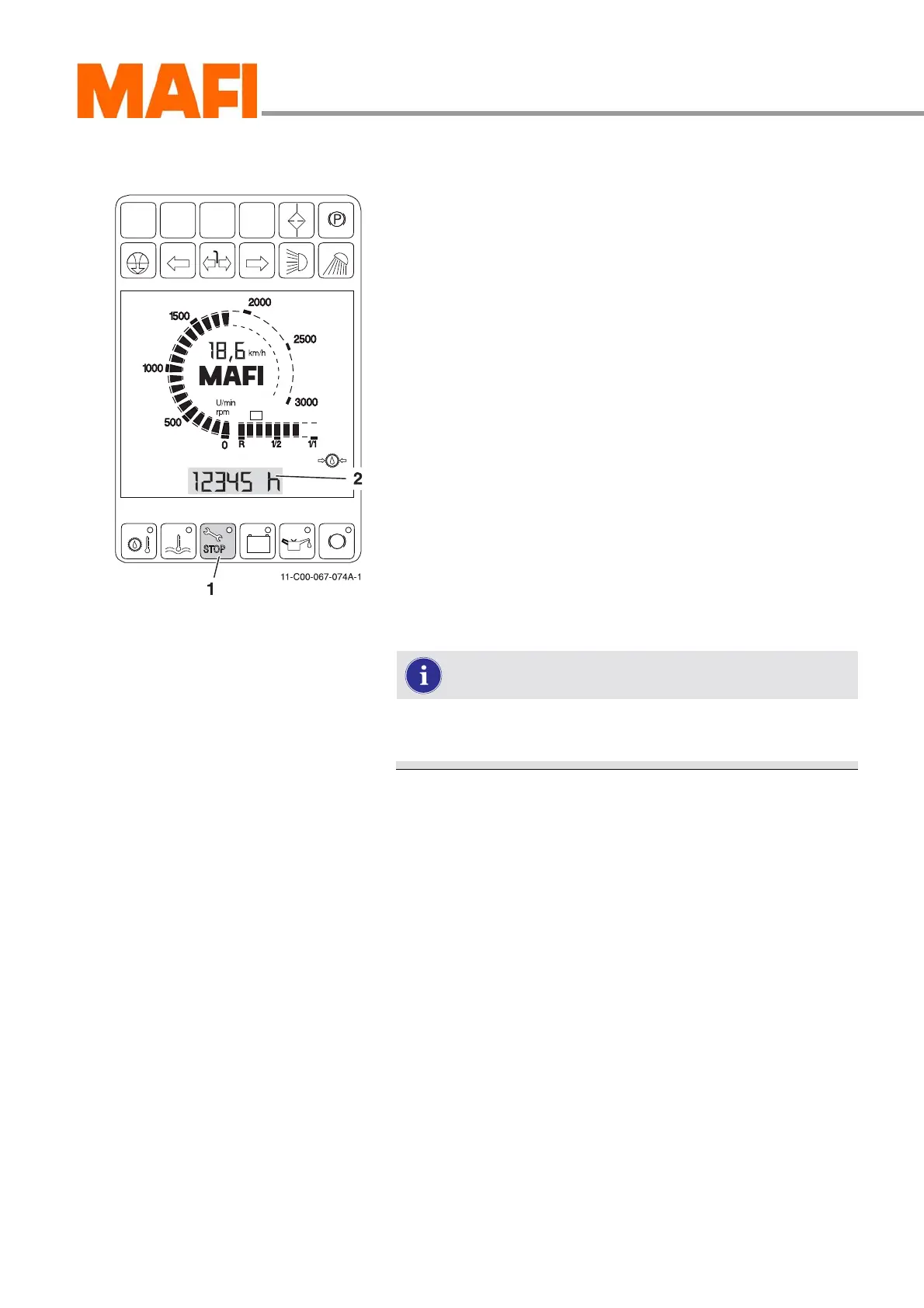
Maintenance display
Fig. 70: Maintenance display
1 “Maintenance display” button
2 Display
Press button 1 to display the following information:
z Operating hours indicator
z Operating hours remaining until the next service
z Hotline telephone number
If there are deviations from the specifications or other malfunc-
tions on the MT, you will be notified by the LED lighting up in
the button, see “Indicators on the multi-function display” on
page 131.
Information selection
X Press button 1.
3 The number of operating hours is indicated in the LCD
display.
Press button 1 several times to view the operating hours
remaining till the next service as well as MAFI's customer
service number in Germany.
The selected indicator remains active until you switch
to a new indicator or switch off the ignition.



 To Next Page