35Magellan Meridian GPS Receiver
Reference
GPS Status
Present
Position
Coordinates
and Elevation
Present Position CoordinatesPresent Position Coordinates
Present Position CoordinatesPresent Position Coordinates
Present Position Coordinates
and Elevationand Elevation
and Elevationand Elevation
and Elevation
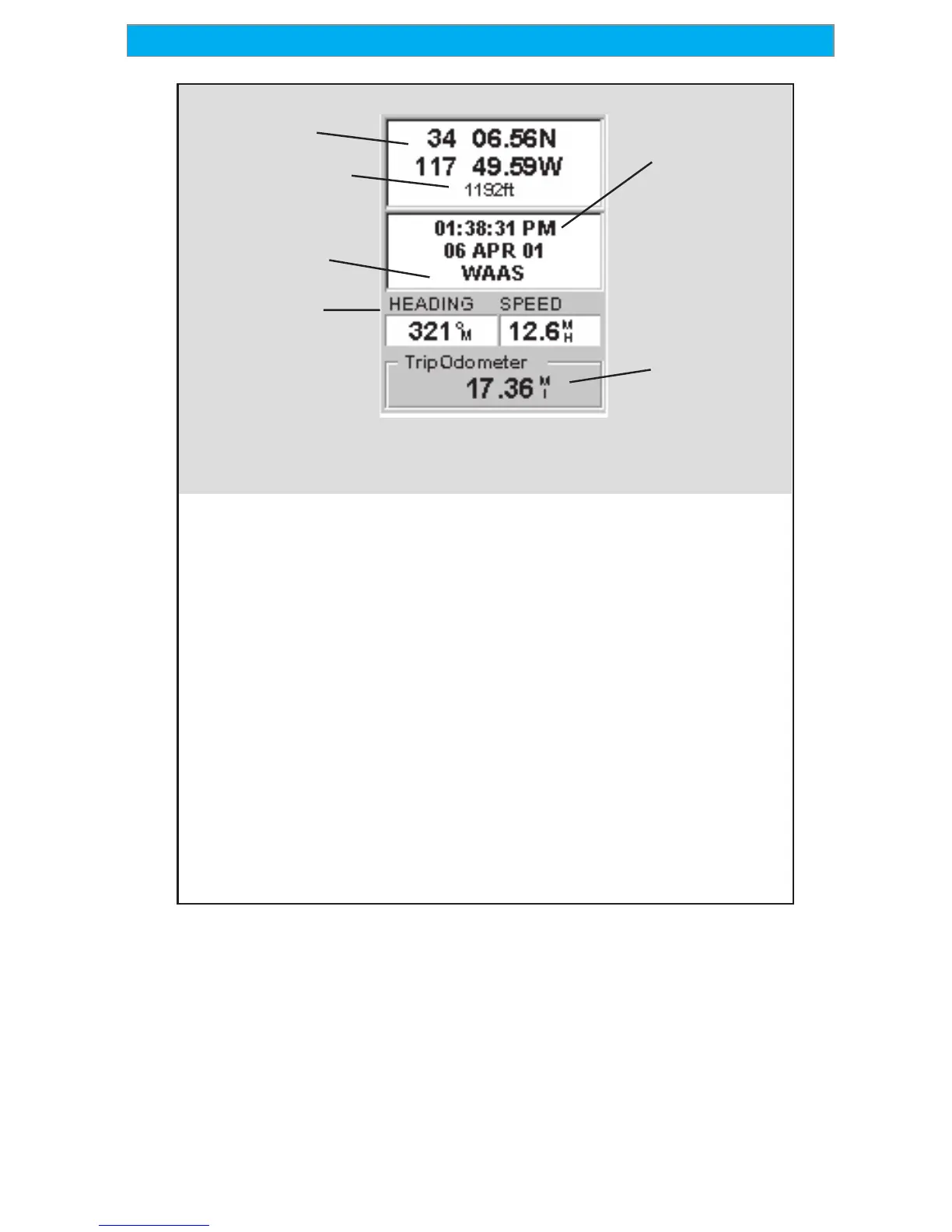
Displays your present position in the
coordinate system chosen in Setup.
Also displays the elevation of the
present position. If the Meridian is
not computing position fixes, the
last computed position is displayed.
GPS StatusGPS Status
GPS StatusGPS Status
GPS Status
Provides information on the current
status of the GPS receiver portion of
the Meridian.
Data FieldsData Fields
Data FieldsData Fields
Data Fields
Customizable data fields. The
data displayed can be selected
from 13 different options.
Customizing is accessed through
the MENU button. Some of the
data displayed requires you to be
moving to be computed, invalid
data is indicated by dashes.
Trip OdometerTrip Odometer
Trip OdometerTrip Odometer
Trip Odometer
The odometer performs like the
odometer in your car. It can be
reset through the MENU button.
Current Time
and Date
Data Fields
Trip
Odometer
Use the Left/Right Arrows to toggle between Position 1 and Position 2
Customizing the Data Fields — Allows you to change the data that is
being displayed to 1 of 13 data options (bearing, distance, speed,
heading, VMG, CTS, ETA, ETE, XTE, turn, elevation, time, or date)
for any of the two fields. (See explanation of Data Types in the Map
Screen section.)



 To Next Page
 Loading...