43Magellan Meridian GPS Receiver
Reference
Creating New Waypoint Manually — Allows the creation of a new
waypoint with coordinates other than your present position. The
coordinates for the new position need to be entered manually.
From
Any
Screen
Hold down
for 2-3
seconds
Modify
(see
Note)
Highlight
Location
Field
Edit Line 1 of
the Location
Field
Edit Line 2 of
the Location
Field
Edit
Elevation
Field
Highlight
“Save”
Button
ENTER ENTER
ENTER
ENTER
ENTER
GOTO
(Note: To modify the icon, name or message use the Up/Down arrows
to highlight the field you wish to change and press ENTER. You are
then placed into the Edit Mode.)
Creating New Waypoint with Map Cursor — Provides a method of
creating a new waypoint with coordinates other than your present
position. The new coordinates are computed automatically based on the
location of the map cursor.
From
Map
Screen
Hold down
for 2-3
seconds
Modify
(see
Note)
Use arrow keys to
move cursor to
desired position
ENTERGOTO
(Note: To modify the icon, name or message use the Up/Down arrows
to highlight the field you wish to change and press ENTER. You are
then placed into the Edit Mode.)
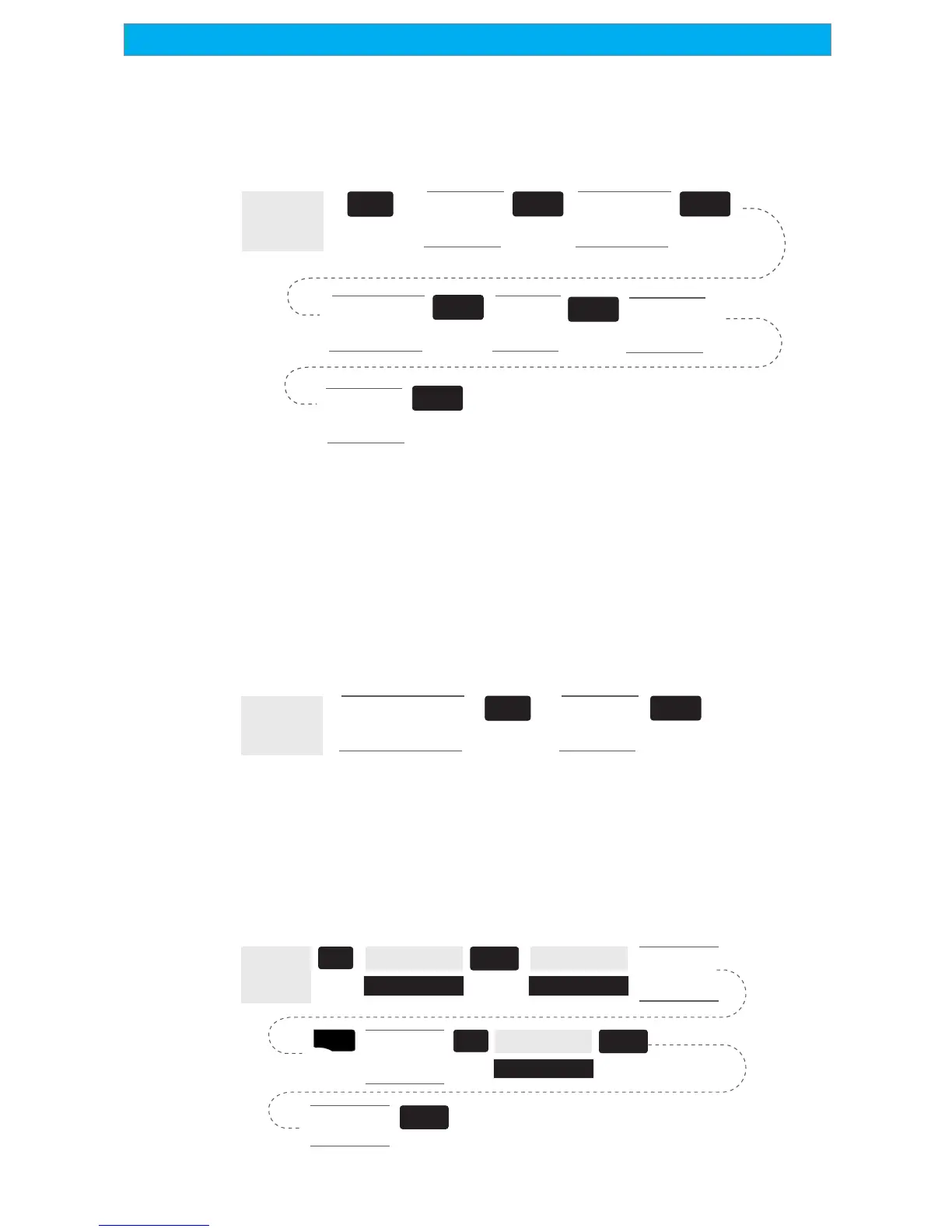
Deleting a User Waypoint — Deletes a waypoint that you have created.
From
Any
Screen
MENU
ENTER
Highlight
Database
left/right
arrows select
“Find By”
Highlight
User
Select
Waypoint to
be Deleted
MENU
Highlight
Delete
Confirm?
Yes or No
ENTER
ENTER
ENTER



 To Next Page
 Loading...