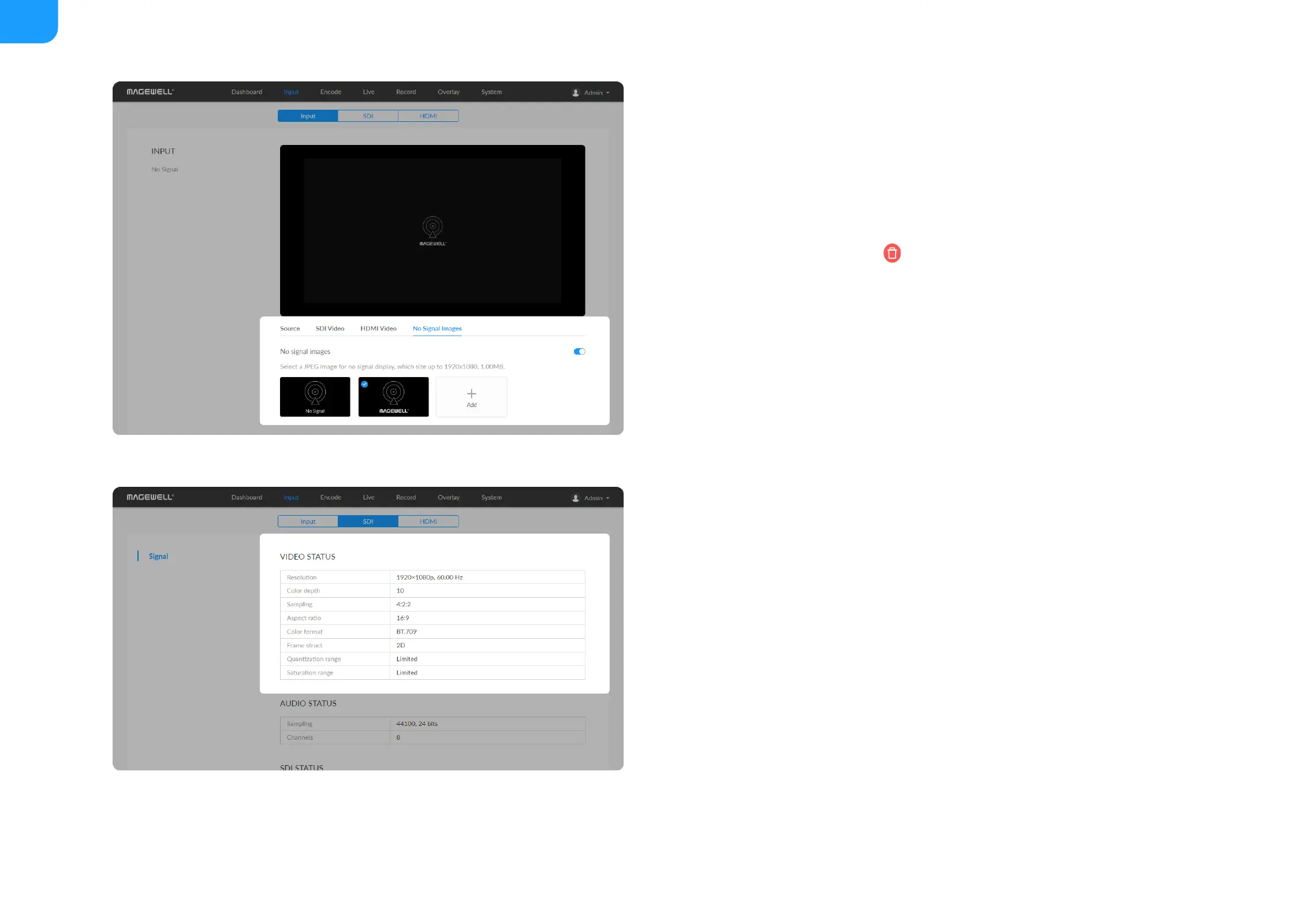
Select a JPEG image for no signal display, which size up to 1920x1080, 1MB.
The device provided 2 pictures can not be deleted. By default, the switch is
on.
■
Add: You can add 2 more JPEG photos sizing up to 1920x1080, 1.00 MB.
■
Delete: click the delete icon to remove the uploaded image from your
device.
■
Resolution shows the input video pixel resolution & frame rate.
■
Color depth shows the input video color depth, in bits.
■
Sampling shows the input video color sampling format.
■
Aspect ratio shows the input video aspect ratio.
■
Color format shows the input video color encoding format.
■
Frame struct shows the input video frame type, 2D or 3D.
■
Quantization range shows the quantization range, Full or Limited.
■
Saturation range shows the saturation range, e.g. Full or Limited.
■



 To Next Page