live in YouTube Studio.
Choose a channel or event. Then go live in YouTube studio to ensure a
successful live broadcast.
9. Click Test to check the connection between the server and encoder.
10. When prompted, click OK.
11. Go back to the Live page, and turn on before the added server to
start live streaming.
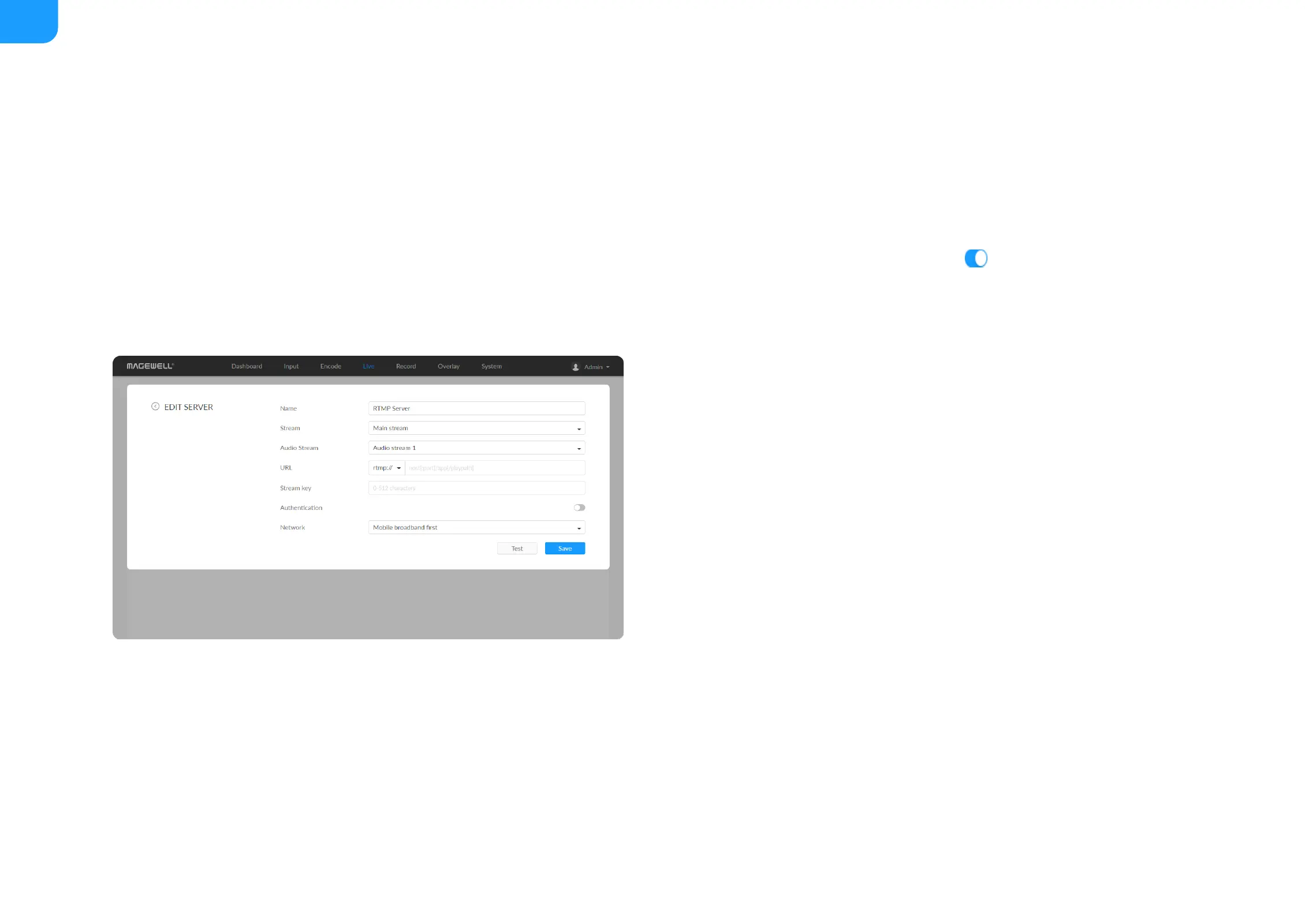
RTMP/RTMPS
Name: specify a name for current task to facilitate server management,
which will be displayed in the server list. The name can be 1~30 character.
■
Stream: choose to deliver a main or sub stream, which can be customized
in Encode tab.
■
Audio Stream: options are Audio stream 1 ~ 4, and the default is Audio
stream 1. Audio stream parameters can be set in "Encode > AUDIO
STREAM".
■
URL: enter the RTMP URL address, or an RTMP address you have obtained
from the live stream platform. Full address
example:rtmp://192.168.1.136:1935/live. The port number part :1935 can
be omitted, and the value range is 1 to 65535. If the RTMP address is a
domain name, live can be omitted. If the RTMP address is an IP address, The
part live cannot be omitted.
■
Stream key: enter the stream key obtained from the live stream platform. If
none, leave it empty. The key can be string of 0-512 characters.
■



 To Next Page