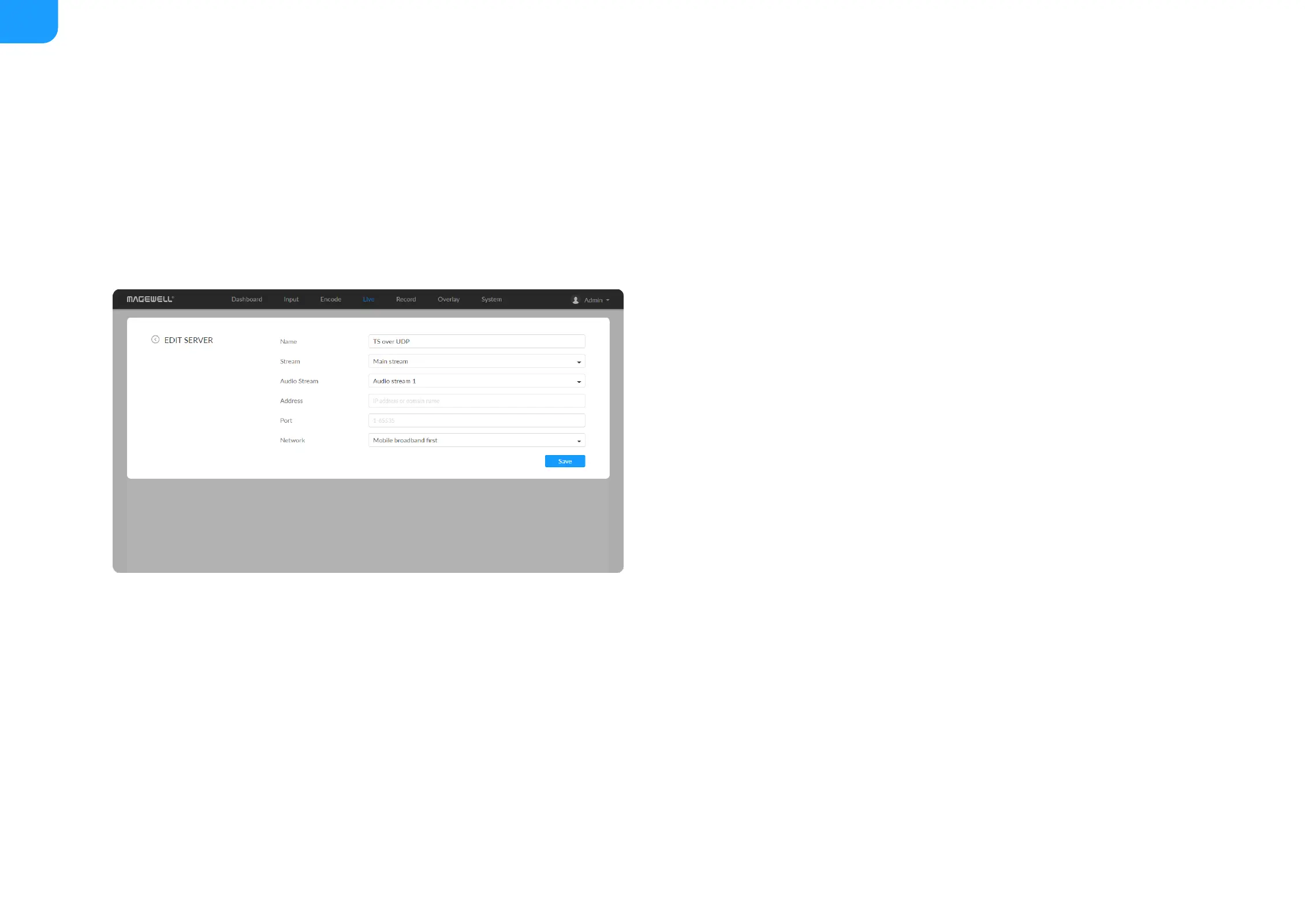
Save: save current server configuration.
■
The encoder can stream 1 HLS session with other protocol streams.
■
After configuration, the stream URLs will display at the end of the setting
page. If you have multiple network connections, there would be multiple
stream URLs.
■
Name: specify a name for current task to facilitate server management,
which will be displayed in server list. The name can be 1~30 character.
■
Stream: options are main stream and sub stream, which can be customized
in Encode tab.
■
Audio Stream: options are Audio stream 1 ~ 4, and the default is Audio
stream 1. Audio stream parameters can be set in "Encode > AUDIO
STREAM".
■
Address: specify the destination address.
■
Port: specify the stream port. The value ranges from 1 to 65535.
■
Network: The device scans for the available network according to the
connection priority and connect to it for streaming. If the current network is
disconnected, the unit automatically re-scans according to the priority.
By default, the network connection priority is: Mobile Broadband > Ethernet
> Wi-Fi.
Plug a USB modem into your encoder while using mobile network to
stream.
■
Save: save current configuration.
■



 To Next Page