Set Wi-Fi
16 Wi-Fi network information can be saved for auto-detection.
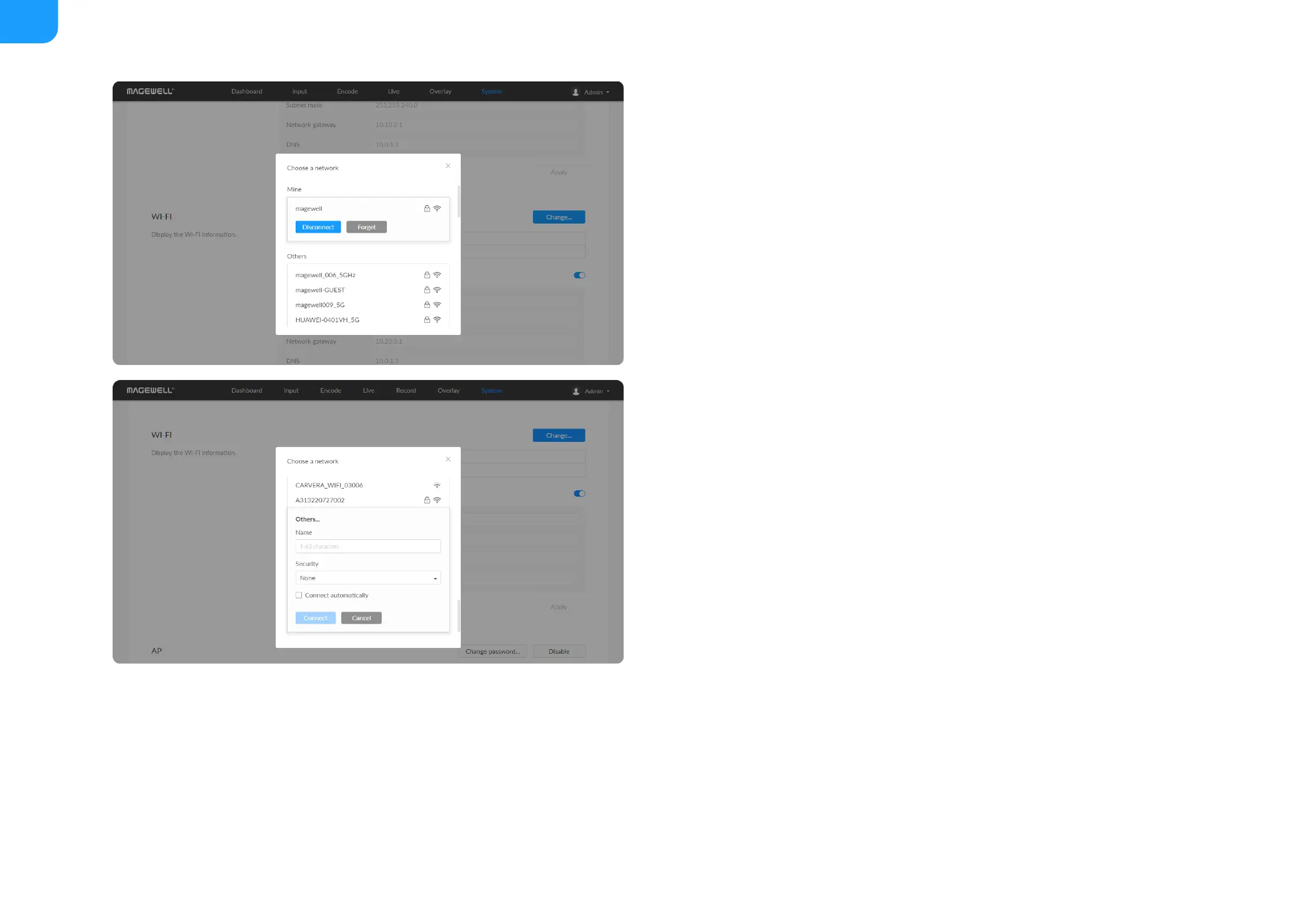
Search Wi-Fi Network manually
1. Click Change... to choose a different WLAN to connect to, and Enter the
network security key. If you select Others..., enter Name (1-63
characters) and choose a Security policy from None, WEP, WPA, and
WPA2/WPA3, and enter the Password (8 characters at least).
2. (Optional) Check Connect automatically, then the Wi-Fi network will be
joined automatically.
3. Click connect.
Set Wi-Fi manually
Disconnect: click to cut off current Wi-Fi network.
■
Change... click to choose a different WLAN to connect to.
■
SSID: named after device serial number.
■
Status: Wi-Fi signal strength.
■
IP address: WLAN IP address.
■
Subnet mask: WLAN subnet mask.
■
Network gateway: WLAN gateway.
■
DNS: WLAN DNS server IP address.
■
DHCP: turn OFF the switch to modify current network setting or when being
connected to a non-DHCP network.
■
IP address: device IP address.
■
Subnet mask: device subnet mask.
■



 To Next Page