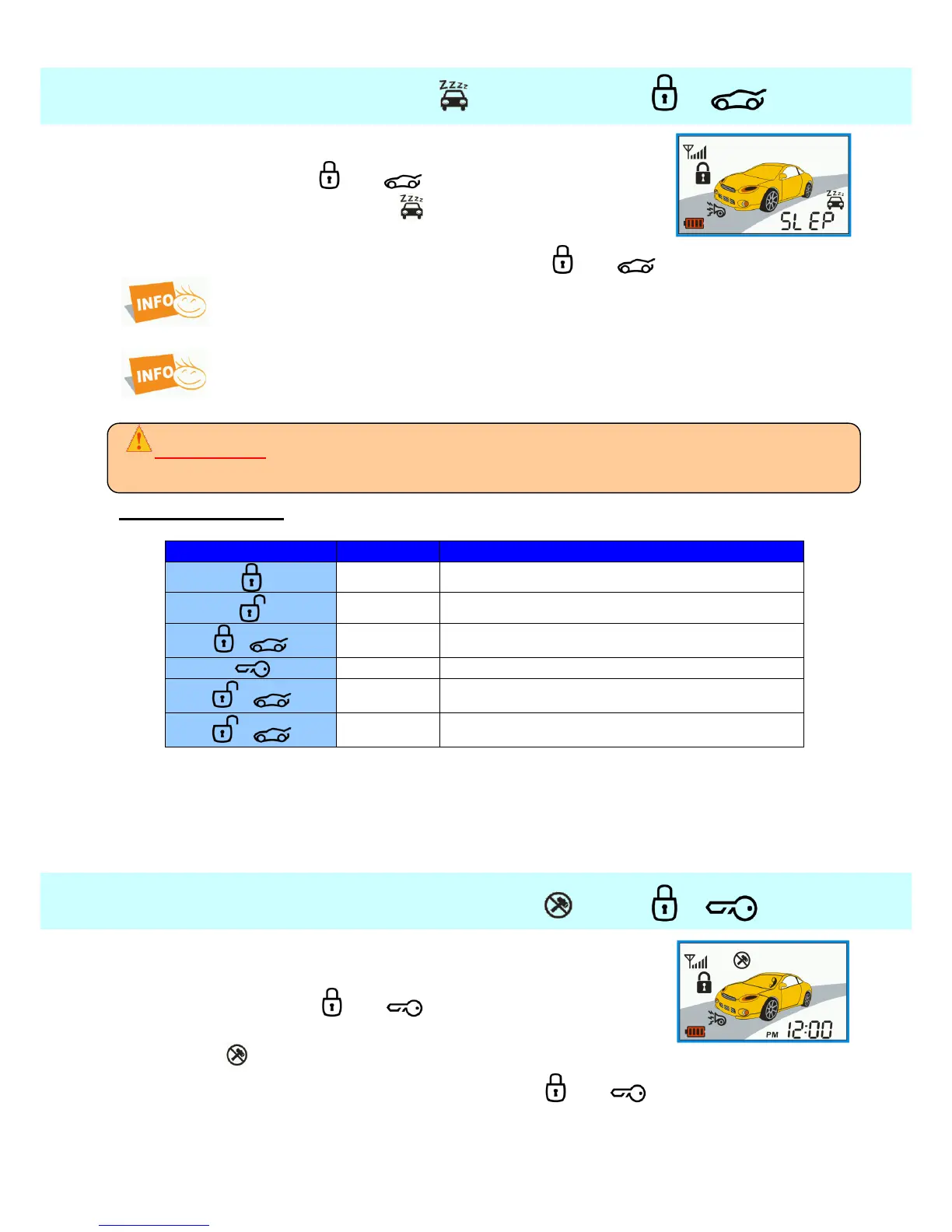
4.13. Valet mode + ——
In this mode most of the alarm functions are disabled. .
Press longer buttons and together.
Remote beeps 1x and an icon of the function will appear on
display.
You will turn valet mode off by long pressing of buttons and again.
If the alarm is in valet mode, then start button is without blue backlight..
The remote start is not possible in valet mode.
Valet mode is possible turn on (when disarming) by holding START button for 5
seconds.
ATTENTION !
When the system is in the Valet mode, the alarm doesn’t watch the car. If you lock the door lock and
alarm control remains inactive and will not indicate any disruption of the inputs.
Valet mode display:
If any other functions are attempted, the remote will beep three times and “SLEP” symbol will
scroll across the screen to indicate that the system is in Valet mode.
If you lend your vehicle to someone who is not familiar with this system, you may want to use
Valet mode to avoid any problems caused by accidental activation of various alarm features.
4.14. Turning additional sensors off + —
You can use this function if you do not wish the alarm to react to
shock sensor and other additional sensors during armed mode.
Press shortly buttons and together.
Shock sensor will be off.
The icon will be shown on display.
You will turn function off by short pressing buttons and again.



 To Next Page