Flex Pro Transmitter Instruction Manual
April 2019
Page 17 of 25
4 Function Settings
4.1 System Channel Settings
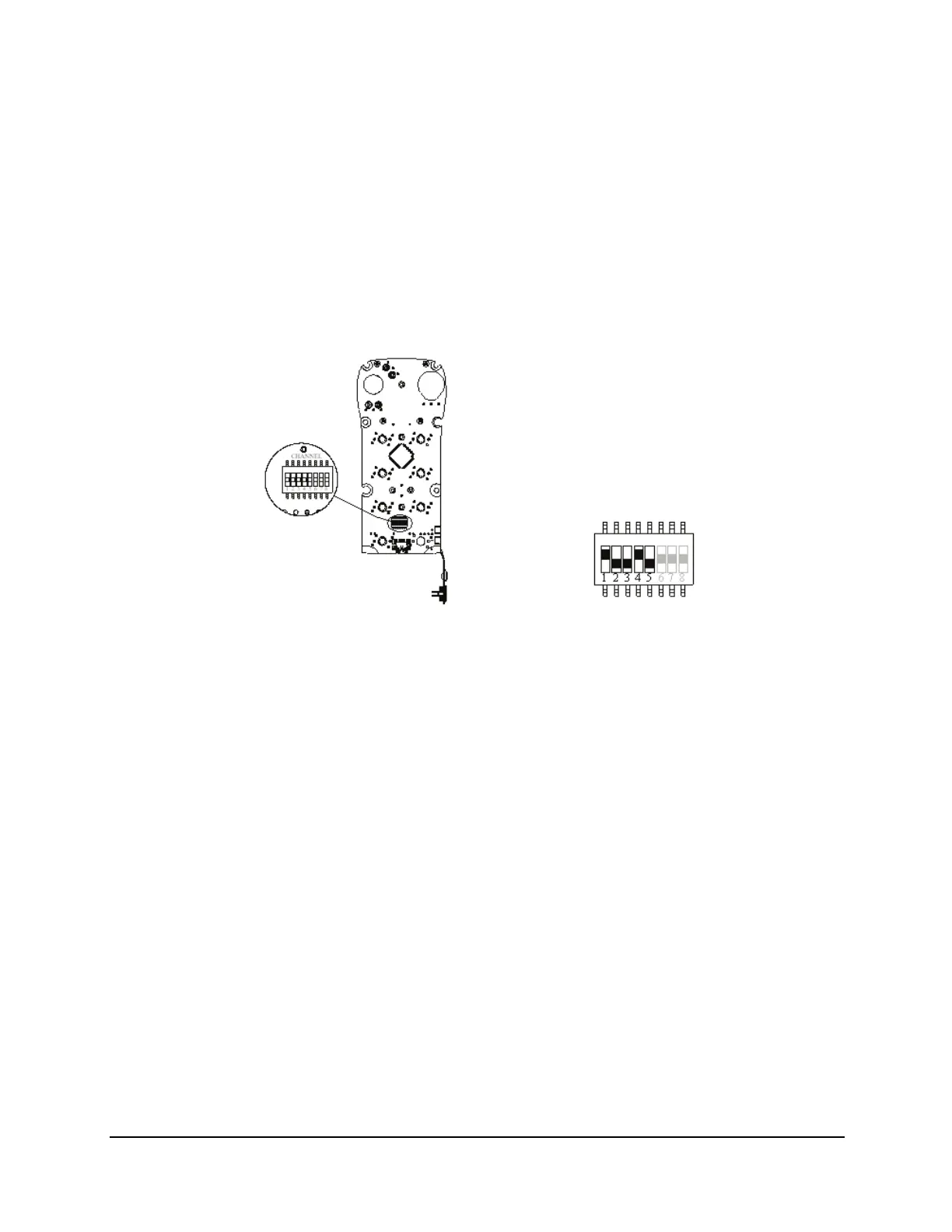
Set the transmitter channel by adjusting the channel dip-switch located on the backside of the transmitter
encoder board (refer to Fig. 5). Only the first 5 positions of the dip-switch are used for channel
programming (refer to Fig. 6). The system channels table (Table 1 on page 18) describes which dip-switch
setting corresponds to which channel. Once the transmitter channel has been altered, set up the receiver
to recognize the transmitters on its new channel.
The dip-switch setting “1 0 0 1 0” shown in Fig. 6 corresponds to channel 19 in the system channels table
(Table 1 on page 18).
Fig. 5
Fig. 6






 To Next Page