Flex Pro Transmitter Instruction Manual
April 2019
Page 20 of 25
5 Operating Procedure
5.1 General Operating Procedure
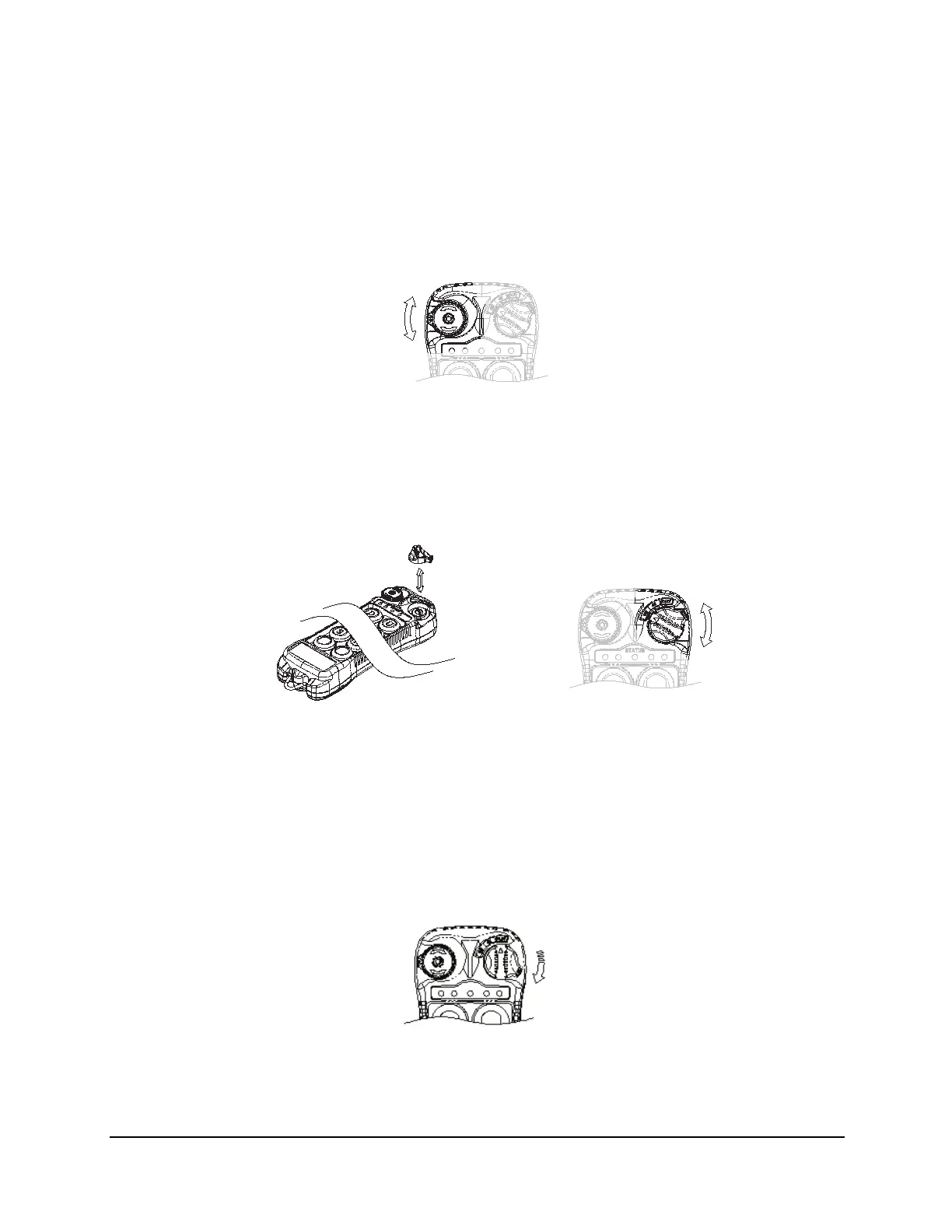
1. Reset the red emergency stop button located on the top left hand side of the transmitter
handset by turning it either clockwise or counterclockwise. The red button will pop up.
Fig. 9
2. Turn on the transmitter power by inserting the black-colored key into the power key slot
located on the top right hand side of the transmitter handset, and turn it clockwise to the
ON position.
3. After turning on the transmitter power, check the Status LED on the transmitter handset for
any sign of system irregularities (See Section 5.3 Status Lights Indicators and
Warnings on page 22). If the system is normal, the Status LED will light up green for
2 seconds and then slowly flash green.
4. If there are no signs of any system irregularities, turn the power key further clockwise to
the START position for up to 2 seconds. This will activate the receiver E-Stop. Thereafter,
the same START position will become an auxiliary function with momentary contact.
Fig. 12
Fig. 10
Fig. 11








 To Next Page