Operation Manual easyTone
5.6.3.3 Selecting a Subject from the Screening List
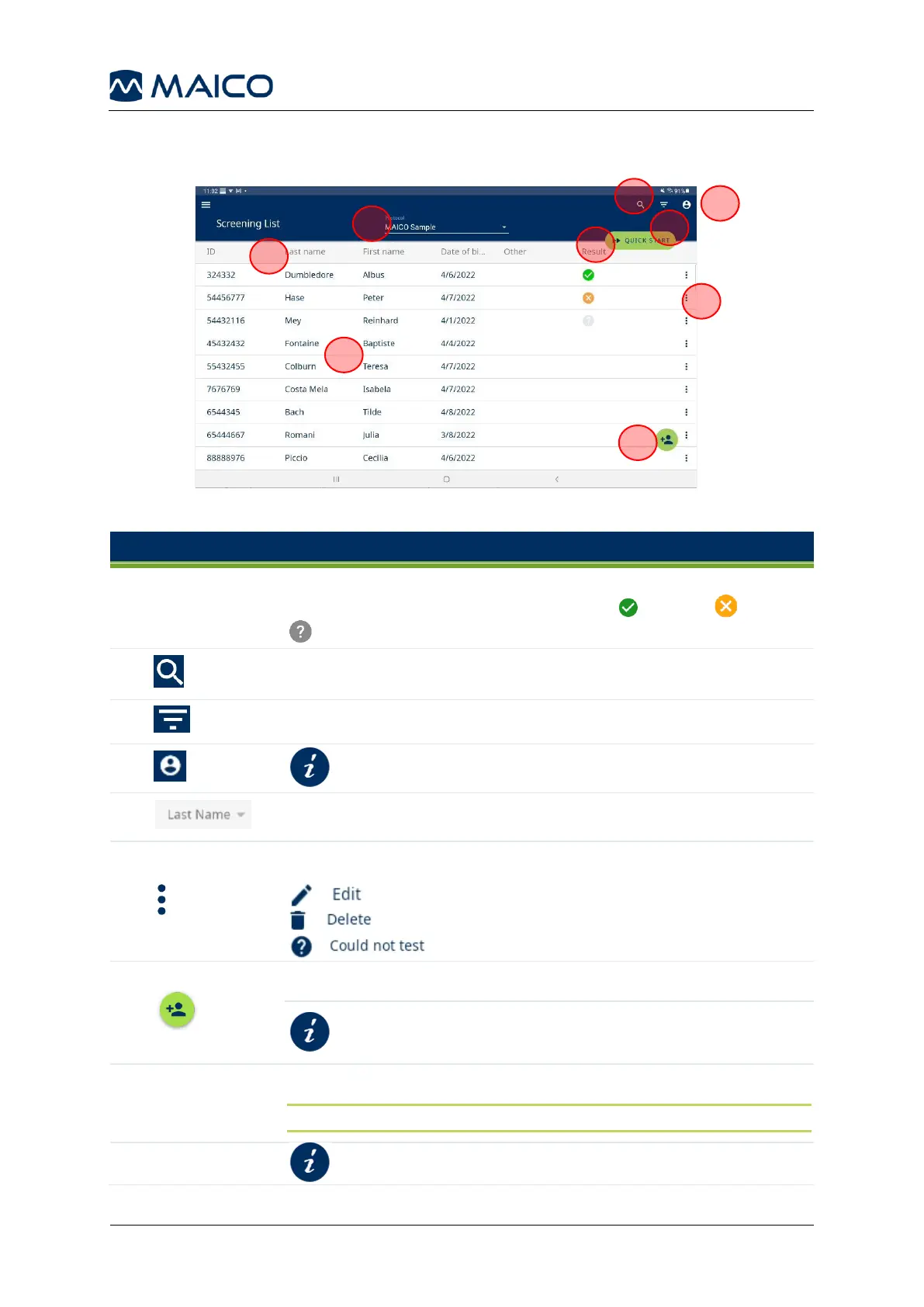
Figure 20 shows the Screening List. Table 3 provides further explanations.
The Screening List shows the data of the subjects and the overall
test result if available. Result symbols: - Pass, - Refer,
- Could not test.
Search the Screening List by Id, Last Name, First Name, or Other.
Filter the list by No test, Pass, Refer, or Could not test.
Sort the list by ID, Last Name, First Name, Date of Birth., or Other.
Press to expand for further actions. Press:
to edit an existing subject.
to delete a subject from the list.
to mark that a subject could not be tested.
Add a new subject to the Screening List.
Adding a New Subject to Screening
List
Select the test protocol.
NOTE: The protocol can also be changed on the test screen.


 To Next Page