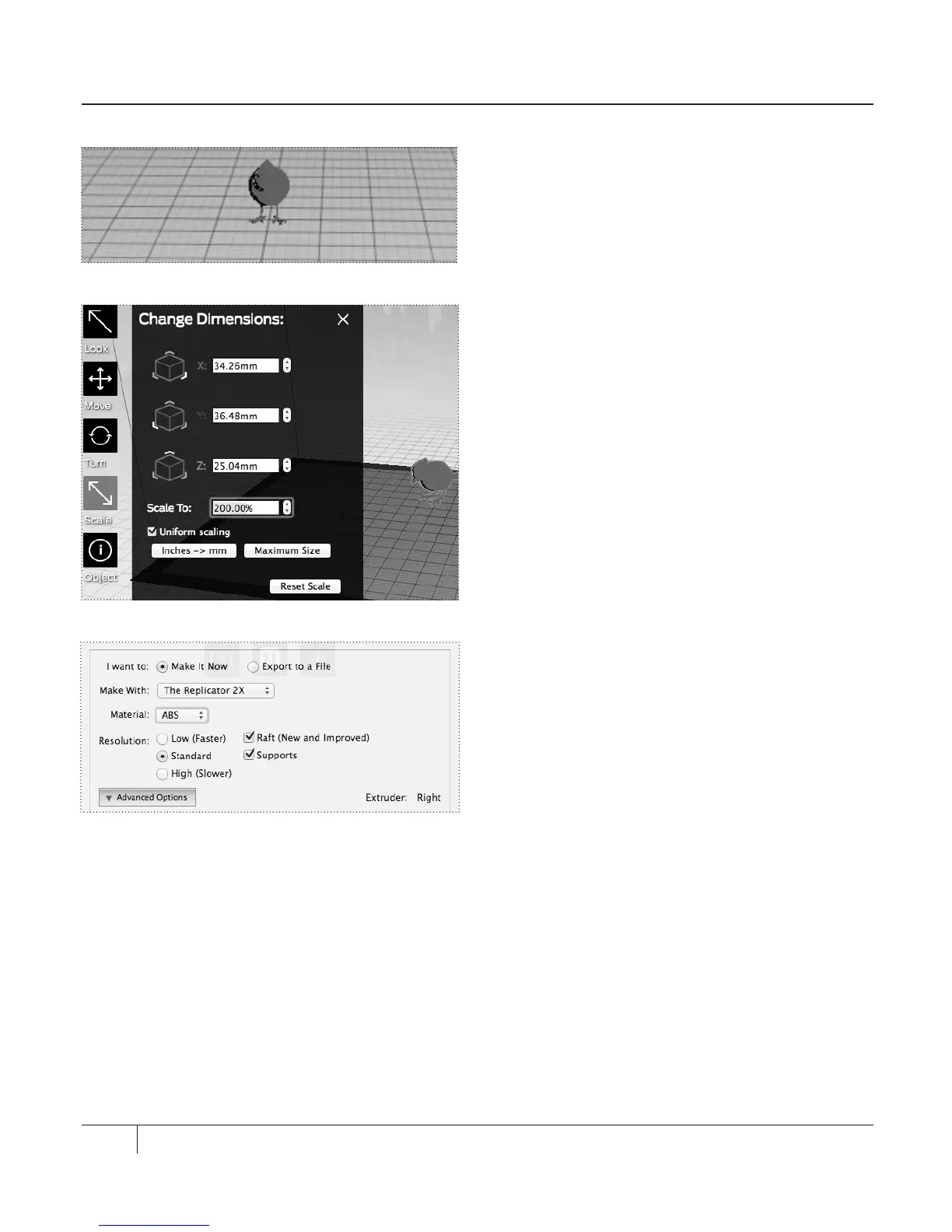
8. The default size of the bird is very small.
We will resize the object to increase its
size. [Fig 10.11]
9. Click the Scale button twice. In the
Change Dimensions menu, edit the
following settings [Fig 10.12]:
Uniform scaling. Ensure that this box
is checked.
Scale To. Set this field to 200.00%
10. Click the Make button or choose the File
menu and choose Make It.
11. In the Make dialog, ensure that the
following boxes are checked [Fig 10.13]:
Ra. Select this checkbox to print your
object on top of a ra.
Supports. Select this checkbox to print your
object with supports.
12. Print the object as usual.
74
PRINTING AN EXAMPLE CONTINUED
Fig. 10.11
Fig. 10.12
Fig. 10.13





 To Next Page