3
MakerBot Replicator
MakerBot
3
MakerBot Replicator Z18
MakerBot
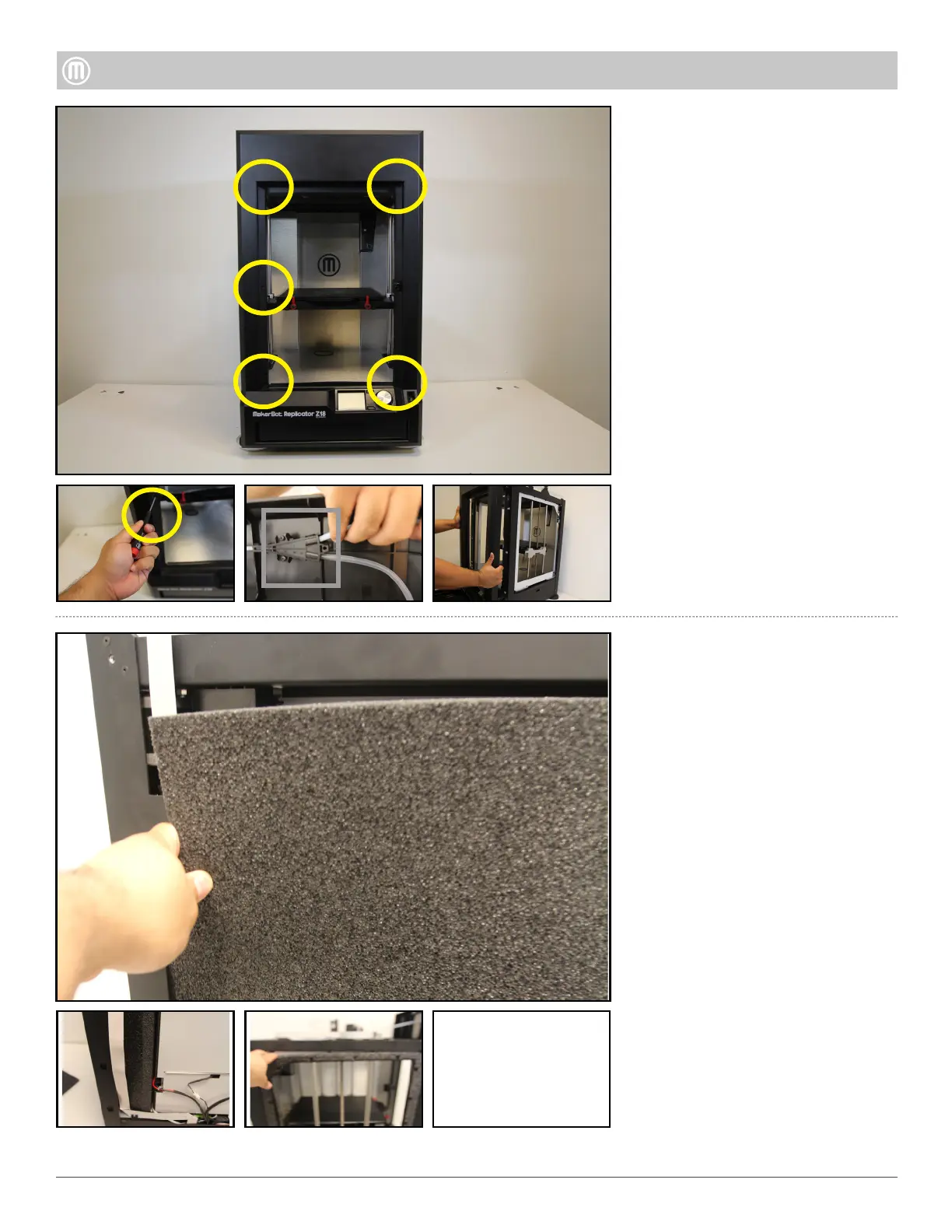
At the back of the printer, remove
the larger Insulation Foam before
you can remove the smaller Foam
Step 4 - Remove the Insulation
Remove five (5) hex socket cap
screw using a 2.5mm hex driver
Open Filament Drawer, ensure
guide tube is disconnected from
the Y-Split
Simultaneously, pull and wiggle to
remove Front Panel (be mindful
of the floor trip – it may slide
o)
Step 3 - Remove Front Panel
Pull to remove the Insulation
Foams from the each sides of the
Z18
•
•
•
•
•



 To Next Page