4
MakerBot Replicator
MakerBot
4
MakerBot Replicator Z18
MakerBot
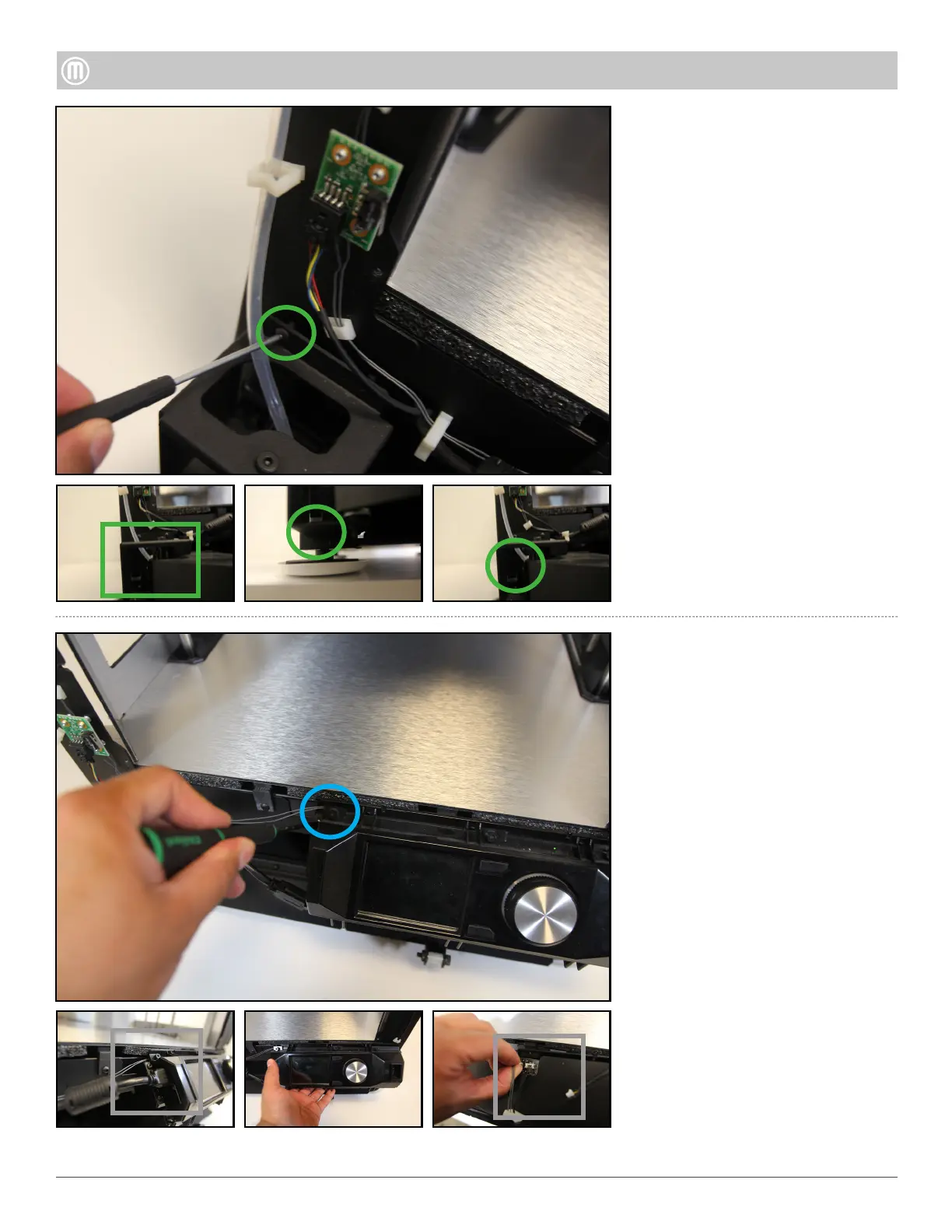
Remove the four (4) Torx screws
using a T15 driver
Remove three (3) button heads
screws by using a 2.5mm hex
screwdriver
Unplug the HDMI Cable from the
left side of the User Interface
Assembly
Detach the three (3) wires
(Camera, right/left LED Wires)
from the back of the User
Interface Assembly
Push the Drawer back and swing
around to unhook and remove the
Drawer
Note: DO NOT remove the
shoulder screw that is holding the
spring in the Drawer Assembly. It
can be potentially dangerous
Step 6 - Remove the User
Step 5 - Remove the Filament
Drawer Assembly
Slide Bottom Filament Guide
Tube out of the plastic clips
located on the front Left Upright.
Note: Follow the same steps in
the Replicator Desktop Printer
section to disassemble User
•
•
•
•
•
•



 To Next Page