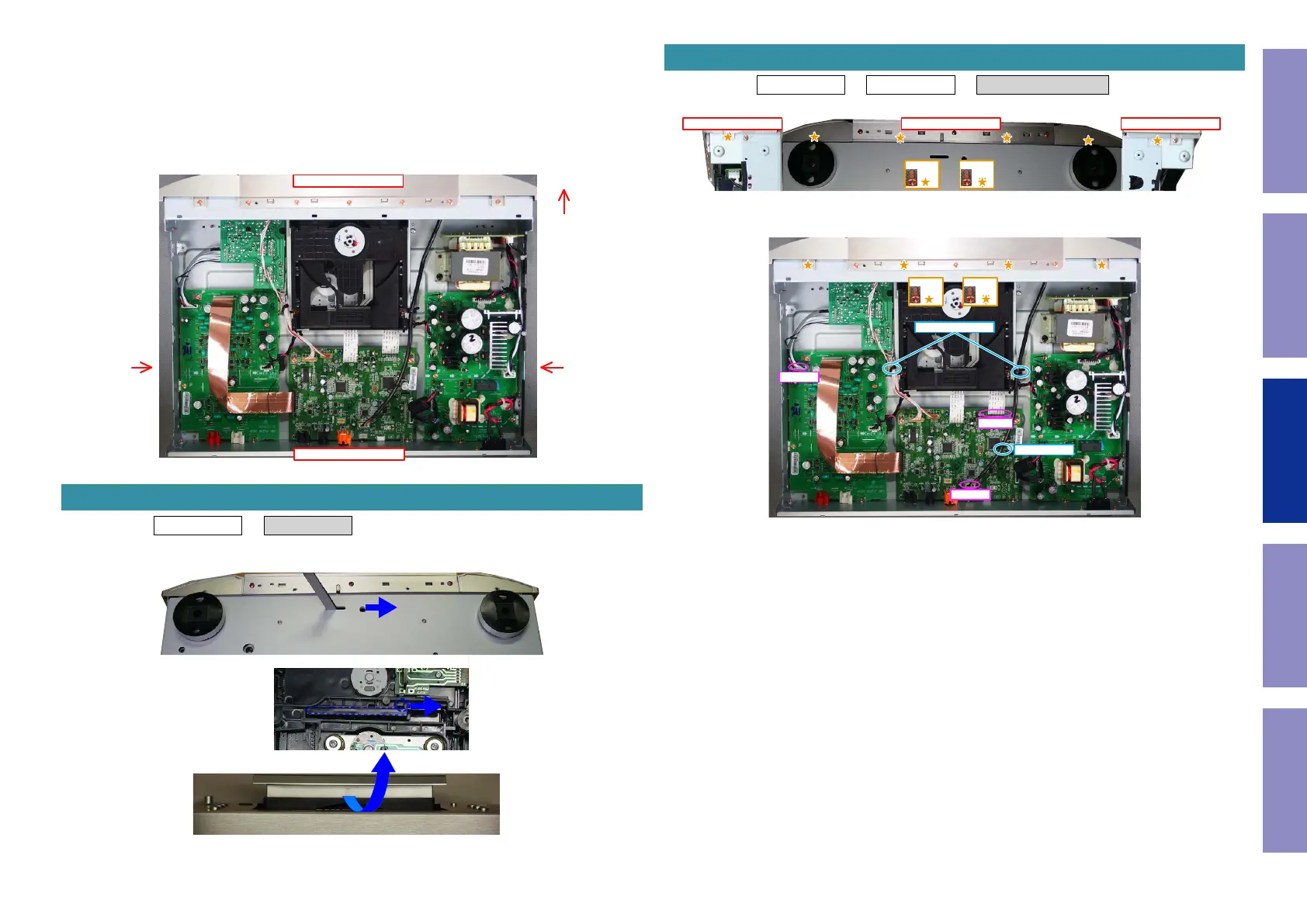
Explanatory Photos for DISASSEMBLY
• For the shooting direction of each photos used in this manual, see the photo below.
• A, B, C and D in the photo below indicate the shooting directions of photos.
• The photographs with no shooting direction indicated were taken from the top of the unit.
• Photos of CD6006 N1SG are used in this manual.
The viewpoint of each photograph
(Shooting direction : X) [View from the top]
Proceeding : TOP COVER → TRAY PANEL
(1) Open the tray and remove the TRAY PANEL.
Front side
Shooting
direction: D
Shooting
direction: C
↑Shooting direction: A↑
↓Shooting direction: B↓
1. TRAY PANEL
View from the bottom
bottomView from the CD MECHA bottom
NOTE: Please remove slowly so as not to damage the hook of Tray and LOADER PANEL.
Proceeding : TOP COVER → TRAY PANEL → FRONT PANEL ASSY
(1) Remove the screws.
(2) Remove the screws. Remove the STYLE PIN and CORD HOLDER.
Remove the connector and FFC.
2. FRONT PANEL ASSY
Shooting direction: D Shooting direction: CView from the bottom
x4 x2
x2 x2
FFC
CN1101
CN3301
CORD HOLDER
STYLE PIN
25
Caution in
servicing
Electrical Mechanical Repair Information Updating



 To Next Page