2. Updating via System u-com (IC302)
1. Items to Be Prepared
(1) Obtain "pcwfm3-v01l07.zip" from SDI.
(2) Personal Computer (Be installed "FUJITSU FLASH MCU Programmer for FM3/FM4").
(3) RS-232C cable (9P (Male), Straight).
(4) 8U-210100S : WRITING KIT (OLD JIG : SPK-581 WRITING KIT)
606050028012P : 7P FFC (Straight)
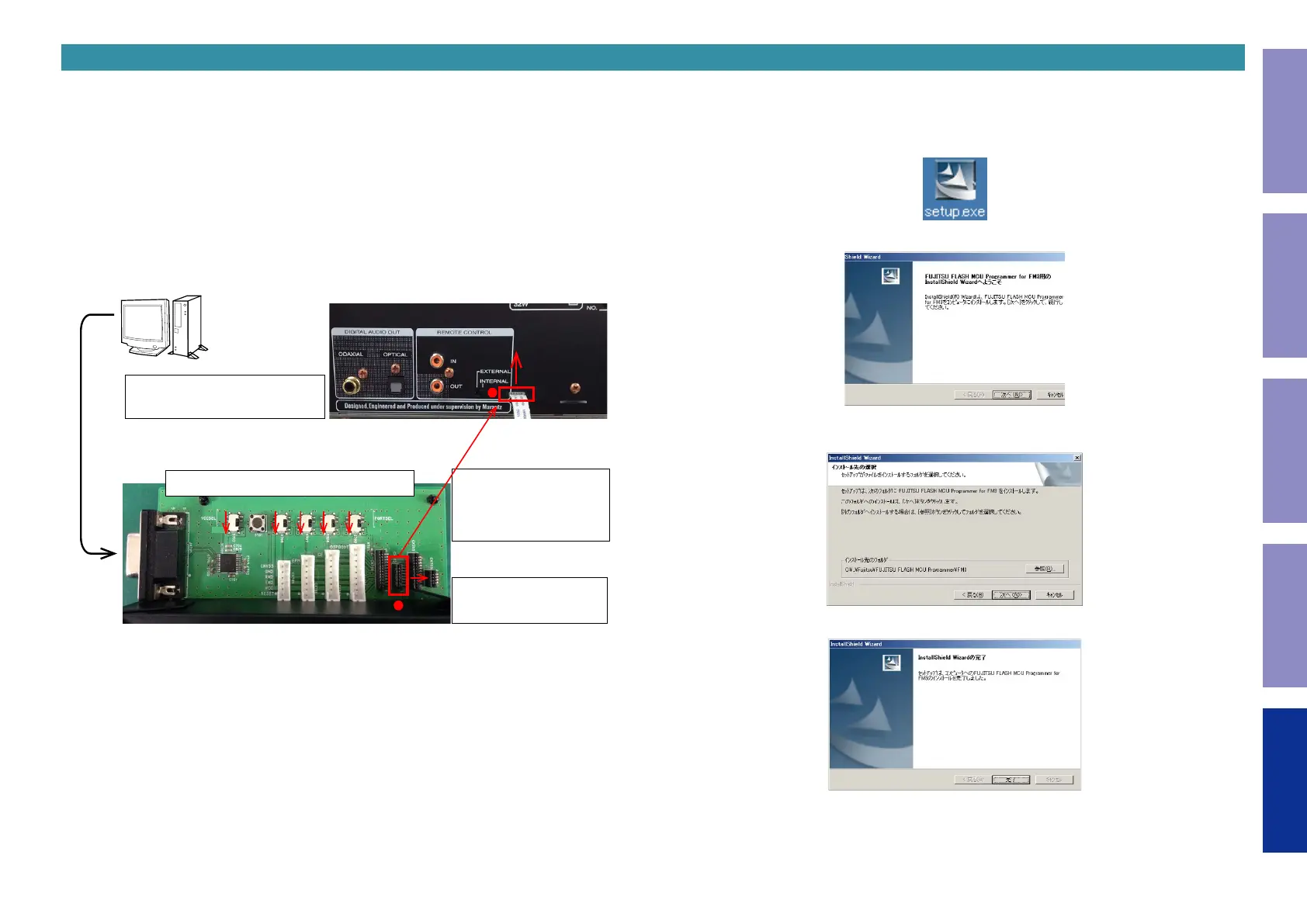
2. Connecting the WRITING KIT to This Unit
(1) Check that the power of this unit is off.
(2) Connect the RS-232C cable to the computer and WRITING KIT.
(3) Connect the update terminal of this unit to the WRITING KIT.
RESET
5V
3.3V
LOW
HIGH
CNVSS EPM CE DSPBOOT
Computer
① Connect the RS-232C cable.
(Straight cable)
↑Top side is contacts of
flexible card cable.
Using the 7P FFC(Straight).
● is 1PIN side.
→ This side is contacts of
flexible card cable.
● is 1PIN side.
② Align the switch in the direction of the arrow.
3. Installing the Software
Install the writing software "FUJITSU FLASH MCU Programmer for FM3/FM4" on your computer.
(1) Download "pcwfm3-v01l07.zip" from SDI.
(2) Double-click "Setup.exe".
(3) Click "Next >".
(4) Click "Next >".
(5) Click "Finish".
49
Caution in
servicing
Electrical Mechanical Repair Information Updating



 To Next Page