3.4. Start the update.
While holding down buttons the "
7
/
9
" and "
2
" buttons simultaneously, insert the AC plug to turn
the power on.
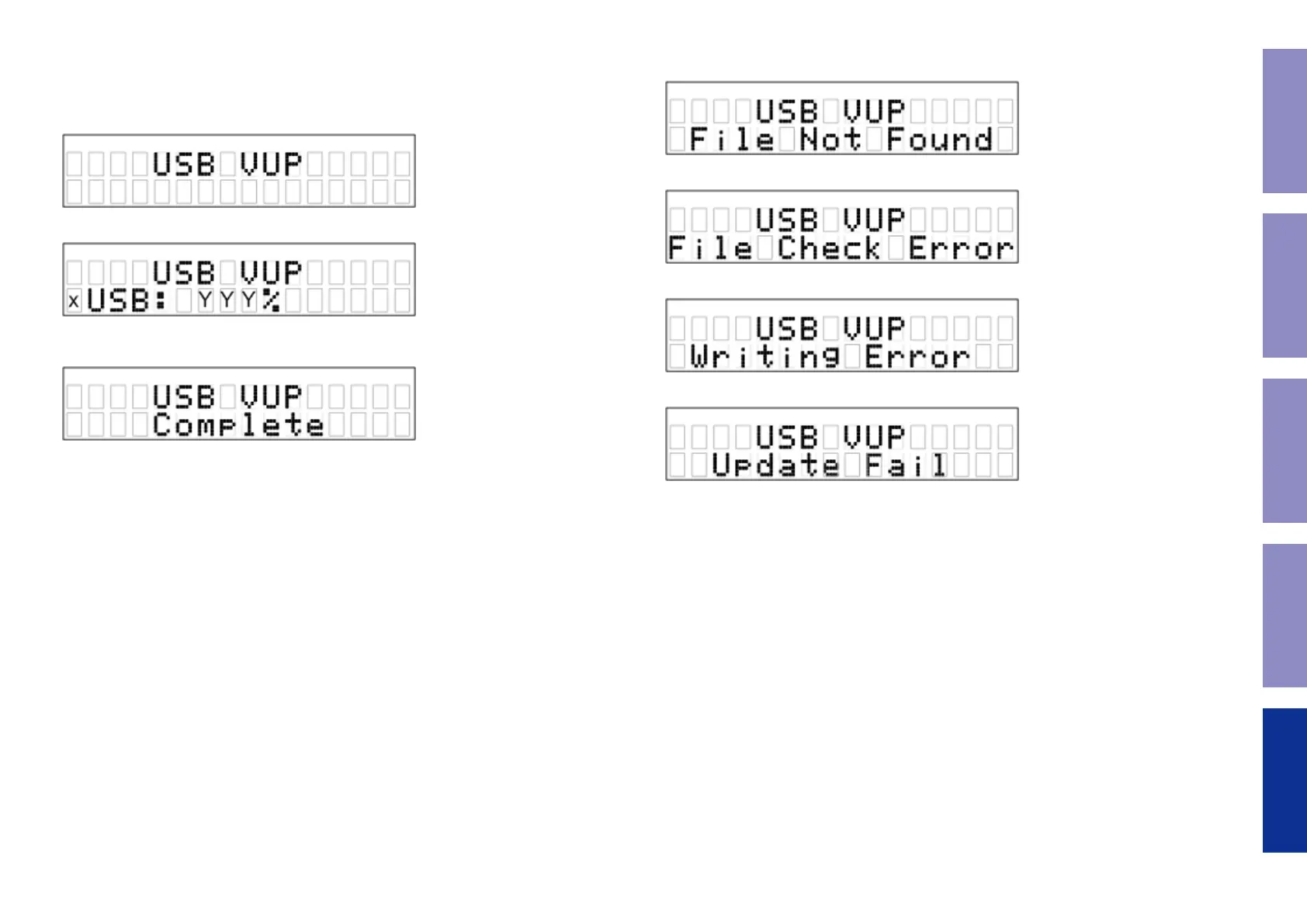
3.5. Display during USB update
(1) Indication during the version up
x:Retry count, YYY:Progress rate (0-100%)
(2) Completion display
(5) Remove the AC plug after the update is completed.
Remove the USB memory device.
It takes about 10 seconds to complete the writing procedure.
(6) After updating the rmware, check the version.
See "1. Version Display Mode"
3.6. Error display
(1) If the update le name is incorrect
(2) If the update le conguration is incorrect
(3) If an error occurs when writing to the ash ROM
(4) USB Update fails
---Cautions on Firmware Update---
• Never remove the USB memory before the update is nished.
• Do not turn off the power until updating is completed.
• It takes around 10 seconds to complete the update.
52
Caution in
servicing
Electrical Mechanical Repair Information Updating



 To Next Page