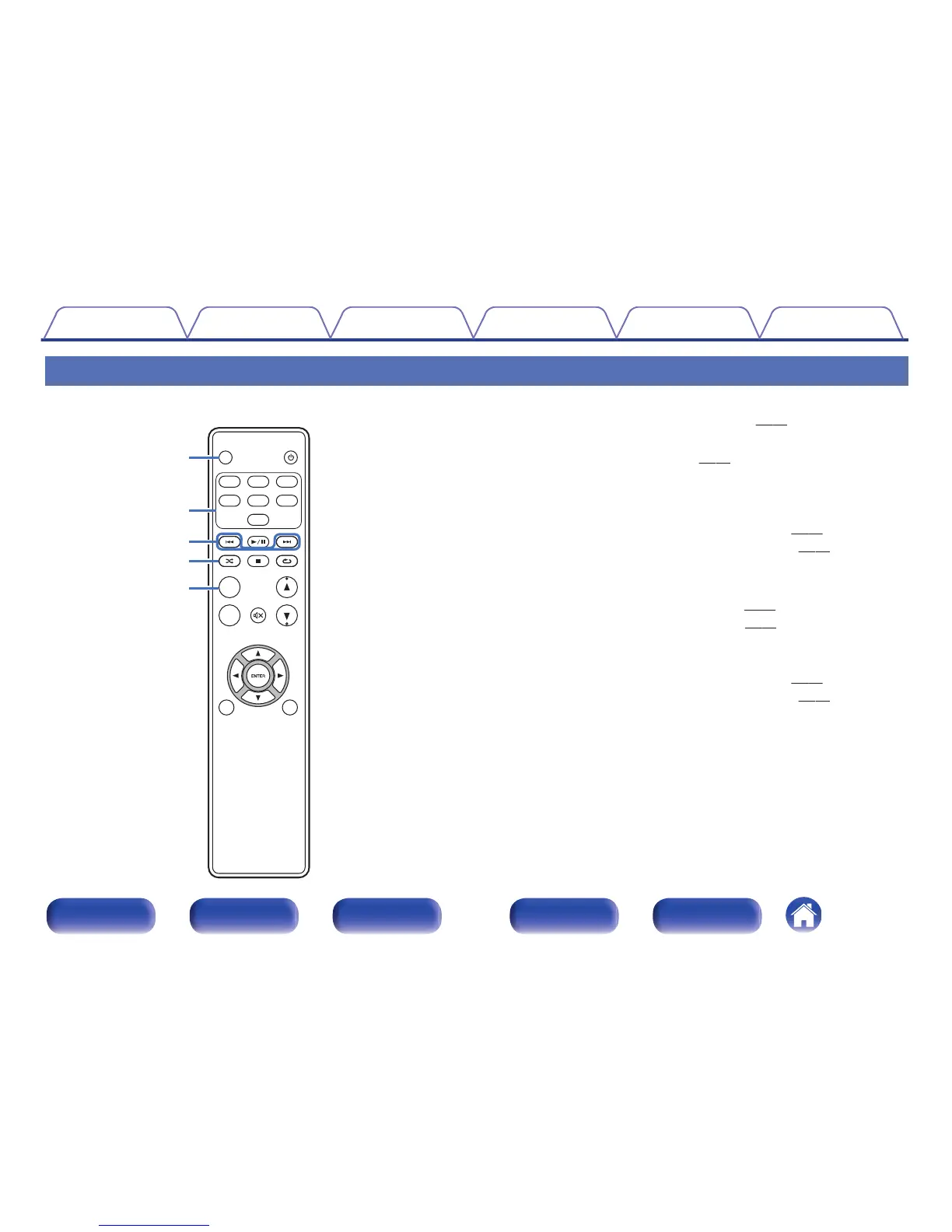
Remote control unit
A
DIMMER button
Adjust the display brightness of this unit. (v
p. 29)
B
Input source select buttons
These select the input source. (v p. 28)
C
Skip buttons (8, 9)
This skips to the start of the track. Press and hold to fast-forward/fast
reverse.
0
“Setting operation mode (On-Display mode)” (v
p. 43)
0
“Playing files stored on USB memory devices” (v p. 47)
D
RANDOM button (P)
Switches the random playback.
0
iPod: “Performing random playback” (v
p. 44)
0
USB: “Performing random playback” (v
p. 48)
E
MODE button
This switches the playback mode.
0
“Setting operation mode (On-Display mode)” (v
p. 43)
0
“Playing files stored on USB memory devices” (v
p. 47)



 To Next Page