o
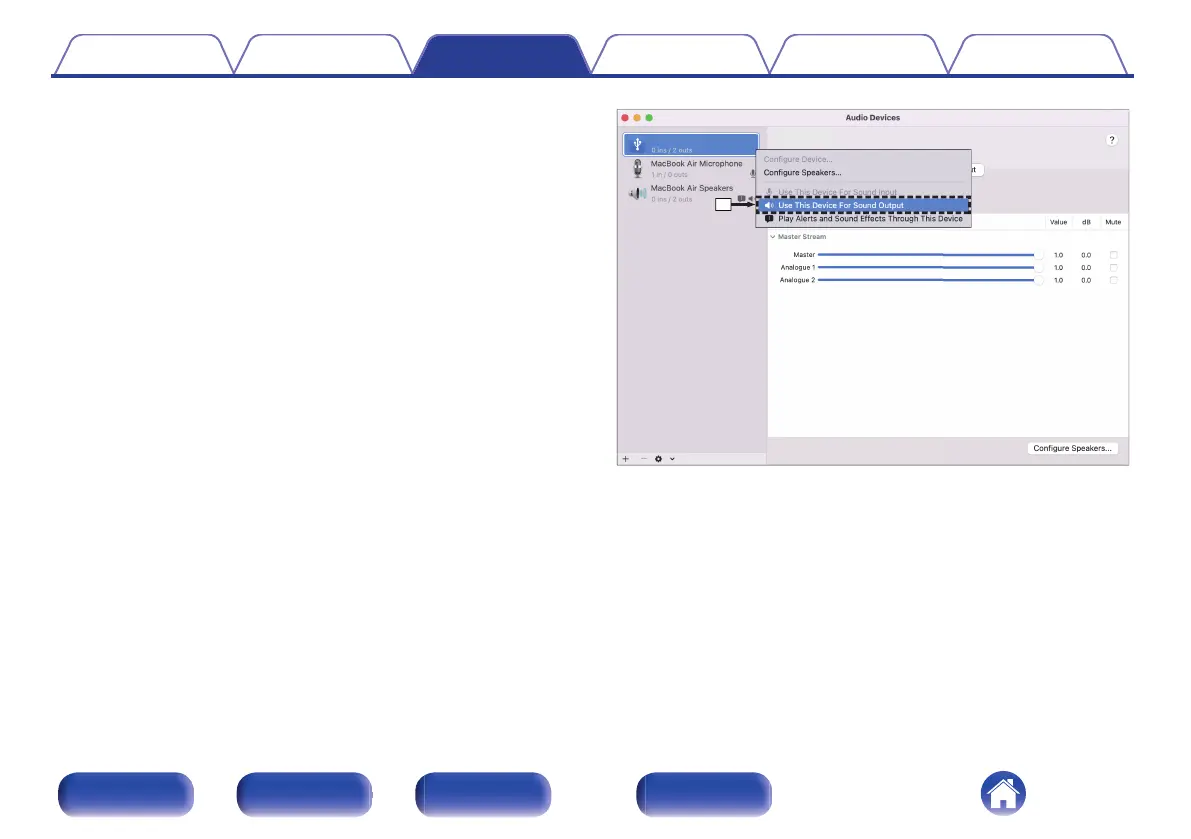
Audio device settings (macOS only)
A
With the unit power off, connect the unit and Mac using a USB cable
(not included).
0
For the connection procedure, refer to the “Connecting a PC or Mac”
section. (v p. 23)
B
Press X.
C
Press USB-DAC to switch the input source to “USB-DAC”.
D
Move the cursor to “Go” on the computer screen, and then click
“Utilities”.
0
The utility list is displayed.
E
Double-click “Audio MIDI Setup”.
0
The “Audio Devices” window is displayed.
F
Secondary click on “SACD 10”, and then check that “Use This Device
For Sound Output” is checked.
0
If a different device is checked, select and “secondary click” on
“SACD 10”, and then select “Use This Device For Sound Output”.
Contents
Connections Playback Settings Tips Appendix
50
Front panel Rear panel Remote control
unit
Index



 To Next Page