G
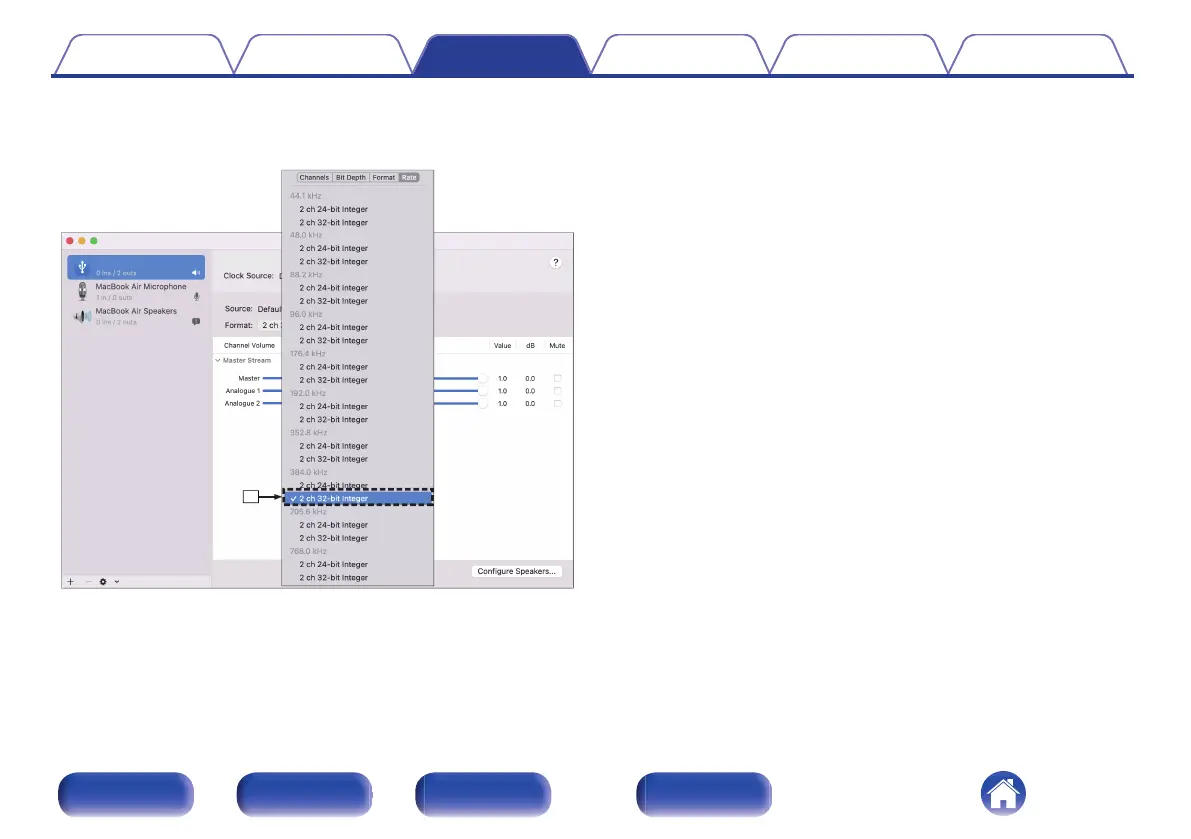
Select the “SACD 10” format.
0
It is normally recommended to set the format to “2 ch 32-bit Integer
384.0 kHz”.
H
Quit Audio MIDI Setup.
o
Playback
Install the desired player software on your computer beforehand.
Use the rear panel USB-DAC port to connect this unit to a computer.
(v p. 23)
1
Press USB-DAC to switch the input source to “USB-
DAC”.
Start playback on the computer’s player software.
0
If the sampling frequency cannot be detected, “Signal Unlock” will
be displayed.
0
“Unsupported” is displayed when audio signals that are not
supported by this unit are input.
o
Specifications of supported audio formats
See “Digital input” (v p. 82).
Contents
Connections Playback Settings Tips Appendix
51
Front panel Rear panel Remote control
unit
Index



 To Next Page