8. Protection popups
1. Overview
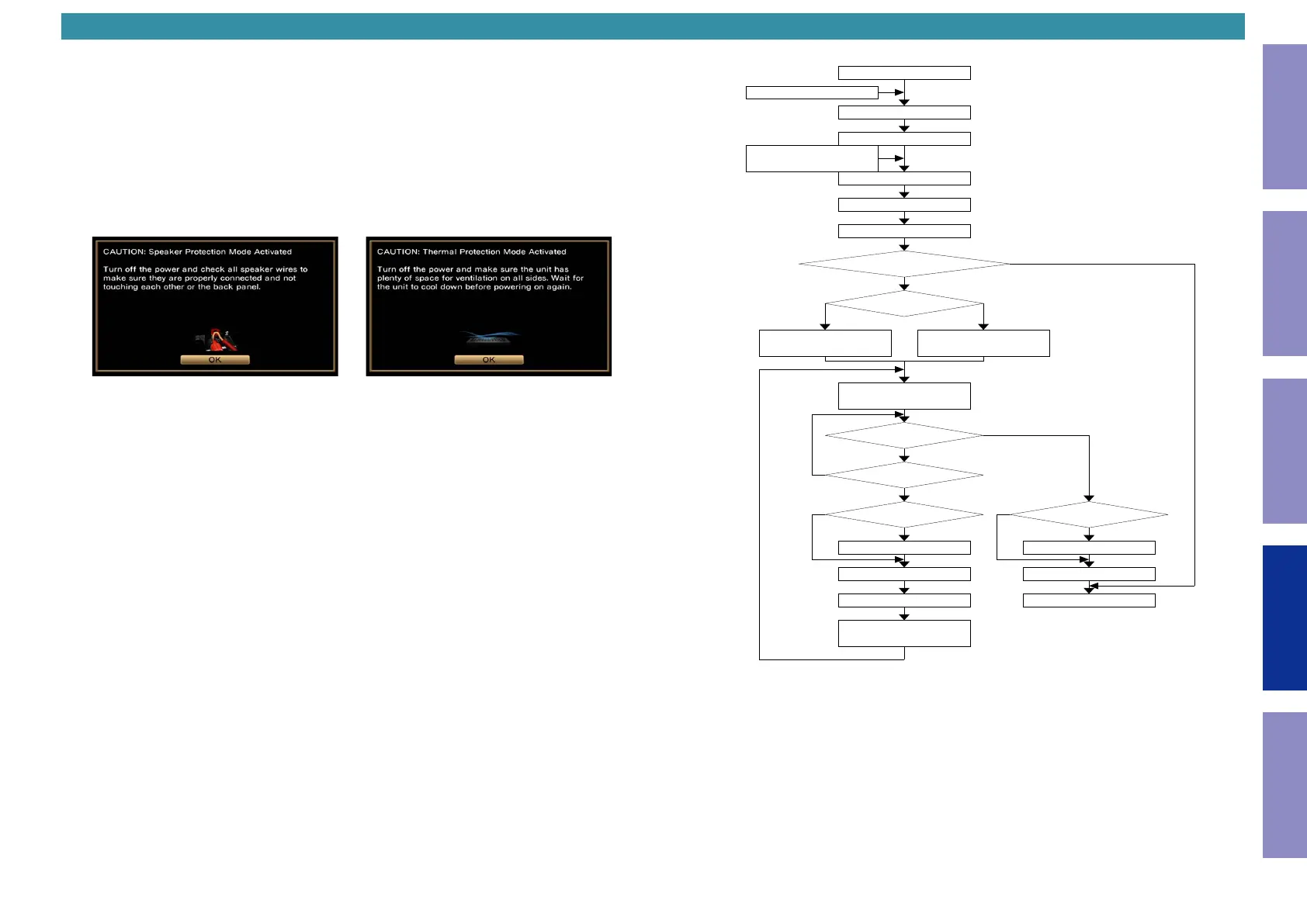
When the power is turned on after protection is activated, a popup will prompt you to check the
connection of the speaker cables and the ventilation around the unit before taking this product to one
of our service centers.
Protection popups appear when ASO or thermal protection is activated.
2. Actions
(1) When the user turns on the power after it is turned off by ASO or thermal protection, a popup
corresponding to the protection that was activated is displayed.
• Speaker Relay is turned off and the volume of the main zone is set to 40 while the popup is
displayed to prevent protection from being activated again.
• The same message also scrolls through the display while the popup is displayed.
• If an abnormality occurs again while the popup is displayed, the power will turn off as it usually does
in the case of abnormalities.
(2) To clear the popup, press the ENTER button to select OK. Otherwise, the popup disappears 40
seconds after being displayed. Speaker Relay turns on and normal operation resumes when the
popup disappears.
• Protection popups are only displayed once, when the power is turned on after protection is
activated.
If you need to conrm the type of protection that was activated (ASO or thermal) later, use the
protection history display mode.
ASO Protection Thermal Protection
Below is a basic owchart of how the protection popups operate.
Power On
Protection -> Power Off
Standby
The sequence of "Power On" starts
The sequence of "Power On" completes
The sequence of "Power On" completes
Was the system turned off
because ASO Protection or Thermal Protection was detected at
the last use?
What protection
does it work?
Complete counting 40 sec for
display of the popup
Is Volume Up/Down etc. operated?
Is Speaker Relay off? Is Speaker Relay off?
Start the count of 40 sec for display of
the popup
SP relay On SP relay On
Turn off the popup Turn off the popup
Operate and display the event Standard operation
After the display of completion of the
event, display the popup again after
event
Display ASO protection Popup
Keep SP Relay OFF
Volume : 40
Display Thermal protection Popup
Keep SP Relay OFF
Volume : 40
Detect protection
Tun on
(By operation with a remote controller
or the main unit)
Yes
No
Yes
Yes Yes
No
ASO Thermal
Yes
No
No No
161
Before Servicing
This Unit
Electrical Mechanical Repair Information Updating



 To Next Page