Use a jig to extend the DIGITAL PCB
A
Check the power supply voltage.
AUDIO/VIDEO PCB
V+3.3V : C640 +
q
V-5V : C641 -
w
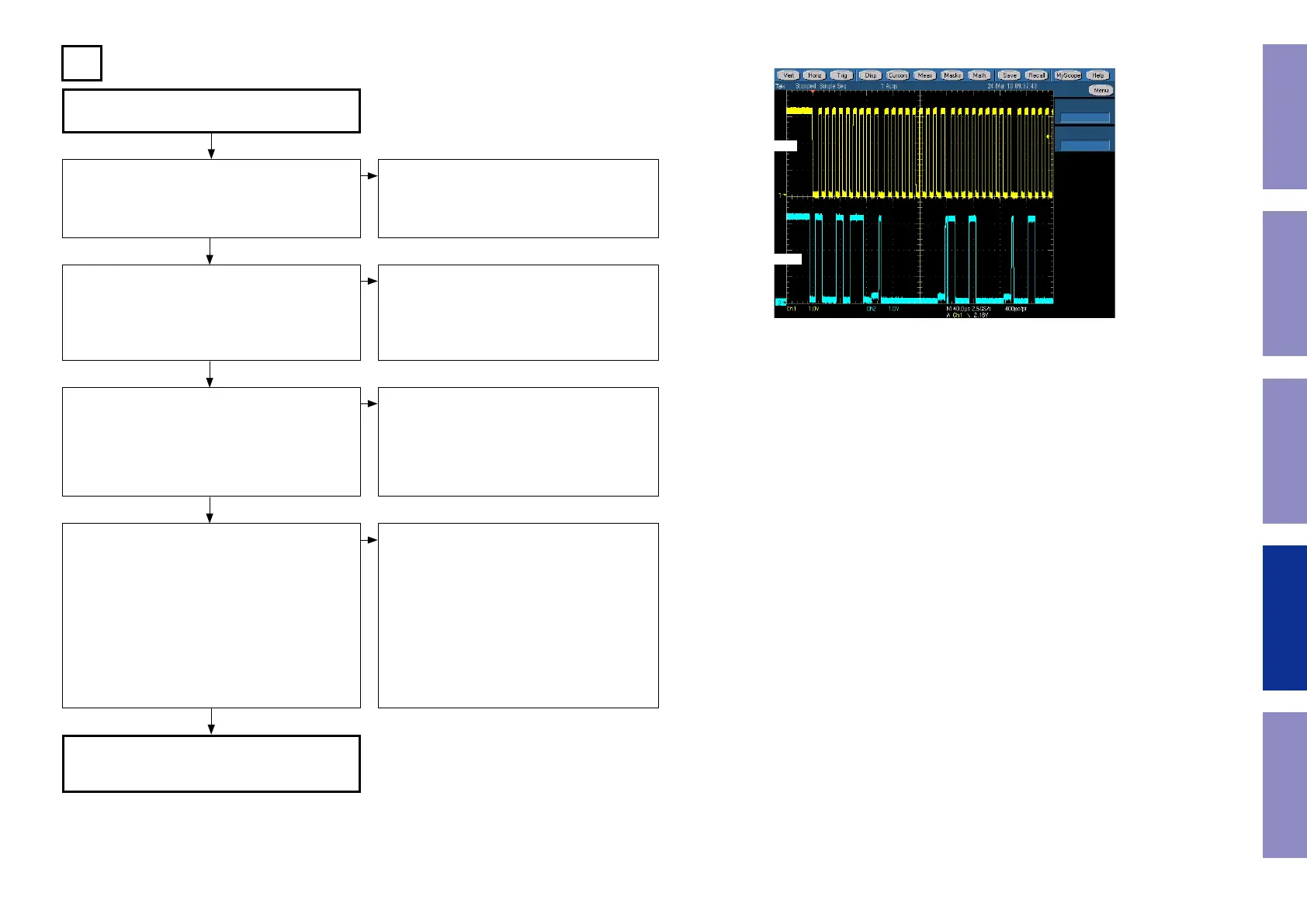
Check of the I2C control signal for video selector IC
[U601].
CONNECT-2 PCB
I2C(SCL) : C624
e
I2C(SDA) : C625
r
See the sample waveform
Does the signal input to the video selector IC [U601]?
V : C610
t
Component-Y : C601
y
Component-Cb : C602
u
Component-Cr : C603
i
Does the signal output from the video selector IC
[U601]?
V (to Monitor out) : R613
o
V (to Z2 Monitor out) : R615
Q0
V (to DIGITAL PCB) : R620
Q1
Component-Y (to Monitor out) : R622
Q2
Component-Cb (to Monitor out) : R632
Q3
Component-Cr (to Monitor out) : R637
Q4
Component-Y (to DIGITAL PCB) : R626
Q5
Component-Cb (to DIGITAL PCB) : R634
Q6
Component-Cr (to DIGITAL PCB) : R639
Q7
FFC connection error or contact failure. [N504]
Power IC [U602] failure (V-5V).
DIGITAL PCB DV+3.3V, DV5V
FFC connection error or contact failure.
DIGITAL PCB faulty.
Input terminal [K603 / K601] faulty, or a fault oc-
curs between video select IC [U3703].
Video select IC [U601] is faulty.
Output terminal [K603 or K604] faulty.
TV monitor connection error or contact failure.
q
w
e
r
NO
NO
NO
NO
YES
YES
YES
YES
I2C communication wave form (sample)
CLK
DATA
95
Before Servicing
This Unit
Electrical Mechanical Repair Information Updating



 To Next Page