EasyManua.ls Logo

Marantz SR7000 - Remote Control Button Functions; ENT, Function, Volume, and Cursor Buttons; Channel, Mute, Guide, Clear, Memo, Keypad

Marantz SR7000
40 pages
Print Icon
To Next Page IconTo Next Page
To Previous Page IconTo Previous Page
Loading...
LLJ
ciMi
uuuun$»
Used
to
execute
a
function
selected
with
the
Jog
Dial
H].
There
are
2
ENT
buttons,
one
on
each
side,
so
that
the
remote
controller
can
be
used
just
as
easily
with
either
hand.
The
characters
on
the
display
can
also
be
programmed.
Used
to
switch
the
remote
controller
to
the
command
sets
for
specific
sources
(amplifier,
receiver,
etc.),
thereby
allowing
a
single
remote
controller
to
control
up
to
11
different
components.
To
use
these
buttons
to
switch
the
amplifier's
source,
press
the
desired
button
twice
within
2
seconds.
The
AMP
button
[E
is
used
only
to
switch
the
command
set
of
the
remote
controller
itself
and
therefore
does
not
transmit
any
signal.
Further,
the
function
buttons
may
also
be
programmed
to
execute
macros,
(A
macro
ailo\Ars
a
crxnplex
string
of
operations
to
be
performed
in
series
simply
by
pressing
a
single
button.)
One
button
can
be
programmed
to
learn
sequences
containing
up
to
10
commands.
The
following
is
an
example
of
a
macro
sequence:
Turn
the
receiver
ON
Switch
the
function
to
DVD
Set
the
Surround
Mode
to
Dolby
Digital
->
Switch
the
TV
to
video
input
Set
the
DVD
player
to
Play.
dl
VOLUME
A
up/?
down
buttons
Used
to
adjust
the
volume
on
receivers
and
other
components
equipped
with
volume
control.
M
CURSOR/TRANSPORTCONTROLbutlons
Used
to
operate
on-screen
and
other
displays
used
by
receivers
and
other
components,
as
well
as
to
operate
the
PLAY,
STOP.
PAUSE.
NEXT,
and
PREVIOUS
functions
of
each
source.
[n]
(CURSOR/TRANSPORT
CONTROL
switching)
button
Used
to
switch
the
function
of
the
CURSOR/TRANSPORT
CONTROL
buttons
between
CURSOR
and
TRANSPORT
CONTROL,
with
the
currently
selected
function
displayed
on
the
LCD
when
the
DVD,
LD,
or
VCR
functions
are
selected.
When
functions
other
than
DVD.
LD.
or
VCR
are
selected,
the
<
button
remains
inactive.
iicH
I
vviiiuu'vtf
Used
to
transmit
remote
control
signals
based
on
beams
of
infrared
light
to
system
components.
To
ensure
that
these
signals
are
properly
received,
make
sure
that
this
window
is
pointing
in
the
general
direction
of
the
infrared
receiver
on
the
amplifier
or
other
components.
This
window
should
also
be
pointed
toward
the
source
remote
ccxttrofler
when
using
Programmable
Learning
function.
Note:
The
MODE
IB,
MACRO
[E.
and
<
(CURSOR/TRANSPORT
CONTROL
switching)
O
cannot
be
programmed,
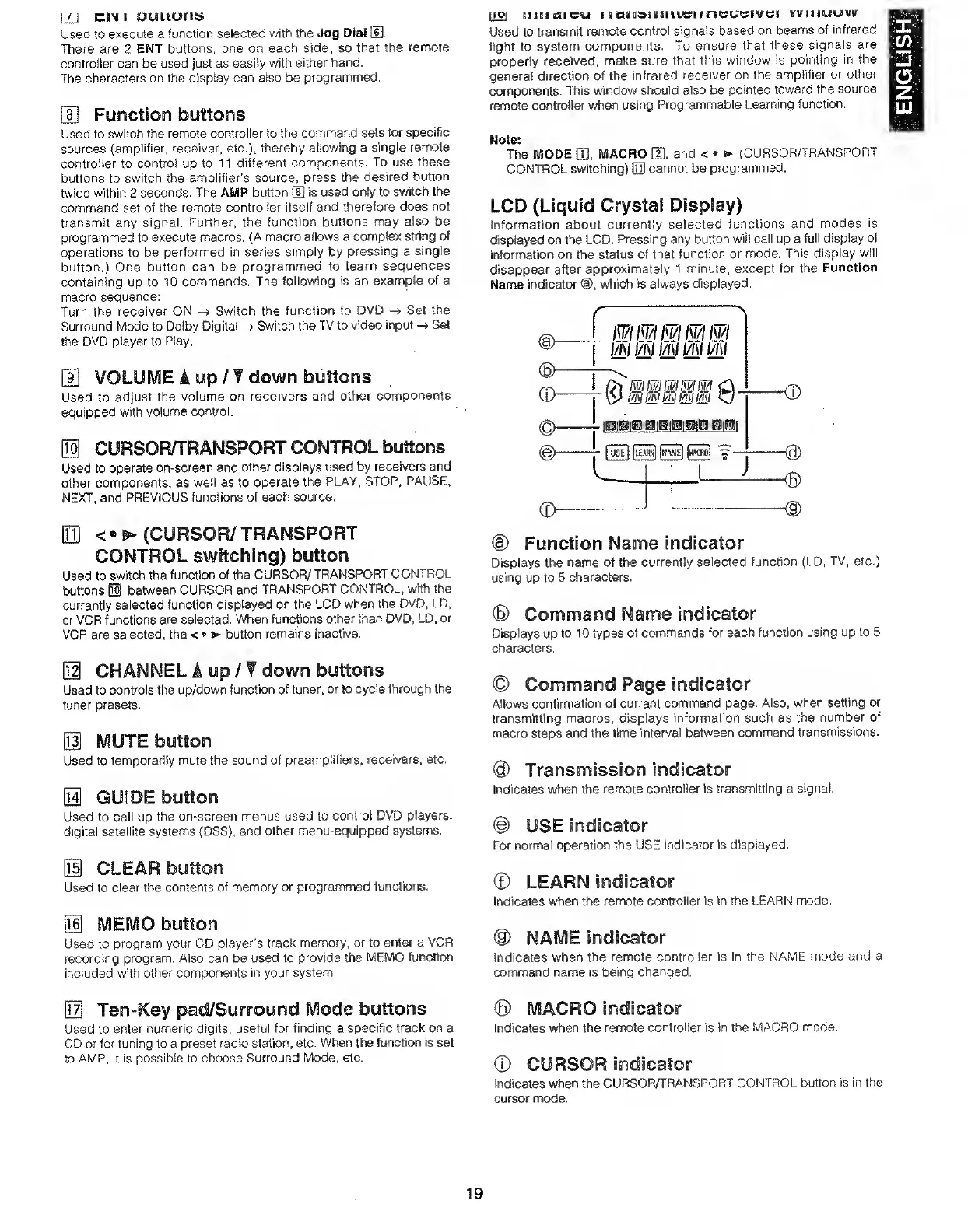
LCD
(Liquid
Crystal
Display)
information
about
currently
selected
functions
and
modes
is
displayed
on
the
LCD.
Pressing
any
button
will
call
up
a
full
display
of
information
on
the
status
of
that
function
or
mode.
This
display
will
disappear
after
approximately
1
minute,
except
for
the
Function
Name
indicator
which
is
always
displayed.
@
Function
Name
indicator
Displays
the
name
of
the
currently
selected
function
(LD,
TV,
etc.)
using
up
to
5
characters.
®
Command
Name
indicator
Displays
up
to
10
types
of
commands
for
each
function
using
up
to
5
characters.
M
CHANNEL
A
up/?
down
buttons
Used
to
controls
the
up/down
function
of
tuner,
or
to
cycle
through
the
tuner
presets.
Used
to
temporarily
mute
the
sound
of
preamplifiers,
receivers,
etc.
Used
to
call
up
the
on-screen
menus
used
to
control
DVD
players,
digital
satellite
systems
(DSS),
and
other
menu-equipped
systems.
Used
to
clear
the
contents
of
memory
or
programmed
functions.
Bl
MEMO
button
Used
to
program
your
CD
player’s
track
memory,
or
to
enter
a
VCR
recording
program.
Also
can
be
used
to
provide
the
MEMO
function
included
with
other
components
in
your
system.
Allows
confirmation
of
current
command
page.
Also,
when
setting
or
transmitting
macros,
displays
information
such
as
the
number
of
macro
steps
and
the
time
interval
between
command
transmissions.
(9)
Transmission
indicator
Indicates
when
the
remote
controller
is
transmitting
a
signal.
@
USE
indicator
For
normal
operation
the
USE
indicator
is
displayed.
Indicates
when
the
remote
controller
is
in
the
LEARN
mode.
Indicates
when
the
remote
controller
is
in
the
NAME
mode
and
a
command
name
is
being
changed.
Used
to
enter
numeric
digits,
useful
for
finding
a
specific
track
on
a
CD
or
for
tuning
to
a
preset
radio
station,
etc.
When
the
function
is
set
to
AMP,
it
is
possible
to
choose
Surround
Mode,
etc.
©
MACRO
indScator
Indicates
when
the
remote
controller
is
in
the
MACRO
mode.
®
CURSOR
indicator
Indicates
w^en
the
CURSOR/TRANSPORT
CONTROL
button
is
in
the
cursor
mode.
19
ENGLISH

Other manuals for Marantz SR7000

Related product manuals