45
Basic version Advanced versionSimple version
ENGLISH
Information
About media
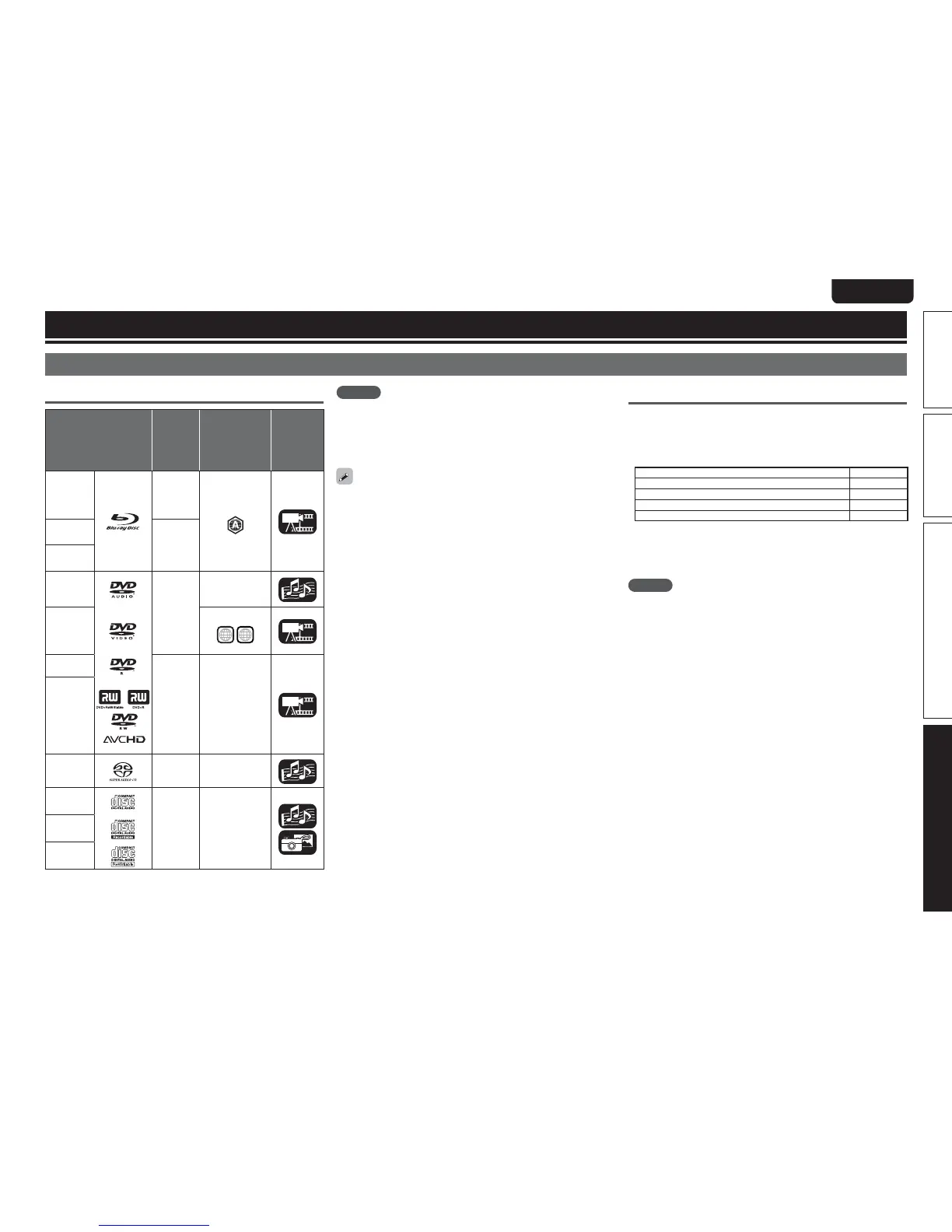
Playable Media
Discs
Playable Media
Playable
formats/
modes
Playable
region codes
Symbols
Used
in this
Owner’s
Manual
BD-Video
z1,z2
–
Discs with
BD-R
z3
–
BD-RE
z3
DVD-Audio
z1
–
–
DVD-Video
z1,z2
Include region
ALL
1
DVD-R,
DVD+R
Video
mode,
AVCHD
format
–
DVD-RW,
DVD+RW
Super Audio
CD
––
CD
––CD-R
CD-RW
NOTE
tA disc may not be accessible or may play incorrectly due to audio
and video interruptions, etc., depending on the recording conditions
when recorded with a BD recorder or DVD recorder.
tUnfinalised DVD-R/-RW/+R/+RW, and CD-R/-RW discs may not play
back. Finalize discs before playing.
The following discs will not play back on this unit.
tBD-RE Ver1.0 (BD disc with cartridge)
tBD-ROM/BD-R/BD-RE discs containing recorded movie, still image,
audio, and/or other, files
tBDXL
tHD DVD
tDVD-RAM
tCDV (Only the audio part can be played)
tCD-G (Only the audio signals can be output)
tNon-standard CD (CD with copy protection, etc.)
tUnauthorised disc (Pirated disc)
tDisc with recording area less than 55 mm in diameter
tVideo Single Disc (VSD) / CVD/ Video CD / Super Video CD /
CompactDisc-Interactive (CD-I) / Photo CD
z1 :
BD-Video/DVD-Audio/DVD-Video discs may not operate as
described in this manual due to menu structure.
z2 :
BD players and BD-Video discs, and BD/DVD players and DVD-
Video discs each have their region codes (codes assigned for
each region). Playback is not possible if the codes do not match.
z3 :
Compatibility of a Blu-ray Disc as the specifications for Blu-ray
Discs are new and advance day by day, discs of some types or
versions may not be played with the unit.
The firmware of this unit is updated periodically. Be sure to
update the firmware to the latest version before using the unit.
USB memory device
tThe unit supports the FAT16 and FAT 32 file system. It does not
support the NTFS file system.
tThe limit of folders and files that can be displayed on the unit is as
shown below. (The limit shown includes the root folder.)
Folder layers 8
Folders 999
Files 999
File names, folder names 32
Artist names, song titles 60
tIf there are too many characters to be displayed on one line, the
display becomes scrollable.
tFile names/title names/artist names/album names are displayed on
the Media player display screen.
NOTE
tInsert and remove a USB memory device with the power set to
standby. If it is inserted or removed with the power on, the recorded
files cannot be loaded or may be damaged.
tIt is not compatible with an MP3 player, digital camera, a USB device
for a mobile phone, etc.
tThe unit cannot charge a USB device.
tThe unit supports high-speed USB file transfer (conforming to USB
2.0).
tThe unit does not support a card reader, USB extension cable, or
USB hub.
tAVCHD content stored on the USB memory device connected to the
unit can also be played.



 To Next Page