14
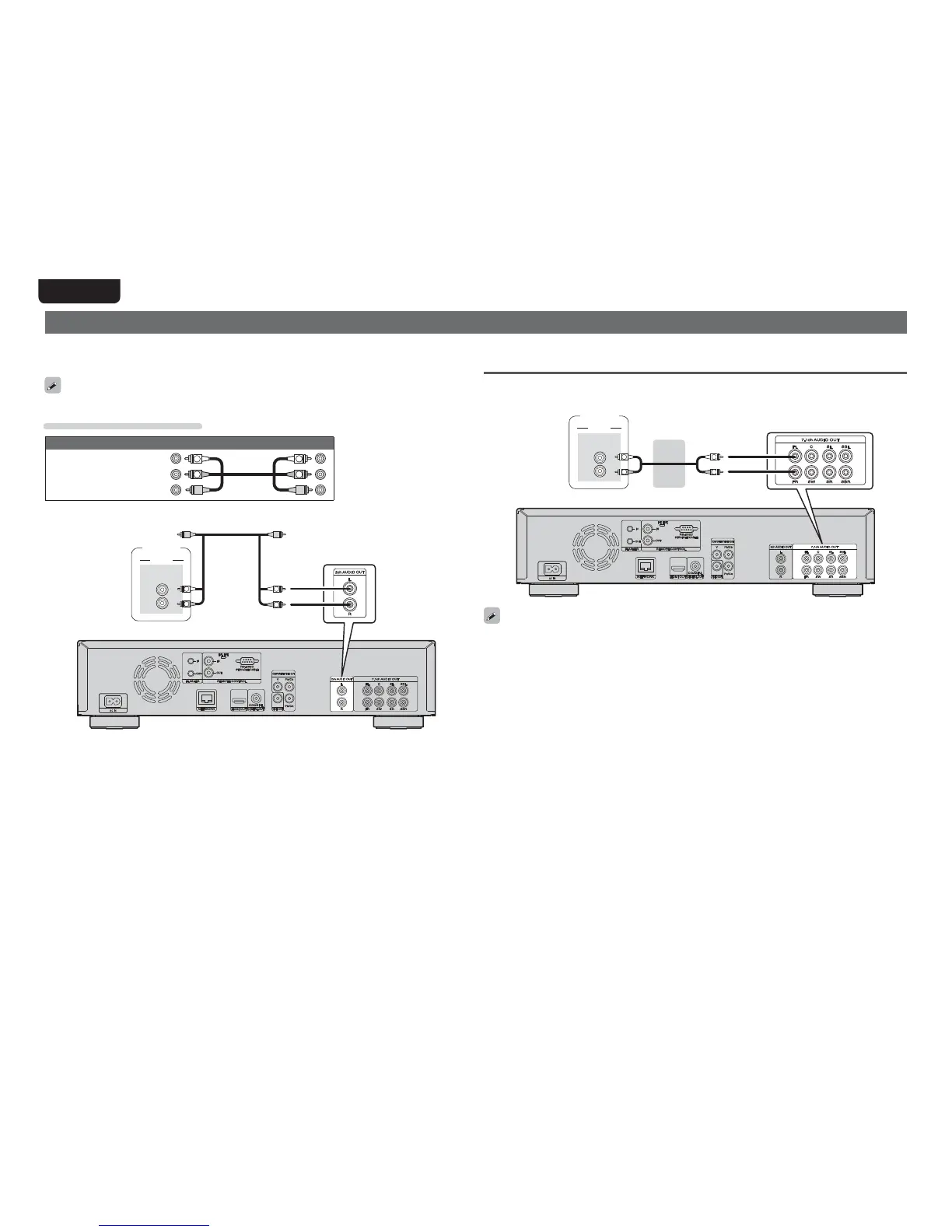
Connecting a 2-channel audio amplifier
This connection is for playback of audio of this unit, using a 2-channel audio device.
Connect to either the 2ch Audio Out terminals or 7.1ch Audio Out terminals of this unit.
For software recorded in multi-channel, an analog signal down-mixed to 2-channel is output.
Cables used for connections
Audio and video cable
Audio and video
cable
(supplied)
R
L
R
L
(White)
(Red)
(Yellow)
"6%*0
"6%*0
*/
-
3
R
R
LL
Amplifier
Connecting to a device with analog 2-channel audio input
terminals (7.1ch Audio OUT)
If the analog 7.1ch audio output terminals are to be used as the 2-channel output terminals, make this
connection.
"6%*0
"6%*0
*/
-
3
R
L
R
L
Amplifier
After connection, make settings for output of 2-channel audio from the 7.1ch Audio Output terminals.
Set “Speaker Setting“ – ”Configuration” to “2.1ch“ (vpage42).



 To Next Page