32
3
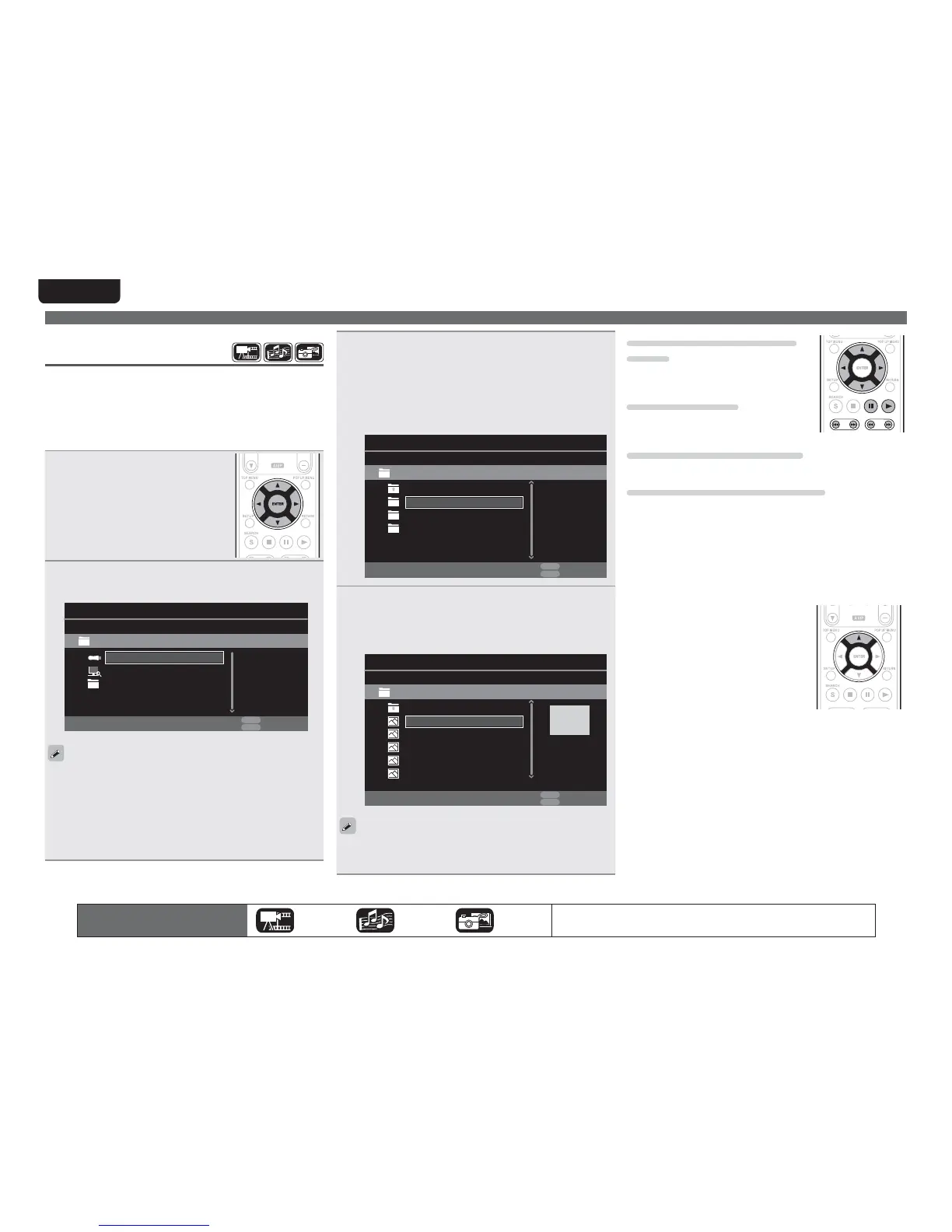
6HOHFWDIROGHUWREHSOD\HGZLWKuio, WKHQSUHVV
ENTER
• Folders classified by file type are listed on the menu screen.
• Files are classified as follows:
• Video : DivX,MPEG,AVI,WMV
• Music : MP3,WMA,AAC,LPCM
• Photo : JPEG
Here, “Photo“ is selected as an example.
1IPUP
*UFN
.FEJB1MBZFS
.VTJD
64#
5ZQF'PMEFS
7JEFP
10161
&EJU.FOV
3&563/
&YJU
4
6HOHFWD¿OHWREHSOD\HGRQWKH¿OHOLVWRQWKHVFUHHQ
ZLWK
uio WKHQSUHVV
ENTER
Playback begins.
• A slide show begins and still images are switched at 1-10
second intervals.
5ZQF+QH
4J[F.
3FTPMVUJPO
$JUZ
*UFN
.FEJB1MBZFS
$JUZ
64#1IPUP#JH$JUZ
$JUZ
10161
&EJU.FOV
3&563/
&YJU
$JUZ
$JUZ
• With a large image file, the image may display for longer than the
set time.
• For the file types that can be played, see “Files” (vpage49).
The icons show the category of
content applicable to each operation.
Video Audio Photo
For details of the media corresponding to each icon, see “Playable media”
(vpage48).
Changing the still image being
played
Press 8, 9.
• Before playback or display of next image.
Pausing the display
Press 3.
• To cancel pause, press
1.
Changing interval of slide show
Press 6, 7.
Changing the still image orientation
Press uio p.
u ························································· Invert
i ························································ Mirror
o ··············································· Contrarotate
p ········································ Rotate clockwise
n Change the media for playback of a file
When the source of a file for playback is
changed to another media, press
u to
return to step 2 and select the media to
be played.
Home menu screen
Playing files
(MEDIA PLAYER)
Files on a USB memory device, disc or a server connected to the unit
are played using the Media Player of the unit.
• Before operation, start the server software of the computer
(Windows Media Player, etc.), and make settings for the server
contents so that files can be played via the network.
• For details, refer to the operation manual supplied with the server
software.
1
6HOHFW ³0HGLD 3OD\HU´ RQ WKH
+RPH PHQX VFUHHQ ZLWK
uio
p,WKHQSUHVV
ENTER
Devices connected to the unit are listed
on the menu screen of Media Player.
2
6HOHFWDGHYLFHRQZKLFKD¿OHWREHSOD\HGLVVWRUHG
ZLWK
ui WKHQSUHVV
ENTER
64#
*UFN
.FEJB1MBZFS
%-/"4FBSDI
5ZQF64#
4J[F.
'4'"5
10161
&EJU.FOV
3&563/
&YJU
1MBZMJTU
• If the server connected to the unit is not displayed on the menu
screen of Media Player, select “DLNA Search“ on the screen with
ui, then press ENTER to search for the server.
• If the server is not displayed as a result of searching, check the
connection of the server to the unit once again.
• If you perform such operations as adding or deleting a file on the
connected DLNA server, information of the DLNA server may not
be displayed. If this happens, turn off and on the unit’s power again.



 To Next Page