19
Turn On the Ignition
3 long chirps and 3 flashes of the parking lights will confirm exit of the
programming mode.
Note: Waiting 15 seconds after the last command will also cause the
system to automatically exit the programming mode.
Step 4 Exit Programming
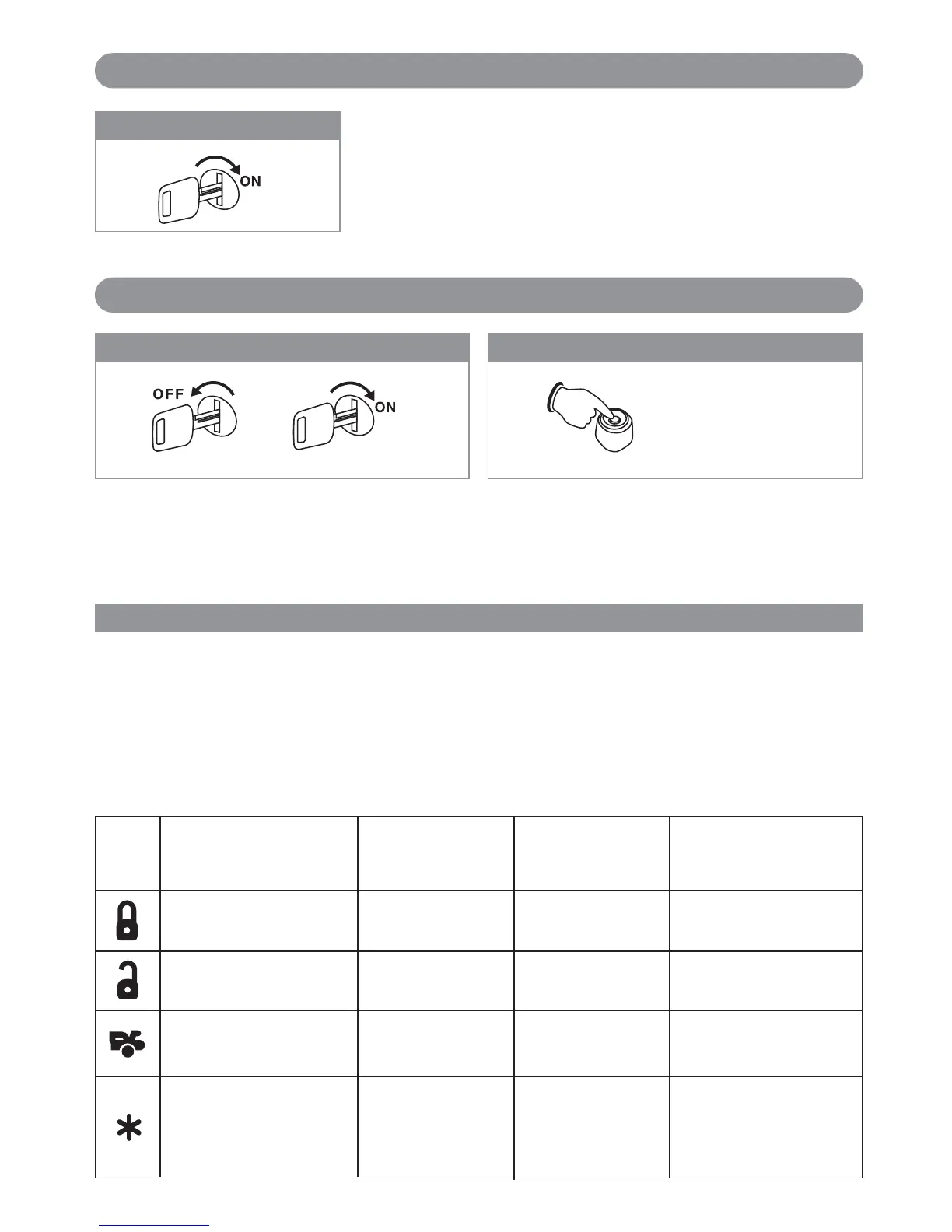
With the ignition switch in the OFF position, turn the
ignition switch On - Off - On - Off - On - Off.
Before 15 seconds has passed, push and release the
valet switch 4 times holding the button down on the 4th
press. Wait until you hear 2 short chirps/beeps + 1 long
chirp/ beep. You are now in “Alarm Feature
Programming (Group 2)” mode.
Step 1 Step 2
3X
3X + 1X (Hold)
One Chirp Two Chirps Three Chirps Four Chirps
Button One LED Pulse Two LED Pulses Three LED Pulses Four LED Pulses
(Default Setting)
Step 3
Double Unlock Pulse
Ignition Controlled
Door Lock Only
Ignition Controlled
Door Unlock Only
Ignition Key Controlled
Door Lock and Unlock
Doors Lock Before Start
All Door Lock / Unlock
Control Off
HC4
White/Blue Wire:
One (-) input pulse to
activate Remote Start
HC4
White/Blue Wire:
Three (-) input pulses
to activate remote
start
3.5 Second Door
Lock Pulse
0.8 Second Door
Lock Pulse
Ignition Key Door
Lock Control Off
Door Lock with
"Comfort Features"
Doors Lock After
Shutdown
Doors Lock Before Start
and Doors Lock After
Shutdown
Remote Feature Programming
Press the transmitter buttons as illustrated to adjust the features required. Keep re-pressing the transmitter button
that relates to the feature you want to adjust until the correct amount of chirp/beeps is heard then move on to the
next feature.
Comfort Feature: Some vehicles (Mercedes, BMW, VW,etc.) have a special “Comfort Feature”. When you lock the
door with the ignition key, you keep the key in the “lock” position for about 5 or 7 seconds and the windows will
close. If the vehicle has a “Comfort Feature” and you want the windows to closed upon Lock/Arm the security
system, you can set the door lock output to “Comfort Feature”.
Keyless Entry Feature Programming (Group 1) (continued)
Keyless Entry Programming (Group 2)
X6-IM.qxp 9/12/2008 1:50 PM Page 19



 To Next Page