D2090001U1
22
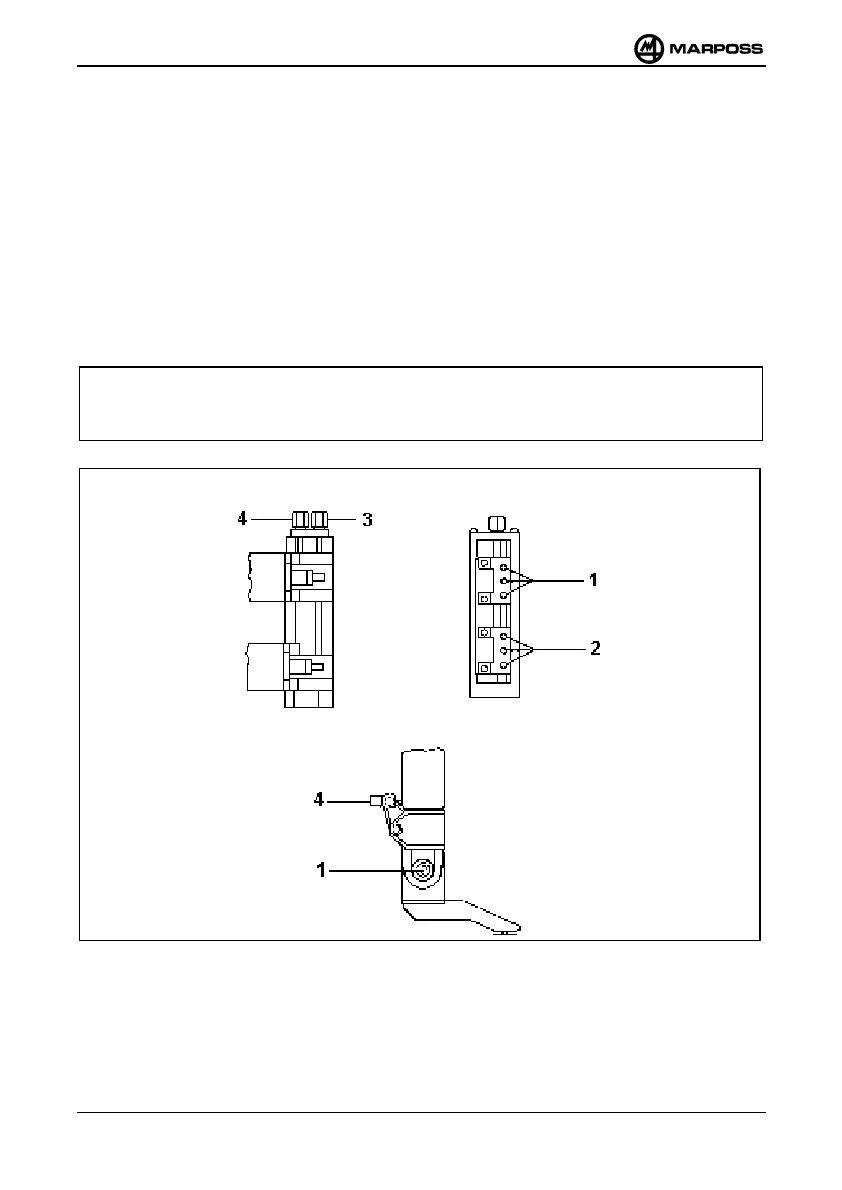
3.1.4 Zero-setting on support
a) Bring the head to measuring position.
b) Loosen nuts 1 and 2.
c) Put selector switch 12 (Figure 1), if present, in position 1.
d) Turn knob 4 so as to cause the meter to read zero, then tighten nut 1.
e) Put selector switch 12 (Figure 1) in position 2.
f) Turn knob 3 so as to cause the meter to read zero, then tighten nut 2.
g) Put selector switch 12 (Figure 1) in position
∑
∑∑
∑
h) If necessary, act on zero-setting potentiometer 13 (Figure 1) so as to cause the
meter to read zero.
Note
In applications with a measuring head with only one contact, carry out the
operations relevant to the parts indicated in Figure B.
A) Support for two measuring heads
B) Support for one measuring head
Figure 6 . Zero-setting on support



 To Next Page