- User Manual
4. OTHER FUNCTIONS
4.1 Function Inhibit
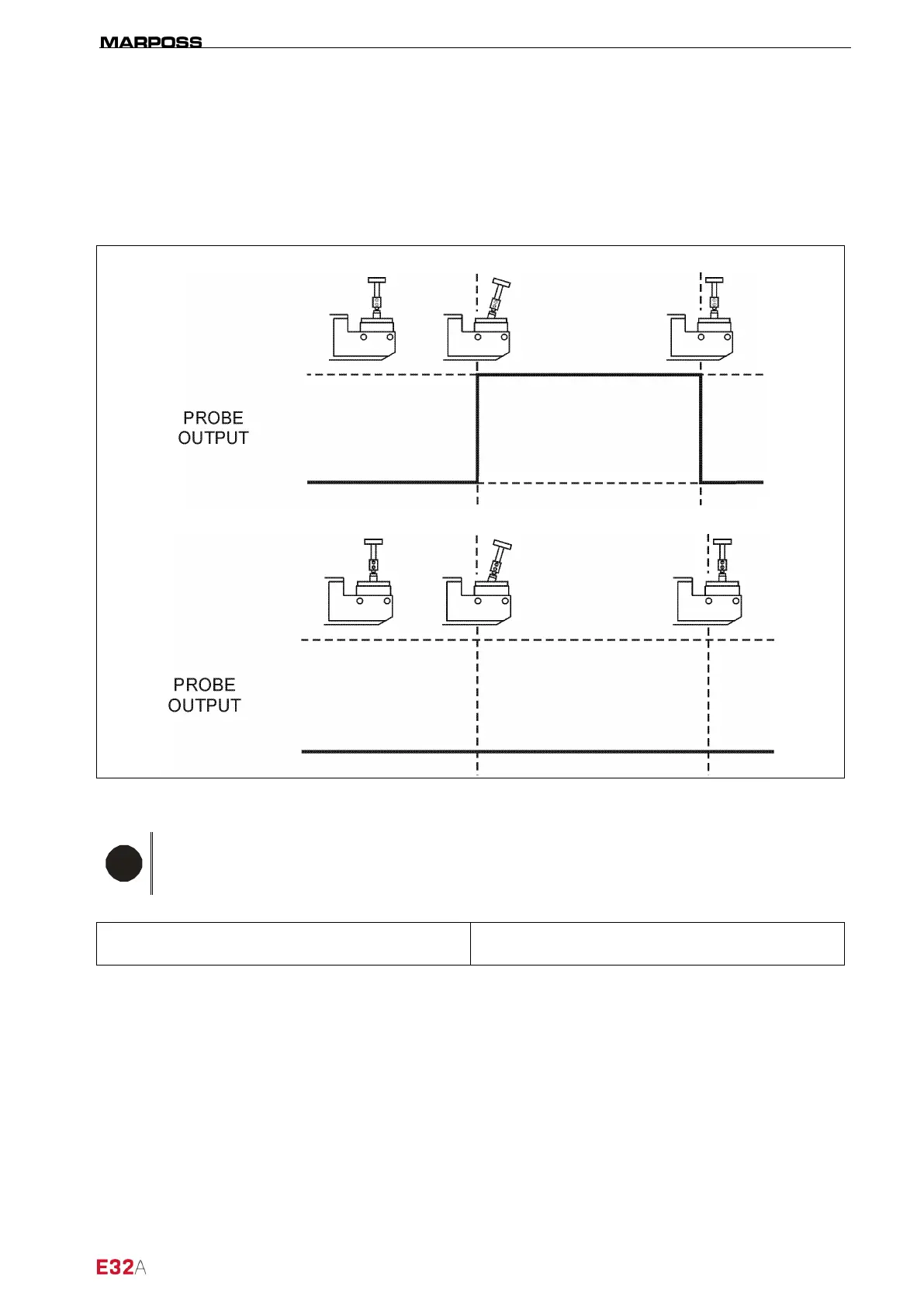
The function inhibit allows the user to disable touch signal processing.
In other words, when Inhibit = TRUE, the output (P.O.) is held at the false logic value, even when the Touch
probe is deflected (see case 1-2 in Figure 4-1).
C
ASE 1: INHIBIT=FALSE
ASE
Figure 4-1. Inhibit function operating cycle diagram.
N.B.
Once the signal logic has been verified (TRUE/FALSE), check on the machine whether it
is necessary to work in SOURCE or SINK mode.
By default, the interface is set to SOURCE mode, to change this mode, see paragraph 4.4 “Selecting
SINK/SOURCE operating mode” on page 19.
TRUE
TRUE



 To Next Page