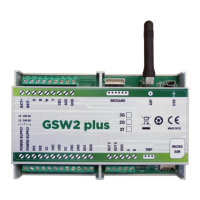
Need help?
Do you have a question about the MARS COMMERCE GSW2 PLUS and is the answer not in the manual?
Covers essential safety measures like switching on safely, interference, and usage restrictions in specific environments.
Lists the technical capabilities and hardware features of the GSW2 PLUS.
Outlines the practical use cases for the GSW2 PLUS device.
Explains the function of Blue (LED1), Red (LED2), and Yellow (LED3) LEDs for signal, activity, and connection status.
Describes programming using a USB cable and configuration software (EasySet).
Explains remote programming through a web server interface.
Details remote programming using SMS commands.
Instructions for accessing and logging into the GSW2 PLUS web server.
Configuration details for setting up Wiegand interface and access control.
How to configure the behavior and modes of the unit's outputs.
Configuration of alarm inputs for SMS messaging and event triggering.
Advanced settings for notifications, lockdown, and periodic tests.
How to manage, retrieve, and view logged events from the unit.
Configuration for notifying administrators when PIN codes are used.
Steps to configure data format for the first Wiegand interface via WEB server.
Steps to configure data format for the second Wiegand interface via WEB server.
 General
| Talk Time | 8 hours |
|---|---|
| Standby Time | 20 hours |
| Charging Time | 3 hours |
| Chairman Unit Override | Yes |
| Connection Type | Wireless |
| Frequency Response | 50Hz - 16kHz |

 To Next Page