Page 15
8.3 WEB SERVER-UNIT MANAGEMENT
After the GSW2 PLUS unit is added to user database, the user can change the configuration of the
specific unit.
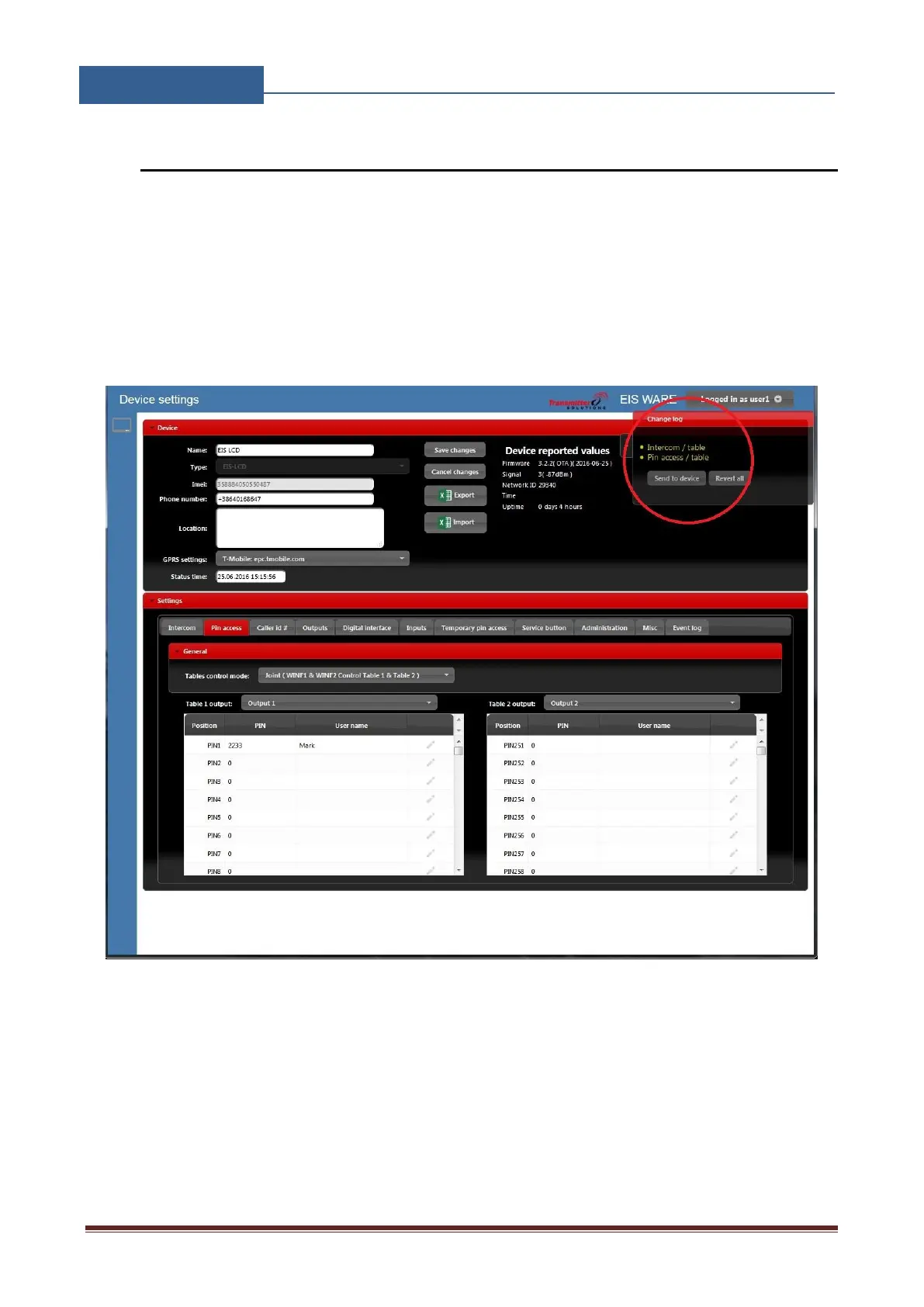
All changes made by the user are listed in the Change Log window. By clicking Send to device
button ALL changes are sending to the unit. User can revert all changes made, before sending, by
clicking Revert all or select particular entry and revert it.
Figure 6: WEB Server-Unit management window



 To Next Page