Page 12
8 GSW2 PLUS FUNCTIONS WITH PROGRAMMING
INSTRUCTIONS
As mentioned in previous chapters GSW2 PLUS unit can be programmed in various ways, this
document will focus on most common programming way: WEB programming.
SIM card in the GSW2 PLUS unit MUST have DATA PLAN to be able to
use WEB programming!
8.1 WEB SERVER - LOG IN
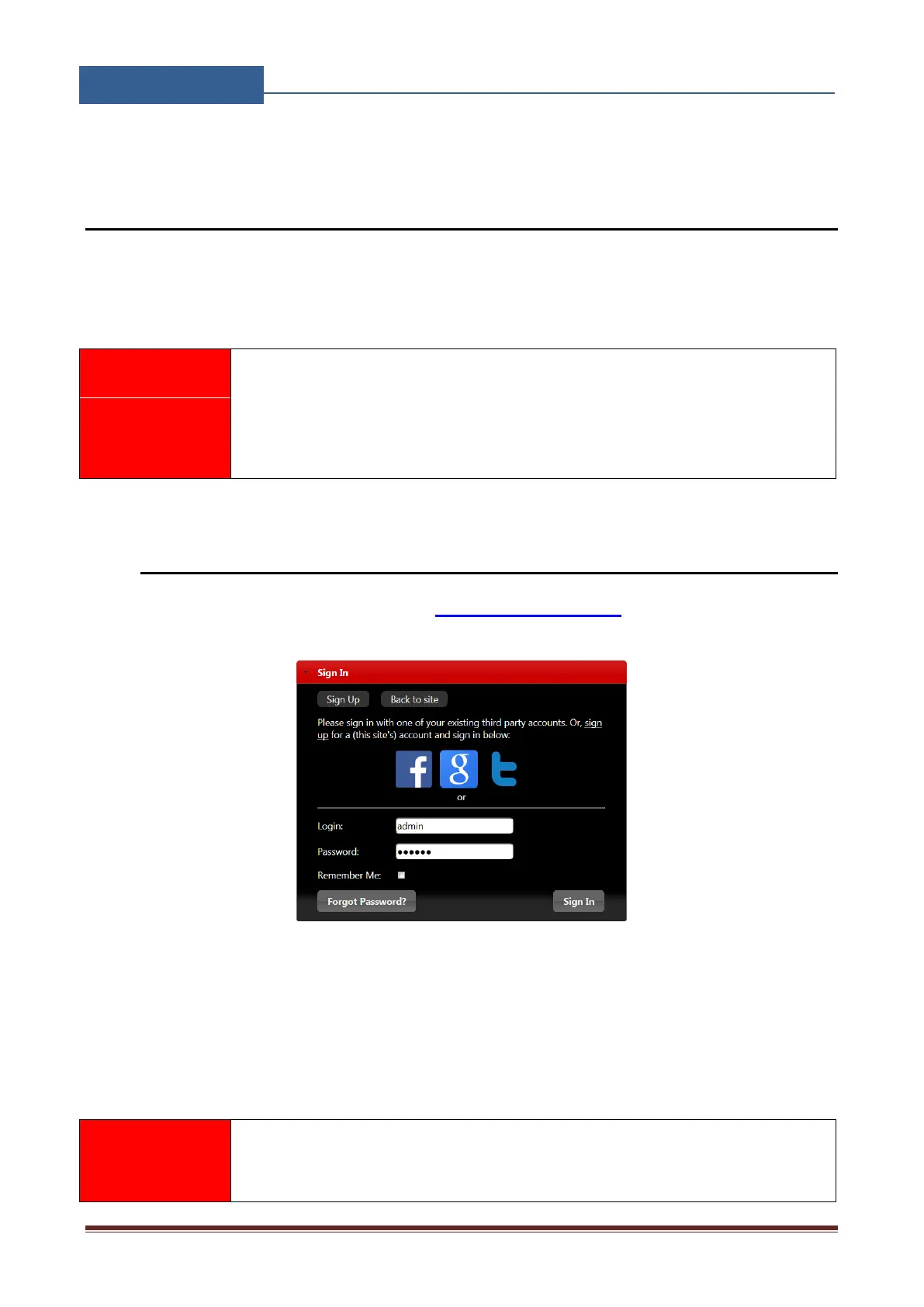
The web server can be find under the address: https://www.easyset.eu/.
Figure 3: WEB Server-Sign In page
User must first use the Sign IN section to create working profile on the server. The profile can be
created by using social login like Facebook, Google account or Twitter. The user lacks any of the
social profile it can proceed to Sign UP page use standard user name and password entry.
Server supports Firefox, Google Chrome, Safari.


 To Next Page