8
Recall Operating Mode
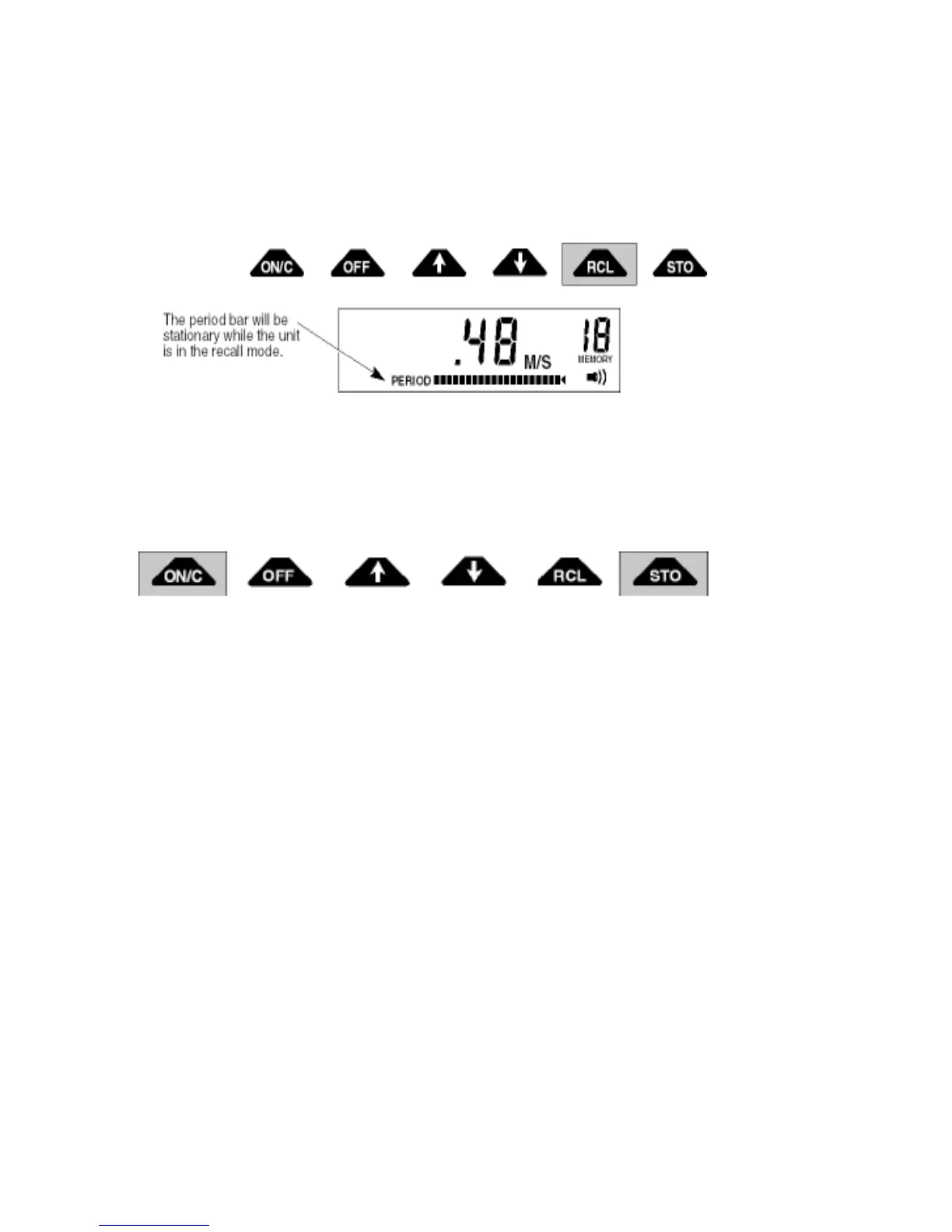
The recall operating mode outputs the velocity readings that have been stored in memory. The recall
mode is indicated by a blinking memory location number and always starts at location one. To switch
to the recall mode, press the RCL key. The memory location and the velocity stored in that location is
shown on the display. Increment and decrement through the locations with the 5 and 6 keys respec-
tively. With the exception of the first empty location, only the locations that have stored readings can
be recalled.
To clear memory, press the ON/C and STO keys simultaneously. Memory can be cleared from both
the the Recall and Real-Time operating modes.
ZERO ADJUST
Zero Check
First clean the sensor (Page 12) because a thin film of oil on the electrodes can cause noisy readings.
Then place the sensor in a five gallon plastic bucket of water. Keep it at least three inches away from
the sides and bottom of the bucket. To make sure the water is not moving, wait 10 or 15 minutes after
you have positioned the sensor before taking any zero readings. Use a filter value of 5 seconds. Zero
stability is ± 0.05 ft/sec.
Zero Adjust
>


 To Next Page