2.4.3 Settings
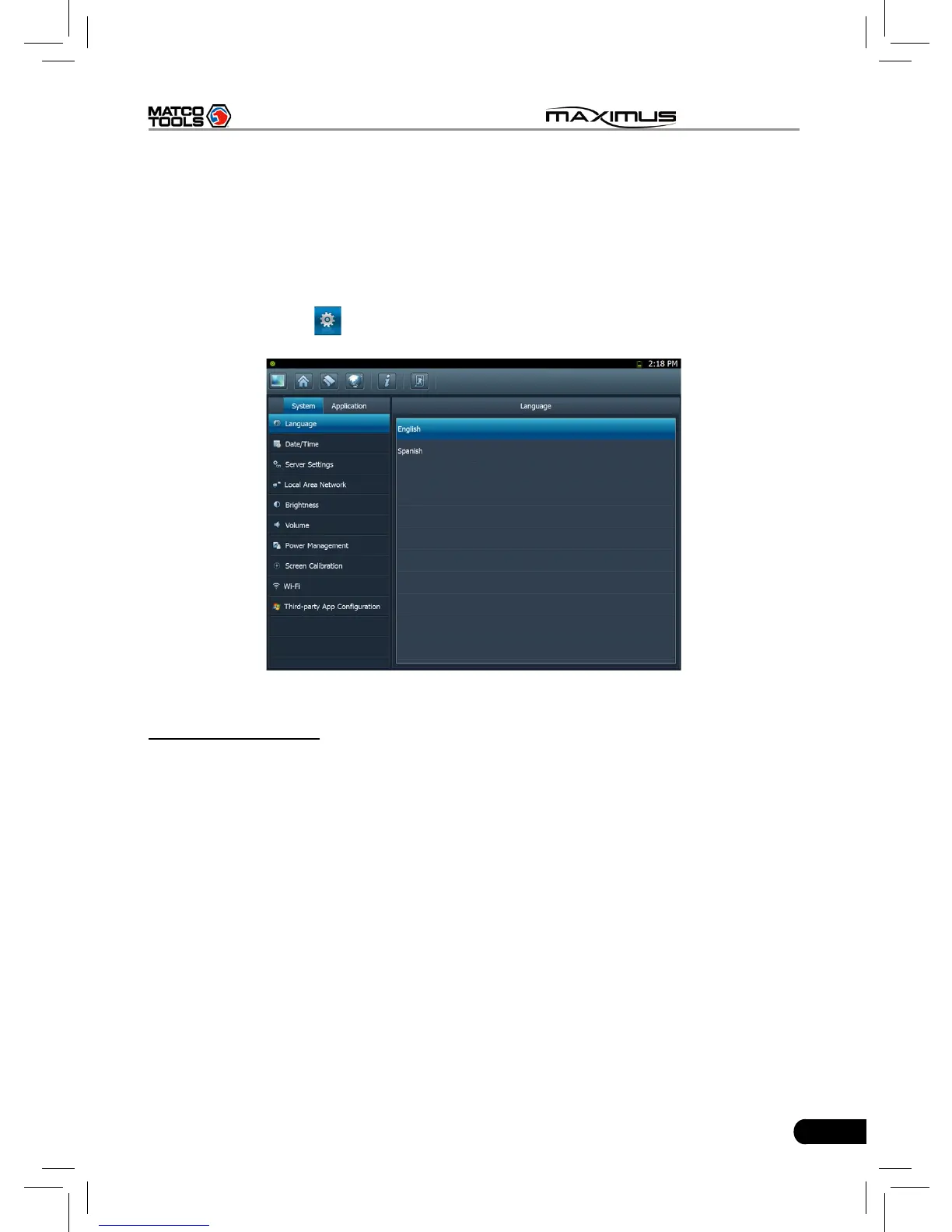
It includes system settings and application setting. Language setting, Date/Time,
Server Settings, Local Area Network, Brightness, Volume, Power Management,
Screen Calibration, Wi-Fi and Third-party App Configuration are available in
system setting, while application settings provide some settings related to
applications.
In main menu, click [
Settings] to enter setting interface, similar to Fig. 2-7.
Fig. 2-7
1. Language setting
This items enables you to change the system language. Due to continuous
upgrade, Language interface may vary with different software versions (Fig 2-7
is provided for reference and demo purpose).
In Fig. 2-7, click on your preferred language, the system will prompt you that
language has been changed, please close the application and then restart it.



 To Next Page