89
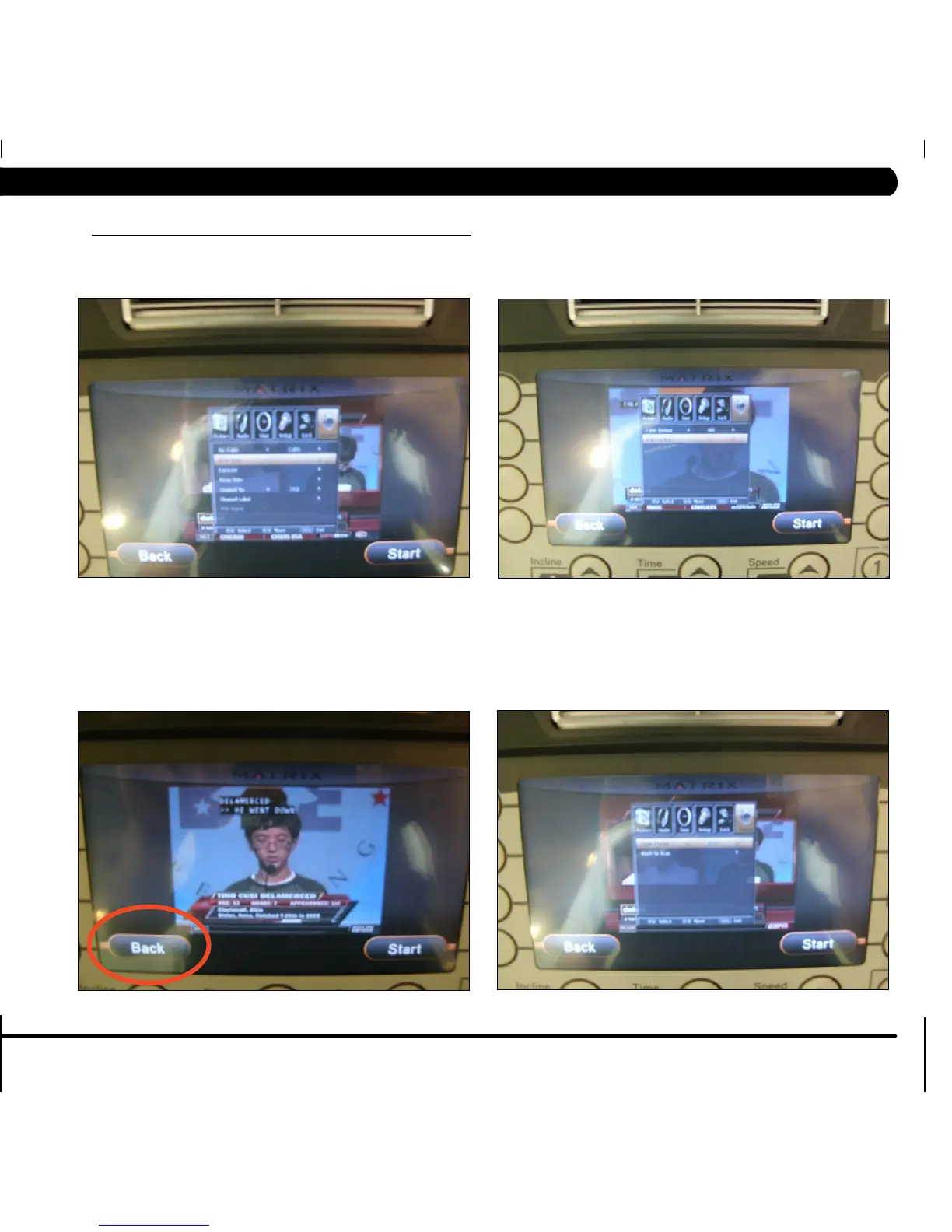
FIGURE E FIGURE F
FIGURE G
FIGURE H
10.6 TV PROGRAMMING INSTRUCTIONS - CONTINUED
CHAPTER 10: TREADMILL SPECIFICATIONS AND ASSEMBLY GUIDE
7) Scroll down to CHANNEL SCAN, and use the volume button to select it (Figure E).
8) Move the cursor down to START TO SCAN and use the volume button to select it (Figure F).
9)Ifthechannelsarenowcominginclearly,presstheBACKkeytoreturntonormaloperation(FigureG).
10) If the channels still are not coming in, or are showing in black and white, return to CHANNEL SCAN, and then change the CABLE SYSTEM
to match your incoming cable frequency (Figure H). Re-select START TO SCAN once this has been changed.
11) If the channels are still not coming in clearly, refer to the TV Troubleshooting in Sections 8.15-8.18



 To Next Page