90
11.1 SOFTWARE UPGRADE INSTRUCTIONS
1)FourfilesshouldbepresentontheUSBdrive.Theseare7xAllDeployCAB,IO_Board_3_2.txt,NK.nb0,andudate.config,.
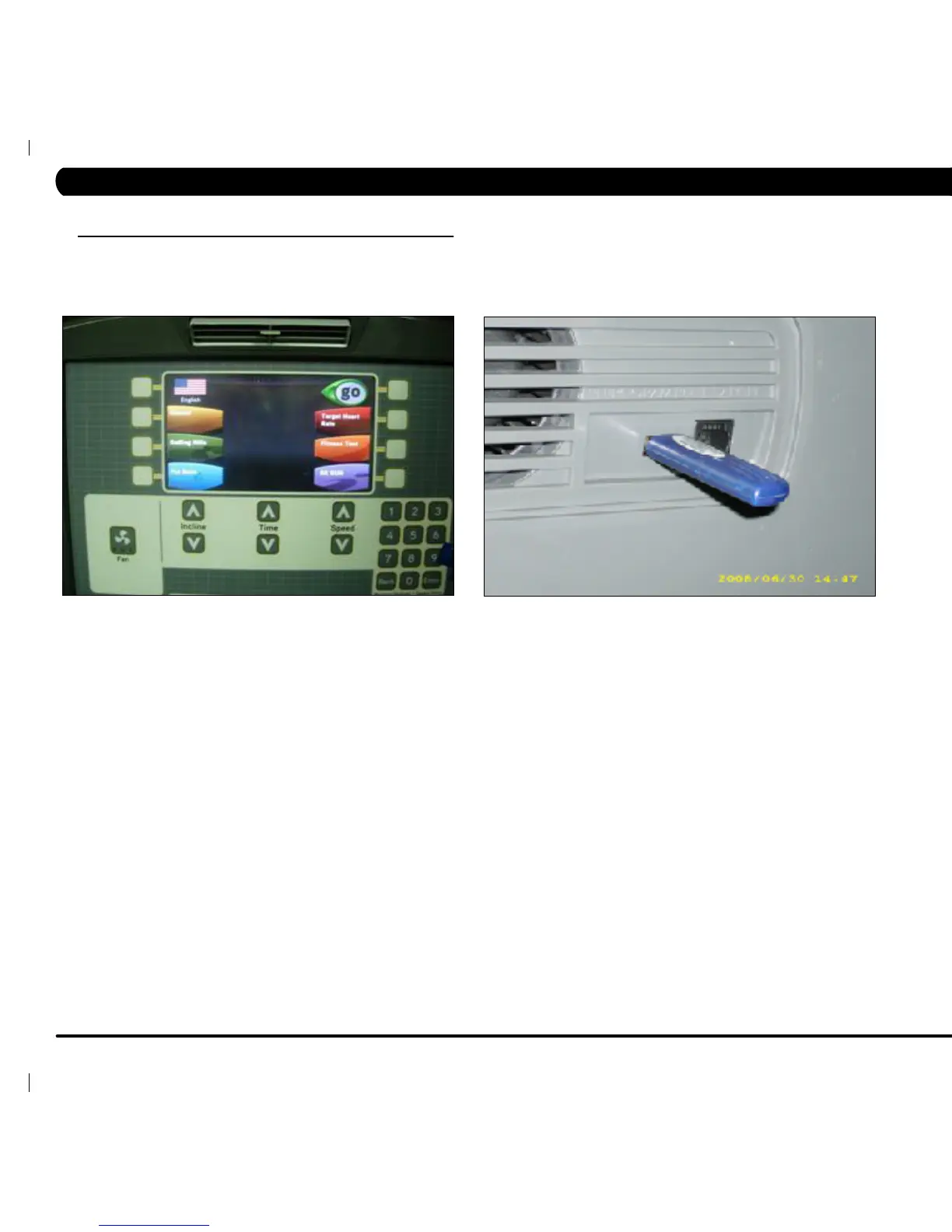
2) Turn on the treadmill power, and then wait until the standard display picture comes up (Figure A).
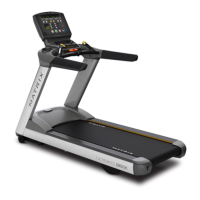
3) Insert the USB flash drive into the "REPROGRAM PORT" of the T7x console back cover (Figure B).
4) After a few seconds, the treadmill will auto run the upgrade processing. After 1-2 minutes, the screen will normally show the updating of the
IO, then the OS, Write Mode, and then Verify Mode.
FIGURE A FIGURE B
CHAPTER 11: SOFTWARE UPGRADE INSTRUCTIONS


 To Next Page