91
11.1 SOFTWARE UPGRADE INSTRUCTIONS - CONTINUED
CHAPTER 11: SOFTWARE UPGRADE INSTRUCTIONS
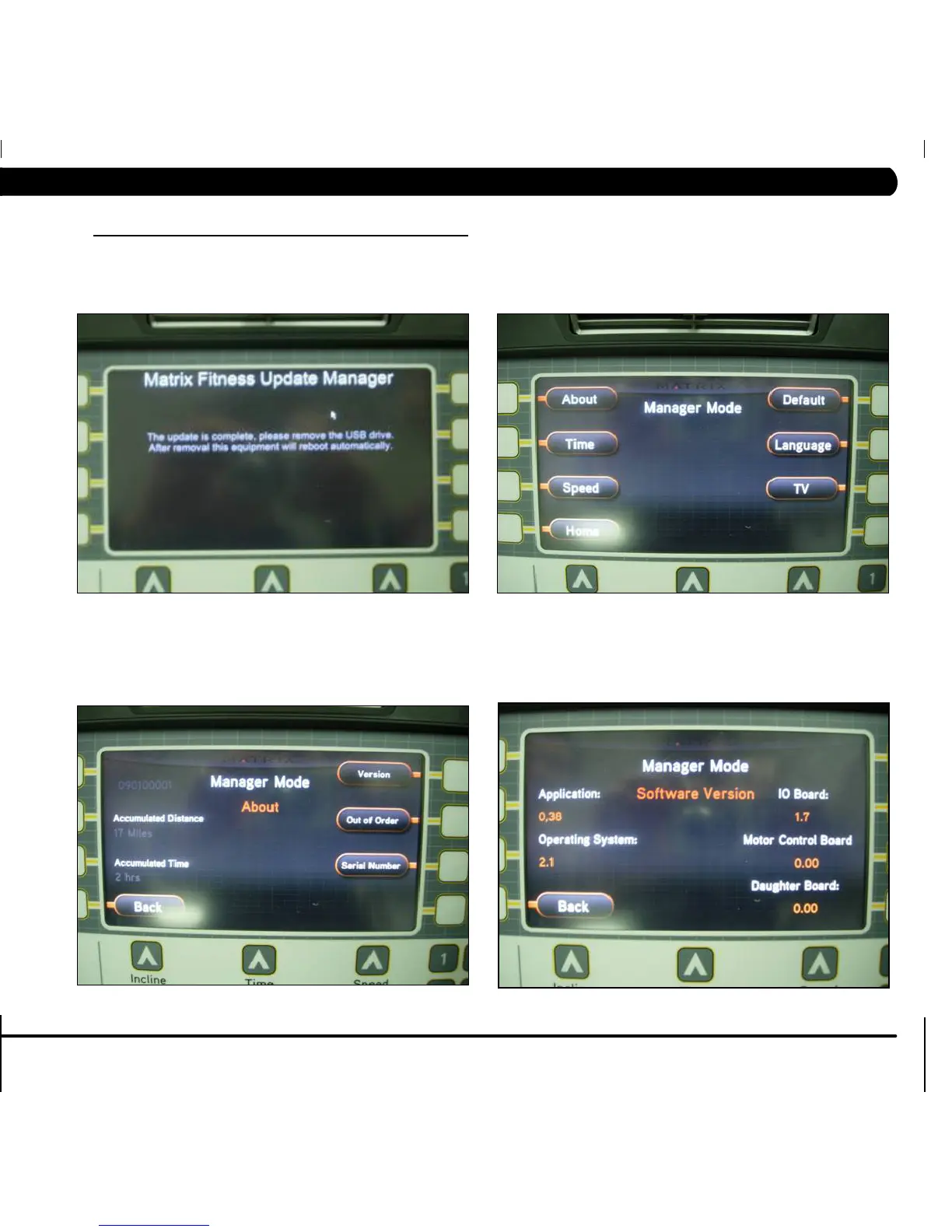
FIGURE C FIGURE D
FIGURE E
FIGURE F
5) When the update is complete, the display will ask you to remove the USB flash drive (Figure C). Once the USB flash drive is removed, cycle
power on the treadmill. The power should be left off for at least one minute.
6) Press "ENTER, 1, 0, 0, 1, ENTER" to enter into the Manager Mode on the treadmill. Then press the button next to ABOUT (Figure D).
7) Press the button next to VERSION to double check the new software version (Figure E).
8) All of the software version information will now be displayed on the screen (Figure F). .


 To Next Page