Matrox QuadHead2Go Series – User Guide 12
Connecting your QuadHead2Go Q185
card
This section describes how to connect your Matrox QuadHead2Go Q185 card.
Before you begin
To avoid possible problems that could damage your monitors or prevent you from using your Matrox
product, read the following guidelines before connecting your devices.
Whenever you change your connection setup, make sure you’re using the correct
connectors and that all connectors are properly fastened.
Review the safety information provided. For more information, see “Matrox safety
information”, page 5.
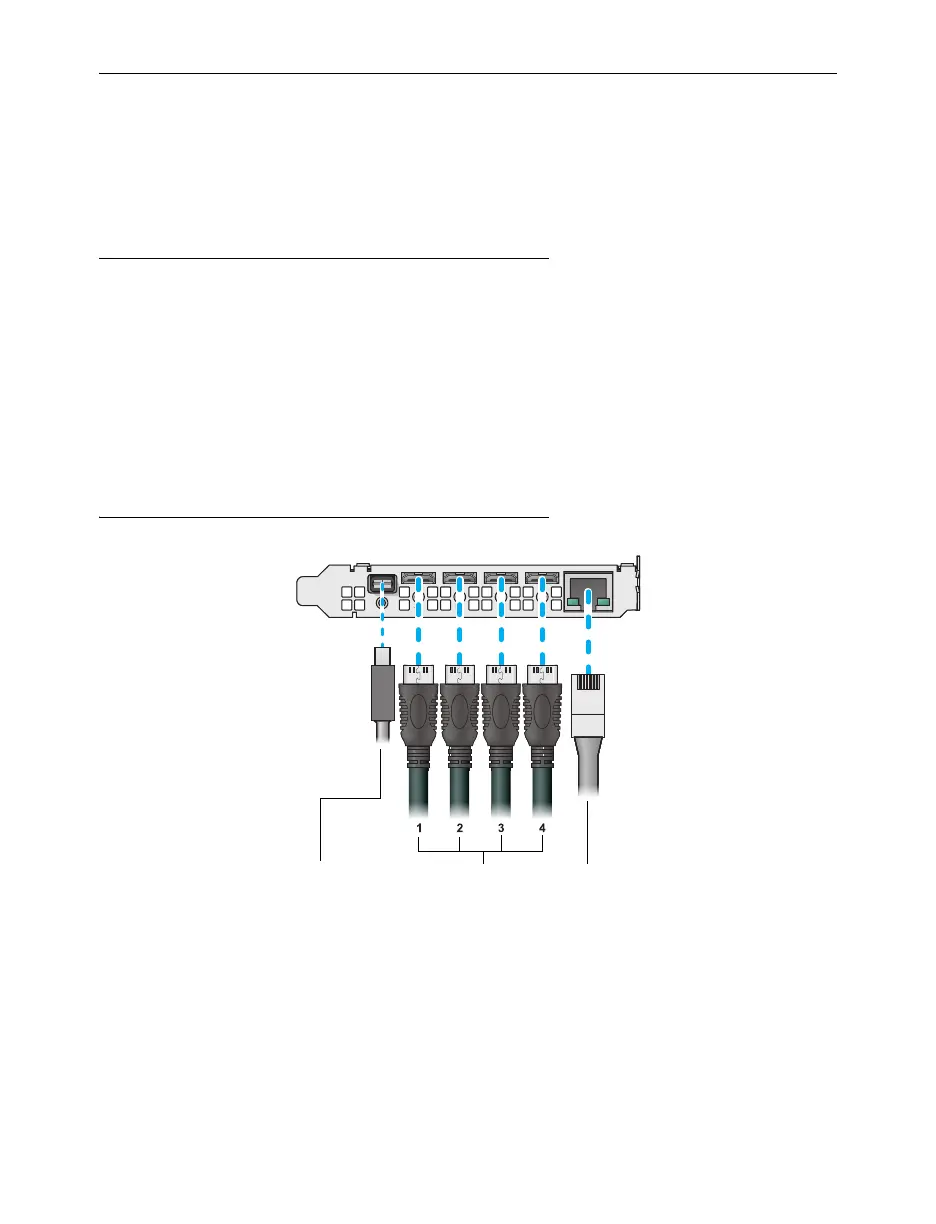
Connection overview
LAN
(Network)
Mini HDMI OUT
(Monitors)
Mini DisplayPort IN
(Audio/video source)


 To Next Page