55
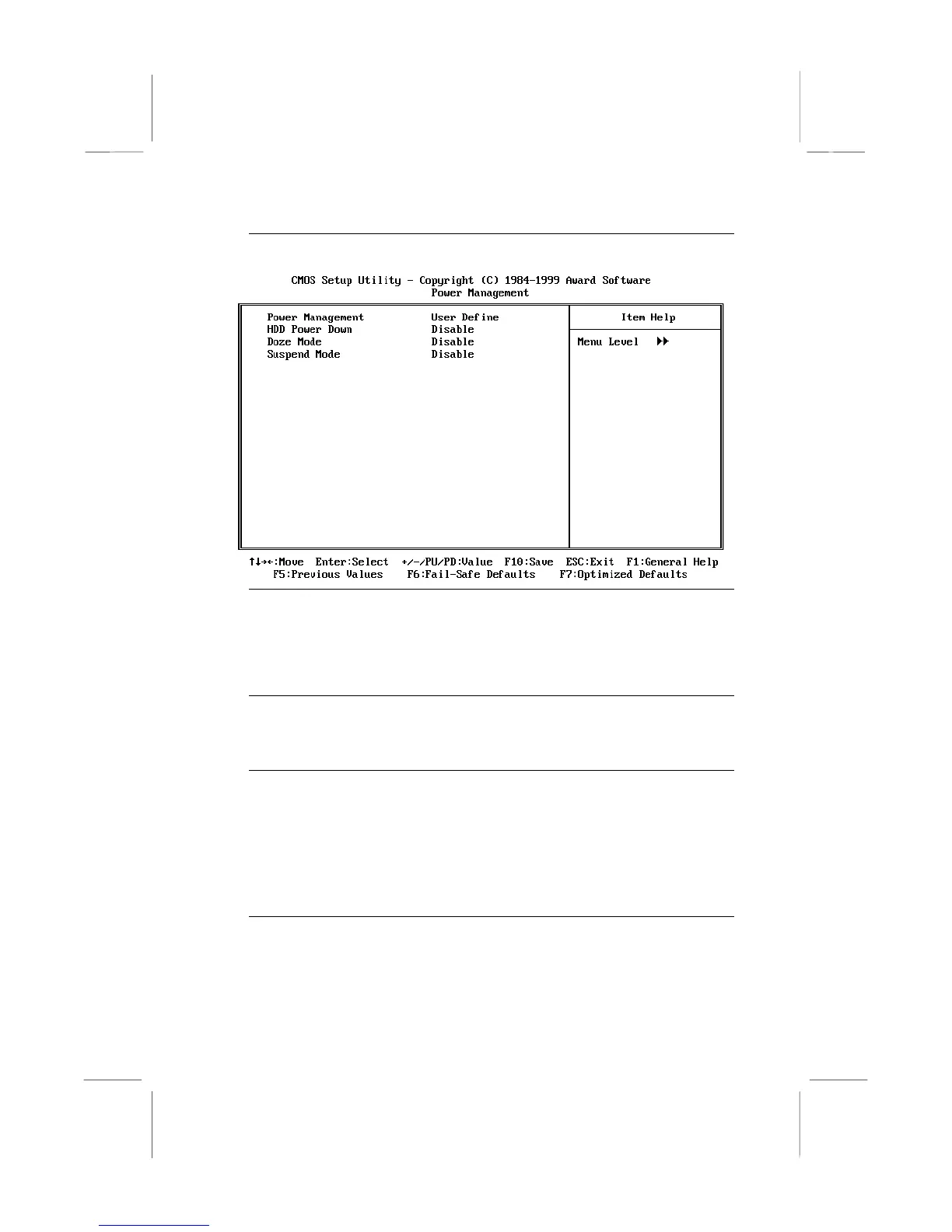
Power Management
Press
Enter
to display the Power Management sub-menu.
Power Management Default: User Define
This item acts like a master switch for the power-saving modes and hard disk
timeouts. If this item is set to Max Saving, power-saving modes occur after a
short timeout. If this item is set to Min Saving, power-saving modes occur after a
longer timeout. If the item is set to User Define, you can insert your own timeouts
for the power-saving modes.
HDD Power Down Default: Disabled
If you have selected User Define for the Power Management item, you can set
this item to a selection of timeouts from 1 to 15 minutes. The hard disk drive will
power down if the selected timeout passes without any activity on the hard disk.
Doze Mode Default: Disabled
Suspend Mode Default: Disabled
If you have selected User Define for the Power Management item, you can set
this item to a timeout between 1 Min to 1 Hour. The system will go into the
power-saving doze or suspend mode if the timeout passes without any system
activity.
Press
Esc
to close the Power Management sub-menu and return to the Power
Management Setup page.
ACPI Suspend Type Default: S1 (POS)
Use this item to define how your system suspends. In the default, S1(POS), the
suspend mode is equivalent to a software power down. If you select S3 (STR),
the suspend mode is a suspend to RAM – the system shuts down with the
exception of a refresh current to the system memory.















 To Next Page