13
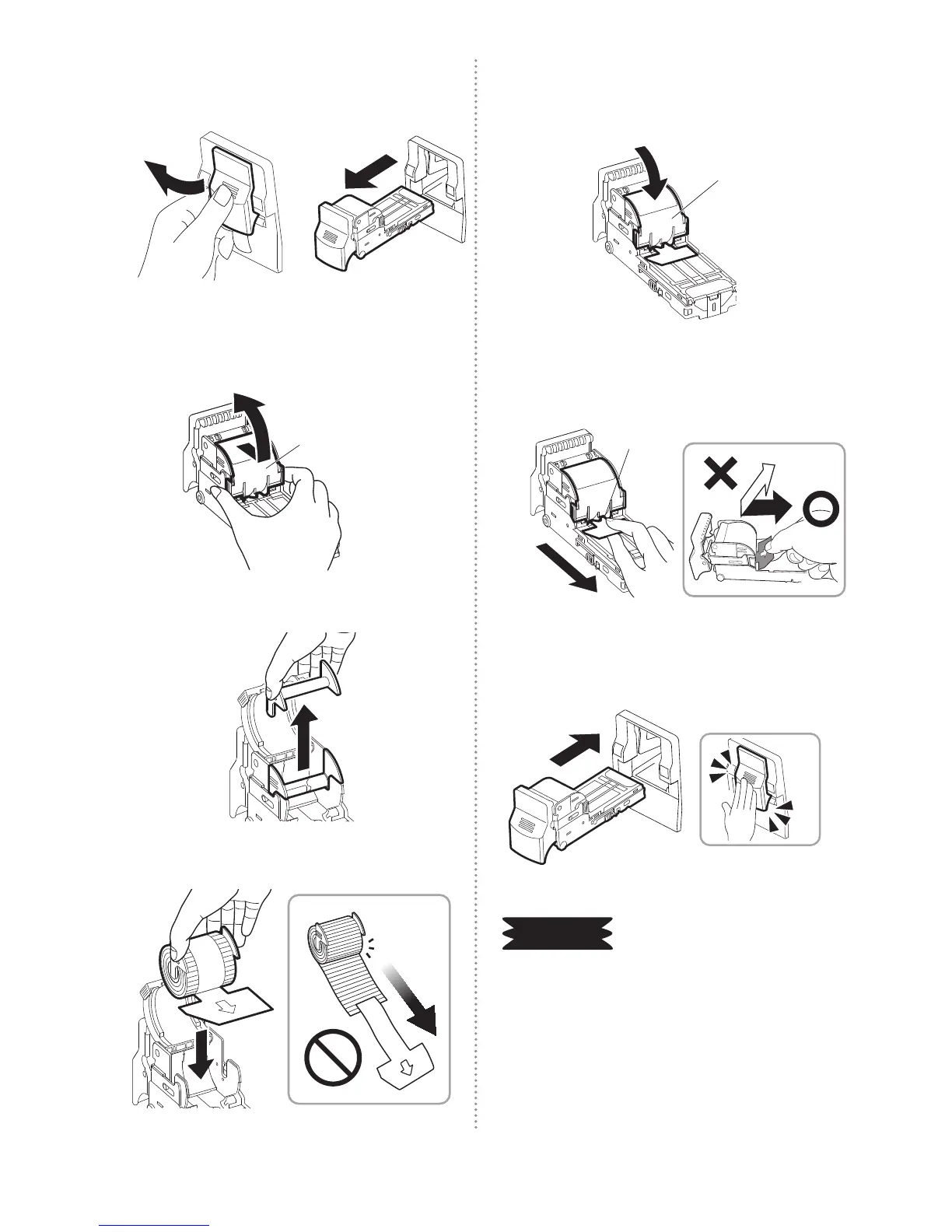
REPLACING (LOADING) THE STAPLE REFILLS
7
Pull cartridge lever to gently pull out the
cartridge.
8
Pull the staple cover towards the
cartridge lever and open it upward.
Staple cover
9
Remove the plastic rell.
10
Set the staple rells (No. 110FE).
11
Close the staple cover rmly until it
“clicks”.
①
Staple cover
12
Pull out and remove the staple rells
xing tape.
Fixing tape
13
Attach the cartridge. When this is
done, push it in rmly until it “clicks”.
Clicks
REQUEST
When the staple rells are replaced, be
sure to remove the staples from inside
the staple trim tray. It could damage the
machine.


 To Next Page