14
REPLACING (LOADING) THE STAPLE REFILLS
14
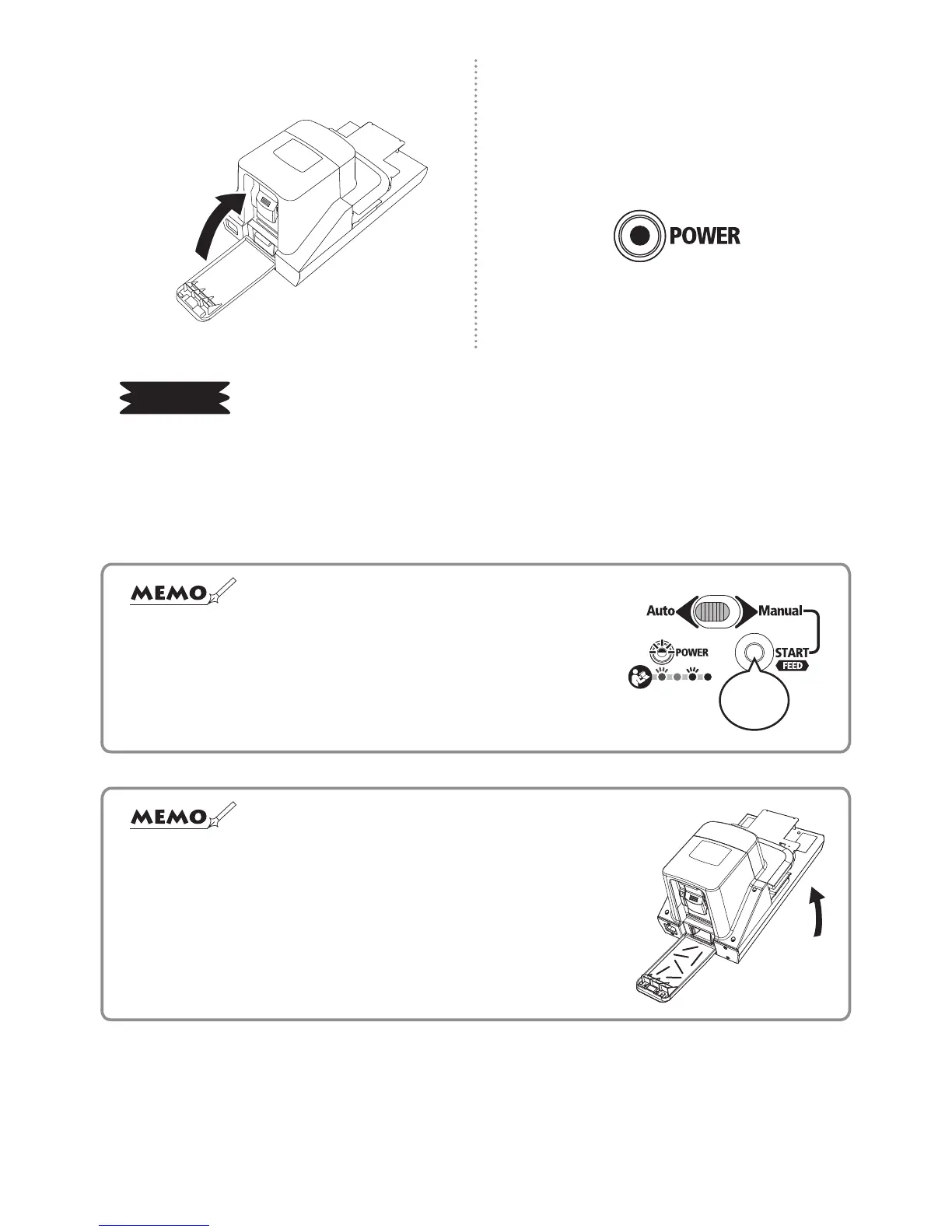
Close the rear cover.
15
Connect the power plug, turn on the
power switch, check that the green LED
indication lamp is illuminated, and then,
use the machine.
REQUEST
1. Use MAX genuine staple rells “No. 110FE”.
2. Do not set broken short staples, deformed ones or waste ones in the cartridge again to reuse
them. It could damage the machine or cause a staple jam.
3. When the staple rells are replaced, be sure to remove the staples from inside the staple trim
tray. It could damage the machine.
☆
Immediately after replacing the staple rells, the green LED indication
lamp may blink, requiring staple feed operation. Hold down the START
button (approx. 3 seconds) to feed the staple. Continuous operating
sound will be heard, but this is because the staple rell is moving to
the stapling position, not a mechanical problem.
Hold
down
☆ If it is difcult to insert the tray, cut staples may have spilled
inside the stapler.
Remove the remaining staples by leaning the main body
approx. 60°, while opening the rear cover and taking out the
staple trim tray.


 To Next Page