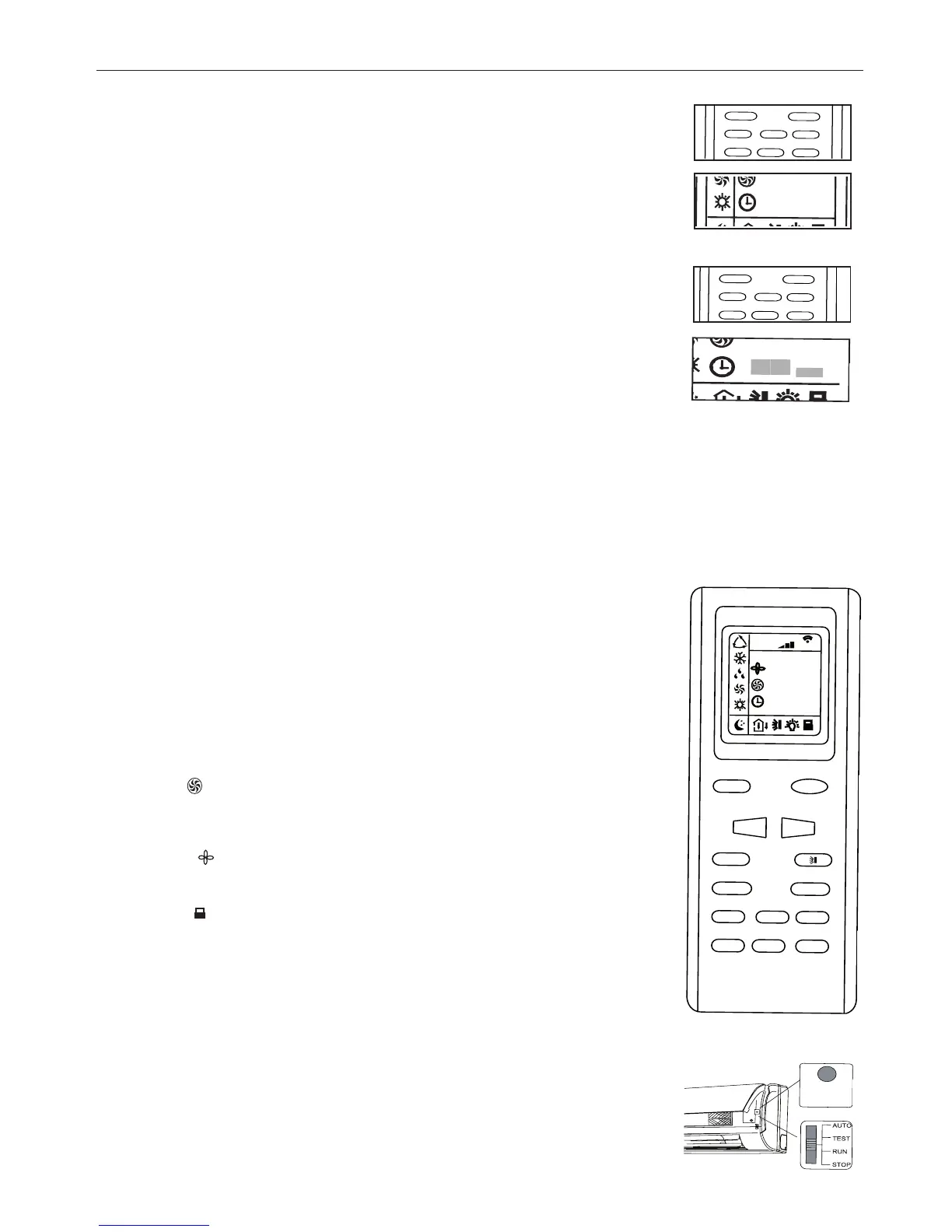
CLOCK SETTING
To adjust the real time press CLOCK button, then use ''+'' and ''-'' buttons to get the correct time.
- Press the key ''+'' / ''-'' once to increase/decrease the time setting by 1 minute.
- Press the key ''+'' / ''-'' for 1.5 seconds to increase/decrease the time setting by 10 minutes.
- Press CLOCK button again the real time is set.
TIMER MODE SETTING
Push the buttons TIMER ON/OFF to set the timer programming as wished in order to switch on an off
the air conditioner at the desired time.
- How to set TIMER ON
TIMER ON button can be used to set the timer programming as wished in order to switch on the
appliance at your desired time.
1) Press TIMER ON button, "ON" flashes on the LCD, then you can press the ''+'' or ''-'' buttons to
select your desired time for appliance on.
- Press the ''+'' / ''-'' button once to increase or decrease the time setting by 1 minute.
- Press the key ''+'' / ''-'' for 1.5 seconds to increase/decrease the time setting by 10 minutes.
Note: If you don't set the time in 10 seconds after you press TIMER ON button, the remote controller
will exit the TIMER ON mode automatically.
2) When your desired time displayed on LCD, press the TIMER ON button and confirm it, a beep can
be heard and then the TIMER indicator "ON" the indoor unit stops flashing.
3) After the set timer displayed, the clock will be displayed on the LCD of the remote controller
instead of set timer.
How to cancel TIMER ON
Press the TIMER ON button again, a "beep" can be heard and the indicator disappears, the TIMER ON mode has been canceled.
Note: It is similar to set TIMER OFF, you can make the appliance switch off automatically at your desired time.
CAUTIONS
When you select the timer operation the remote control automatically transmits the timer signal to the indoor unit at the specified
time.
Therefore keep the remote control in a location from which it can transmit the signal to the indoor unit properly. The effective opera-
tion time setted by the remote control is limited in 24 hours.The timer function (ON/OFF) which is the
closest to the actual time will be activated first.
The timer will not work if ON and OFF timer are set at the same time.
SLEEP mode
SLEEP mode can be set in COOLING or HEATING operation mode. This function gives you a more
comfortable environment for sleep.
In SLEEP mode,
- Fan speed is automatically set at low speed.
- Press the "SLEEP" button to set the unit to the sleep mode. The SLEEP indicator will light up on
the display. The temperature increases/decrease in cooling/heating mode operation by 1°C at set
intervals. After reaching 2°C the unit maintains this temperature through to the eighth hour (8 hours)
of operation in the "SLEEP" mode and then switches off automatically.
TURBO mode:
- TURBO mode is used to start or stop fast cooling and heating at high fan speed.
- In Turbo mode, you can set airflow direction or timer. If you want to exit from TURBO mode, press any
- TURBO, MODE, FAN or ON/OFF button, the display will return to the original mode.
BLOW mode:
When the unit is switched off after cooling or dehumidifying operation, the fan will start to ventilate the
coil for 10 minutes in order to prevent any residual condensation from forming mould and bad smells.
LOCK mode:
Press the ''+'' and ''-'' buttons at the same time to block the last setting operation by the remote con-
troller. All the buttons disabled, including the ON/OFF button. Press the ''+'' and ''-'' buttons again to
enable the buttons functions.
°C / °F mode: press the ''MODE'' and ''-'' buttons at the same time with the unit off to choose the
display of temperature in °C and °F.
EMERGENCY BUTTON
It allows turning the unit on/off when the remote controller is missed or broken. Operating mode and
the preset temperature are automatically adjusted depending on the room temperature at switch-on.
AUTO-RESTART FUNCTION
The unit is set to switch on automatically in the case of power failure.



 To Next Page