If fuse is open, please replace it with another fuse that meets the following specifications.
Model Fuse specification
(110VAC)
Fuse specification
(220VAC)
M9711 T0.5A 250V T0.3A 250V
M9712 T0.5A 250V T0.3A 250V
M9712B T0.5A 250V T0.3A 250V
M9712C T0.5A 250V T0.3A 250V
M9712B30 T0.5A 250V T0.3A 250V
4).Replace the Fuse
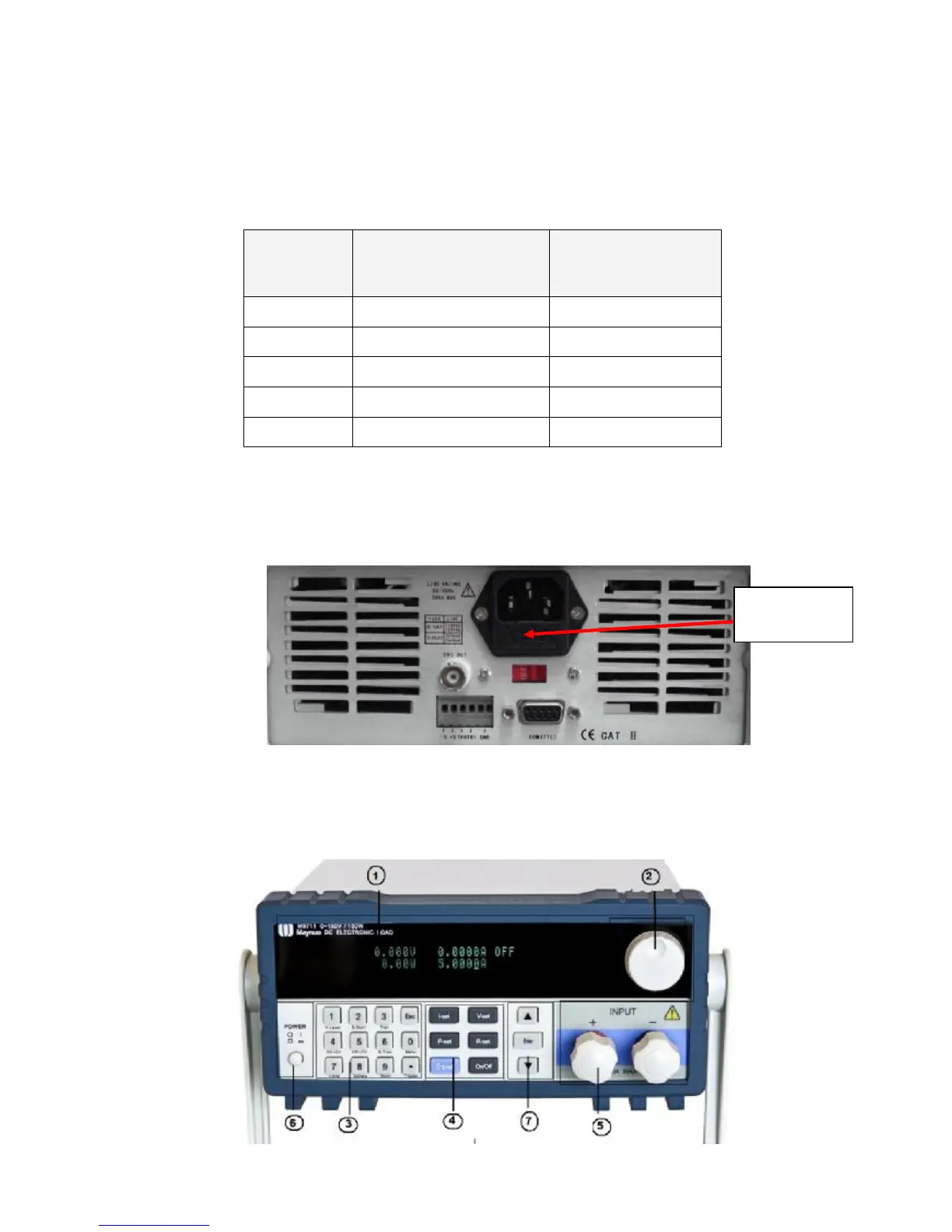
Open the plastic cover on the rear panel of the DC electronic load with a flat screwdriver. (See table
3.1) and find the open fuse. Then replace the open fuse with a new one.
Diagram 3.1 Fuse Location
3.3 Front Panel Operation and Back Panel Operation
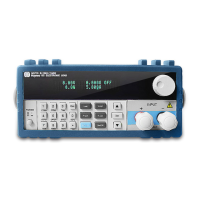
Please refer to Diagram 3.2 for the front panel of M97XX DC electronic load.
Fuse location



 To Next Page