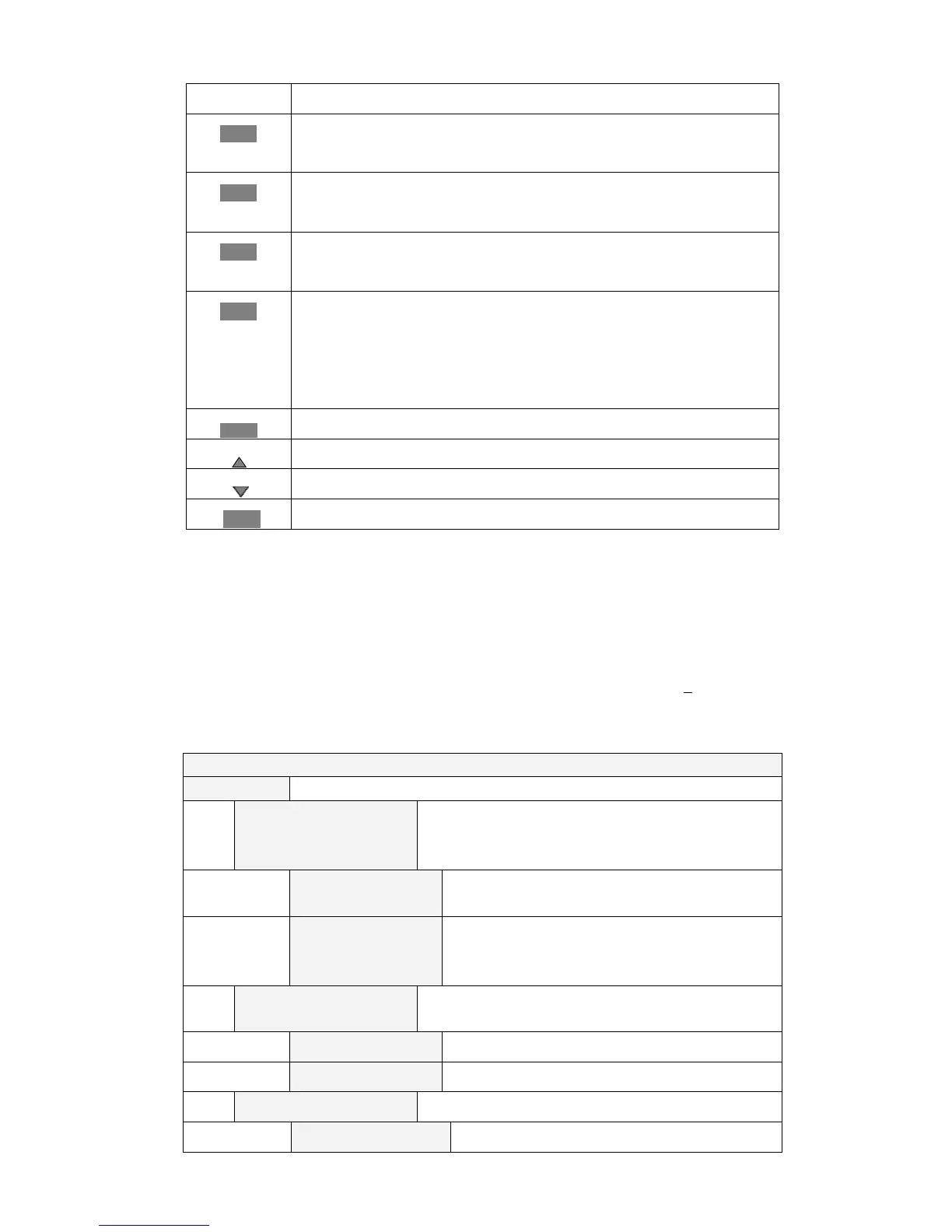
Setting up a constant current
V-Set
Switch to CV mode
Setting up a constant voltage
P-Set
Switch to CW mode
Setting up a constant power
R-Set
Switch to CR mode
Setting up a constant resistance
Shift
Multi-purpose
Used in conjunction with other keys to perform diverse functions and
applications(for example: shift+0/Menu key will launch the menu
function)
On/Off
Turn DC electronic Load on/off
Scroll up menu choices
Scroll down menu choices
Enter
Confirmation of settings key
3.5 Menu Operation
Press the Shift+0/Menu keys in sequence to access the menu functions and theVFD screen
displays the menu choices: CONFIG, SYSTEM SET, LIST,AUTO TEST, SHORTCUT AND EXIT. . Select
the menu items by pressing the ▲ and ▼ cursor keys and then press the Enter key to open the menu
item you chose. Or press the Esc key to return to theout of the menu function.
MENU
CONFIG
INPUT RECALL
Resets the output to the same state as the last time
used when the load is turned off; or to the OFF state
when the DC electronic load is powered back on
ON
Retains the same settings when the DC
electronic load is turned off
OFF
Sets the output to the OFF state when the DC
electronic load is powered on. The load will work
on CC mode
KEY PAD SOUND
SET-UP
Sets the keypad sounds
ON
Will activate abeep when any key is pressed.
OFF
Deactivates the beep when any key is pressed
CONNECT MODE
Connect mode
MAXTIDLEXING?
Multi



 To Next Page