12
If you want to fine tune the constant current value, rotate the encoder knob to adjust the value.
Rotating clockwise will increase the value and rotating it counter-clockwise will decrease the value. Note: if
the constant current value you want to set is beyond the maximum constant current value capability of the
DC load, the current value will stop increasing even if you continue to rotate the encoder knob clockwise.
At this point, the lower lower rightcorner of the VFD panel will display the constant current value you set.
Within this number sequence, if the cursor underlines one particular digit, that digit requires adjustment. If
users want to make adjustments to finetune the accuracy, depress the rotary encoder knob. Every time
the rotary encoder is pressedthe cursor will move forward to the previous digit.
4.1.1.2 Loading and Unloading Constant Current Mode
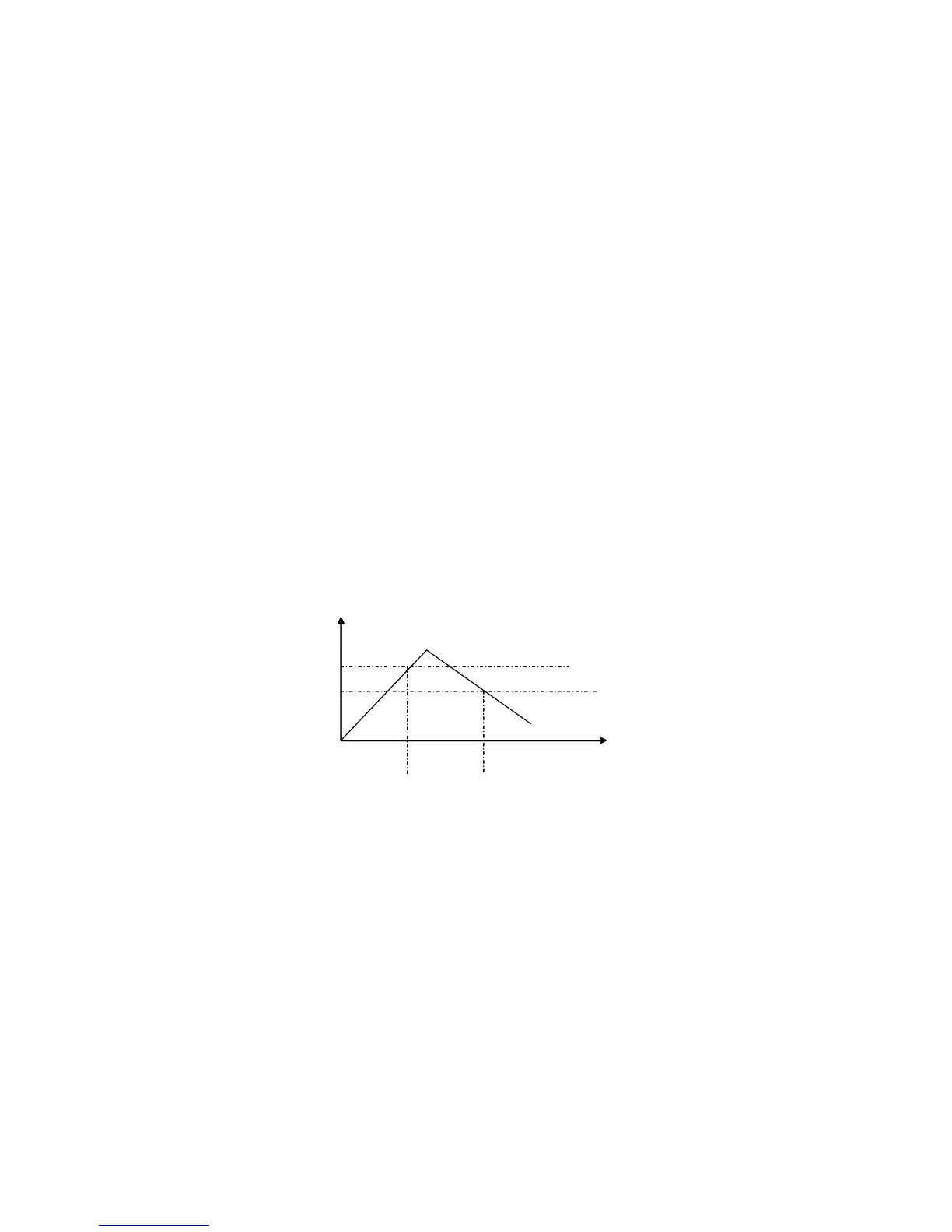
Loading and unloading CC mode can protect the power supply under test from damage. When the
voltage of the power supply under test starts to increase, the load will automatically adjust itself to the
open-circuit state, The load then carries the power supply being tested and adjusts itself to the current
value of the UUT set when the voltage of the UUT increased to the ONSET loading voltage level. When the
voltage of the power supply under test begins to decrease to the OFFSET unloading value, the load will
again automatically adjust itself to the open-circuit state. If the ONSET loading voltage value is higher than
the OFFSET unloading voltage, the load can avoid frequent carrying and unloading at the critical point of
unloading voltage; so the power supply under test willbe well protected.
Diagram 4.2 Loading and Unloading Mode
When in standard constant current mode, pressing the Shift+1(V_Level) keys in sequenceputs the
DC Electronic Load into the loading and unloading CC mode. When the VFD display shows ONSET
VOLT=xxxxxxxxV indicating the current loading voltage, use the numeric keys and decimal point key to
enter the loading voltage value desired, then press theEnter key to confirm the setting. Now the VFD panel
will display OFFSET VOLT=xxxxxxxxV indicating the current unloading voltage level. Press the numeric
keys and decimal point key to enter the unloading voltage value desired, followed by pressing the Enter
key to confirm the setting. Accordingly, the DC Electronic Load will enter into the loading and unloading
constant current mode between the two preset limits automatically
If the input state is OFF , then the upper right corner of the VFD panel will show the word OFF. Press
the - On/Off key to change the input state back toON . Then the upper right right corner of the VFD display
T



 To Next Page