19
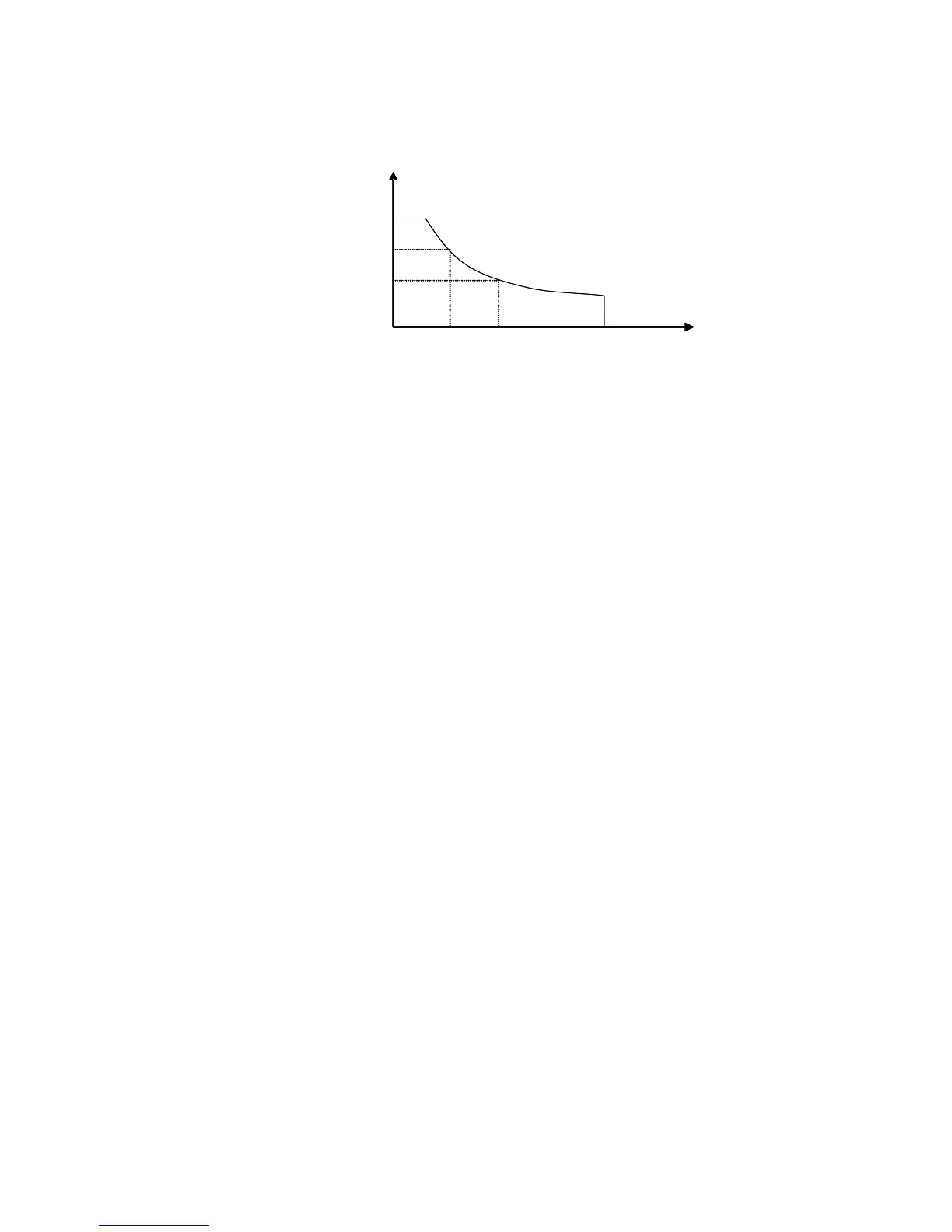
in linear increments. Accordingly, the equation ofload power(=V * I)will remain constant in the power
setting.
I
V
V2
V3
I2 I3
Power set
Load current
Load input
voltage
I
V
V2
V3
I2 I3
Power set
Load current
Load input
voltage
Diagram 4.9 Constant Power Mode
4.1.4.1 Setting up a Standard Constant Power Mode
Press the P-SET key, and the VFD panel displaysSTANDARD POWER=xxxxxxxxW indicating the
selection screen for constant power. Press the numeric keys and decimal point key to enter the constant
power value desiredthen press the Enter key. The DC load will now be in standard constant power mode.
If the input state is OFF, the upper right right corner of the VFD panelwill display the word OFF. Press
the On/Off key to change the input state to ON. Nowthe upper right corner of the VFD display will show
either CW or Unreg. CW means the DC load has been successfully set with the desired constant power
value; Unreg means the DC load couldn’t accept the selected constant power value. Check that the LED
driver under testhas been correctly connected and powered on; make sure the voltage of the LED driveris
normal and that its maximum output current is within the specified range of the DC Load or at an
undercurrent threshold.
In order to fine tune the constant power value, rotate the encoder knob to adjust the value desired.
Rotating clockwise increases the value while rotating counter-clockwise decreases the value desired. Now
the lower right corner of the VFD display shows the constant power value set. Should a blinking cursor
appear under any digit,more tweaking is needed. . To make additional changes/refinements, use the rotary
encoder knob. It also functions as an enter key for changes to DC Load settings. With each key press of
the rotary encoder the cursor will move forward to the next digit position..
4.1.4.2 Loading and Unloading Constant Power Mode
For the theory of operation to load and unload constant power mode , please refer to Diagram 4.1.1.2
From standard constant power mode, press the Shift+1(V_Level) key to enter the constant power
loading and unloading mode. When the VFD panel displays ONSET VOLT=xxxxxxxxV , it indicates the
DC Loads current voltage., To enter a different voltage load, use numeric selector keys and decimal point
key to change the load voltage value desired. Then press the Enter key to confirm the setting. The VFD
panel will next show OFFSET VOLT=xxxxxxxxV indicating the DC Load's present unload voltage. Press



 To Next Page