15
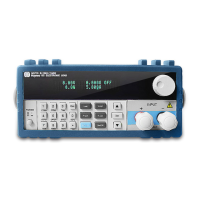
Diagram 4.5 Constant Resistance Mode
4.1.2.1 Setting up a Standard Constant Resistance Mode
By pressing the R-SET key the VFD display will show STANDARD RESI=xxxxxxxxΩ indicating the
presentconstant resistance. In order to place the DC Electronic Load into the standard constant resistance
mode, press the numeric keys and decimal point key to selct the desired values. Finally, after the values
are selected press the Enter key to confirm the setting.
When the input state is in OFF, the upper right corner of the VFD display will show the word OFF.
Press the On/Off key to change the input state to ON. Now the upper right corner of the VFD display will
show either CR or Unreg. -CR means the load has been successfully set into the expected constant
resistance value; Unreg means the load was unable adjust itself to the desired constant resistance value.
Verify that the unit under test is connected correctly and turned on; be sure the resistance value
selected is within the output current of the power supply under test so that it can source the expected
amount of resistance to drive the DC Load..
If you need to adjustthe constant resistance value, rotate the encoder knob to change the value.
Rotating clockwise is increases the value while rotating counter-clockwise decreases the value.
Nowthelower rightcorner of the VFD display shows the constant resistance value set, but if under the vale
a cursor is blinking it means the number set, is in need of further adjustment. -When users want to
adjustorfine tune the accuracy, simply push in on the rotary encoder knob.. Each click the encoder is
rotated movesthe cursor left or right on the VFD screen.
4.1.2.2 Loading and Unloading Constant Resistance Mode
Figure4..1.1.2 illustratesthe CR loading and unloading mode theory of operation.
When in standard constant resistance mode, press the Shift+1(V_Level) keys to enter the CR loading
and unloading mode. When the VFD display shows ONSET VOLT=xxxxxxxxV, itindicates the current
load voltage state. Pressing the numeric keys and decimal point key will enter the load's desired voltage
setting.Pressing the Enter key will confirm the setting. Next the VFD will display OFFSET
VOLT=xxxxxxxxV indicating the need to set an offsetvoltage. Pressing the numeric keys and decimal
point key will set that desired offset voltage., Now press the Enter key to confirm the setting. Now the DC
Electronic Load will be in the CR load /unload mode.
If the input state showsOFF, then the upper right corner of the VFD panel will display OFF. Press the
On/Off key to change the input state to ON.. Now the upper right corner of the VFD display will show either
CR_UN or Unreg. CR_UN means the load has been successfully set into the desiredconstant resistance
value; Unreg means the load could not accept the constant resistance value set. Check to see the power
supply under test is correctly connected and turned on; make sure the voltage is normal and the output
current of the unit under test iswithin the range that the can drive DC Electronic Load.
From the loading and unloading CC mode, press the Shift+1(V_Level) keys and the DC Electronic
Load will the standard constant resistance mode.



 To Next Page