29
input terminals on the front panel of the DC electronic load. Selecting the BP will disable the remote
measurement function on the rear panel. TERMINAL SELECT BACK means the input terminals on the
rear panel of the load. Selecting these back panel terminals will disable the remote measurement
function of the BPs on the load's front panel. After making the remote measurement selection, press the
key Esc to exit Menu mode.
Note: Either of the input terminals on the front panel or back panel can be initiated at any time.
However, it is impossible to initiate both sets of input terminals simultaneously. If the voltage of the load is
near to zero point and does not change in conjunction with the signal, please check that the wire mode
matches the parameters of the remote measurement function.
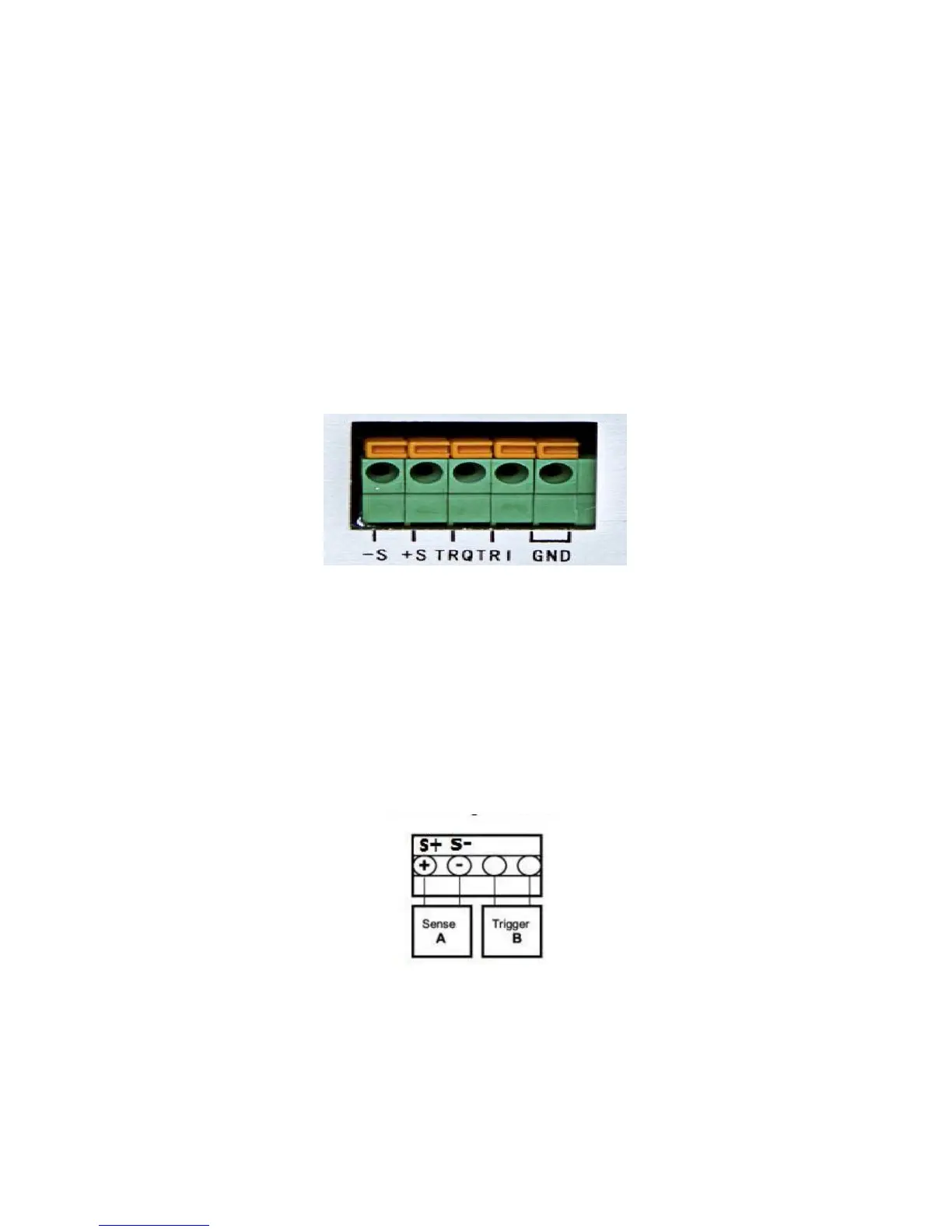
Please refer to the picture 4.4 for the trigger terminals and measurement terminals.
Photo 4.4 Remote Measurement Terminals
-S and +S are remote measurement terminals;
TRQ and TRI are trigger terminals, the last two terminals are ground terminals.
The output of power supply will be turned off when testing out the change in voltage level from high to low
from TRQ port which is under the latched mode of the remote control function. As a multifunction extended
port, TRI port is designed for future expanded.
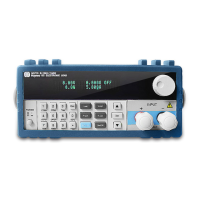
The following diagram shows the remote sense terminals on the back panel of the instrument.
The following shows wiring diagram for the remote sensing:



 To Next Page