3-8
1. Open the control panel. (See page 3-2)
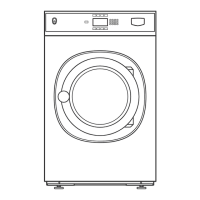
2. The emergency stop button is a Normally
Closed switch. The bottom of the switch
also indicates the switch position. There are
two switches activated by the emergency
stop button, one switch for each leg of the
power.
3. To remove the switches from the knob,
slide the thumb lock to the left and pull the
switches up off the knob.
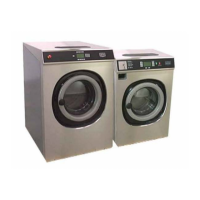
4. To remove a switch from the switch block,
insert a flat blade screwdriver in the tab at
the end of the switch.
5. Pull the tab to release that end of switch.
6. Lift the switch to release the tab on the
other end, and remove the switch.
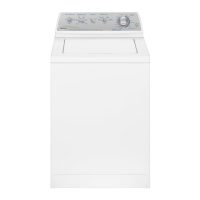
7. To disconnect wires from the switch, use a
flat blade screwdriver to loosen the screw
securing the wire to the switch.
8. Pull the wire out of the hole in the switch.
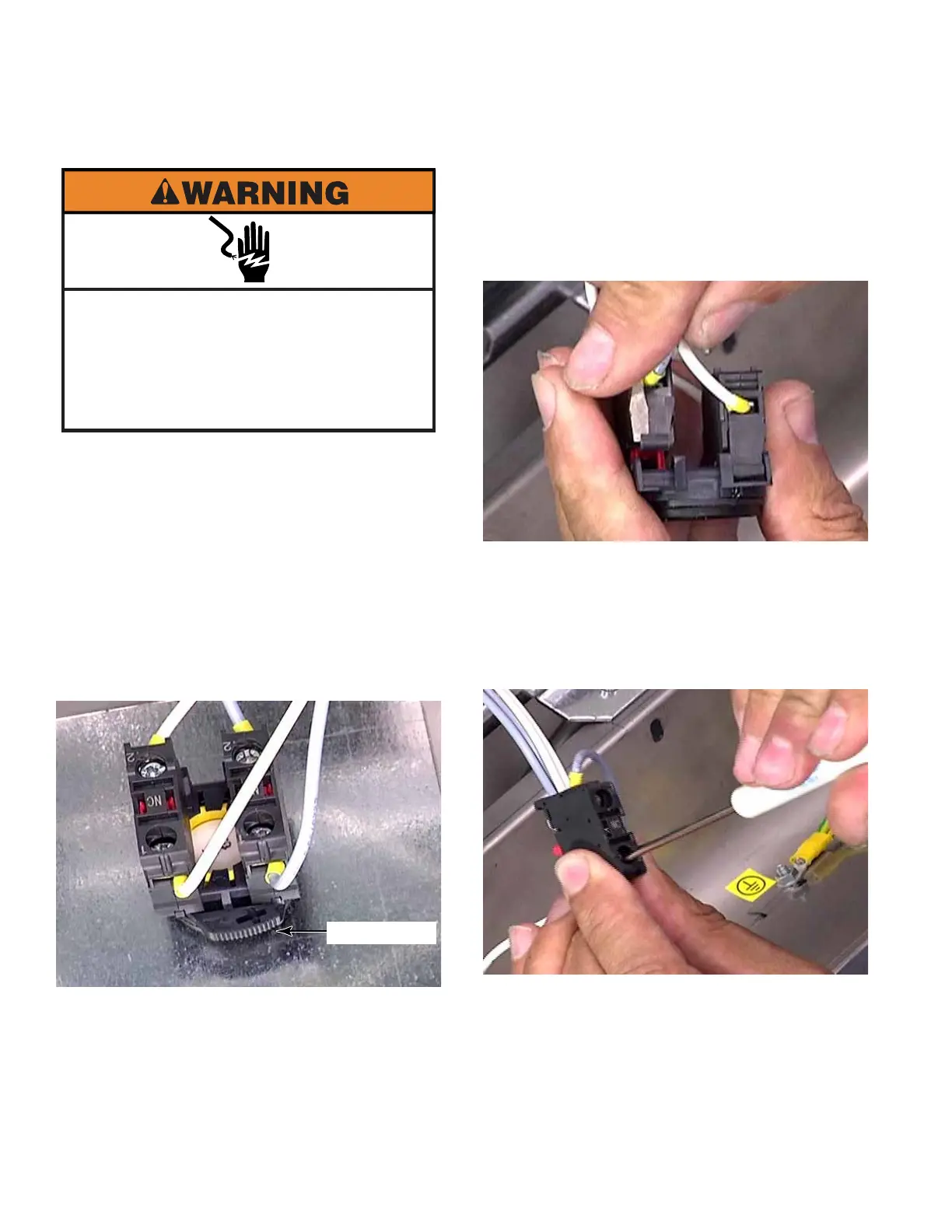
Electrical Shock Hazard
Disconnect power before servicing.
Failure to do so can result in death or
electrical shock.
Replace all parts and panels before
operating.
EMERGENCY STOP BUTTON - PN MODELS
Thumb Lock


 To Next Page