9
NOTE:
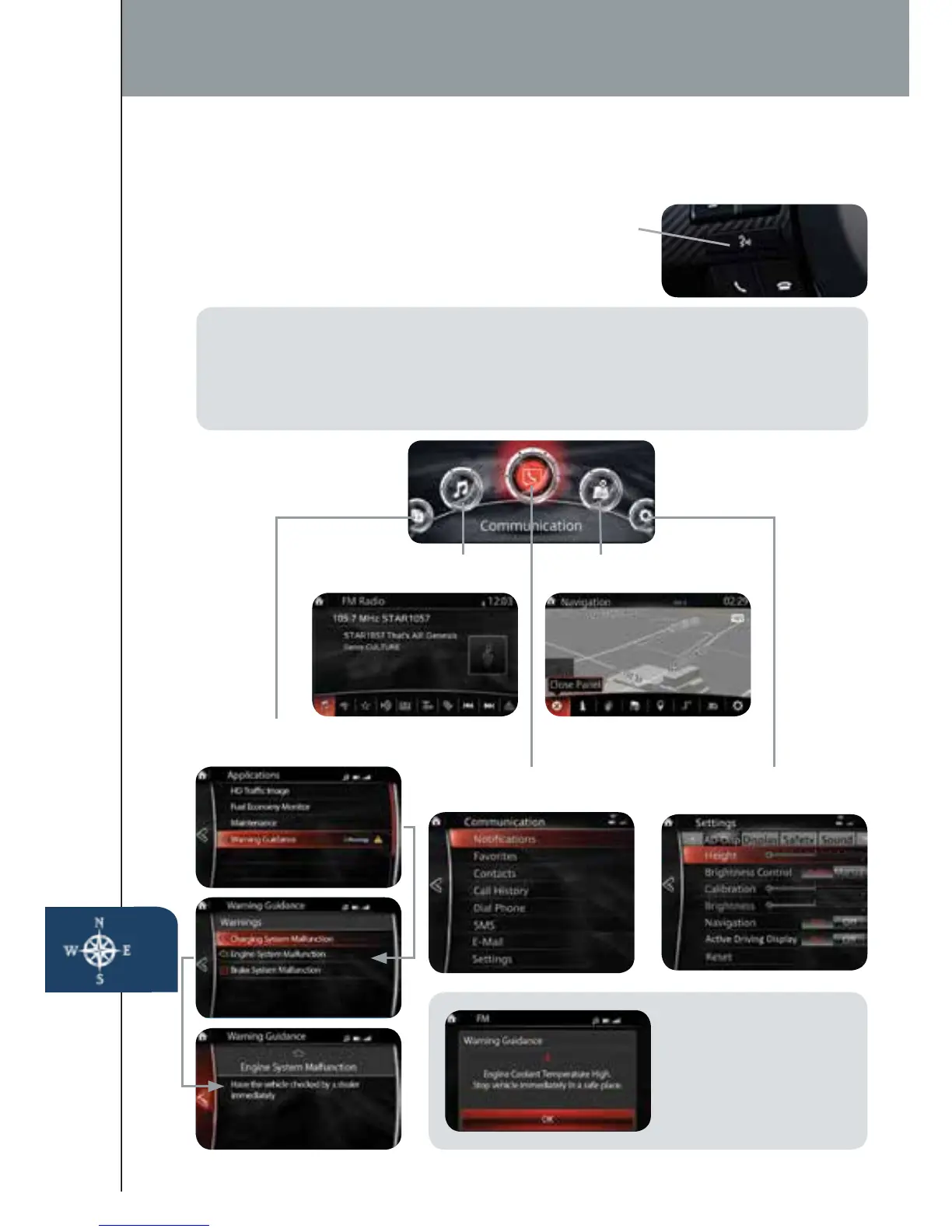
These types of Warning
screens appear when
there is a problem with
the vehicle.
INFOTAINMENT SYSTEM DISPLAY SCREENS
The infotainment system by Mazda is designed to be operated by using one
of the following three interfaces:
1 The commander switch (p. 10).
2 The touchscreen (if the vehicle is not moving).
3 Voice control (p. 10).
Infotainment System
SD Card
NOTE:
• In the interest of safety and to avoid distracted driving, the touchscreen is
disabled at speeds over 5 mph. Use the commander switch or voice control to
operate the infotainment system.
• You can touch and tap, slide or swipe the touchscreen, but cannot pinch.
TALK
Push TALK button
and say “Applications.”
Push TALK button
and say “Settings.”
Push TALK button
and say “Entertainment.”
Push TALK button
and say “Navigation.”
Push TALK button and
say “Communication.”
1518135_14d_Mazda3_SSG_070313.indd 9 7/3/13 3:13 PM



 To Next Page